Expanding Your Computer 4-17
System Memory Upgrade
You can upgrade your computer by changing system memory to a maximum
of 4 GB on the two 533/667 MHz DDRII SO-DIMM slots.
CAUTION: RAM modules are extremely sensitive to static electricity. There
are cases where static electricity generated by the human body has
adversely affected such modules. When inserting or removing a RAM
module, do not touch the terminals or internal components, insert objects
other than the module, or allow foreign particles to enter. Doing so has
been known to cause damage, fire, or electrical shock.
To install the RAM module:
1. Remove the battery pack (see chapter 3) and make sure that the
computer is not connected to AC power.
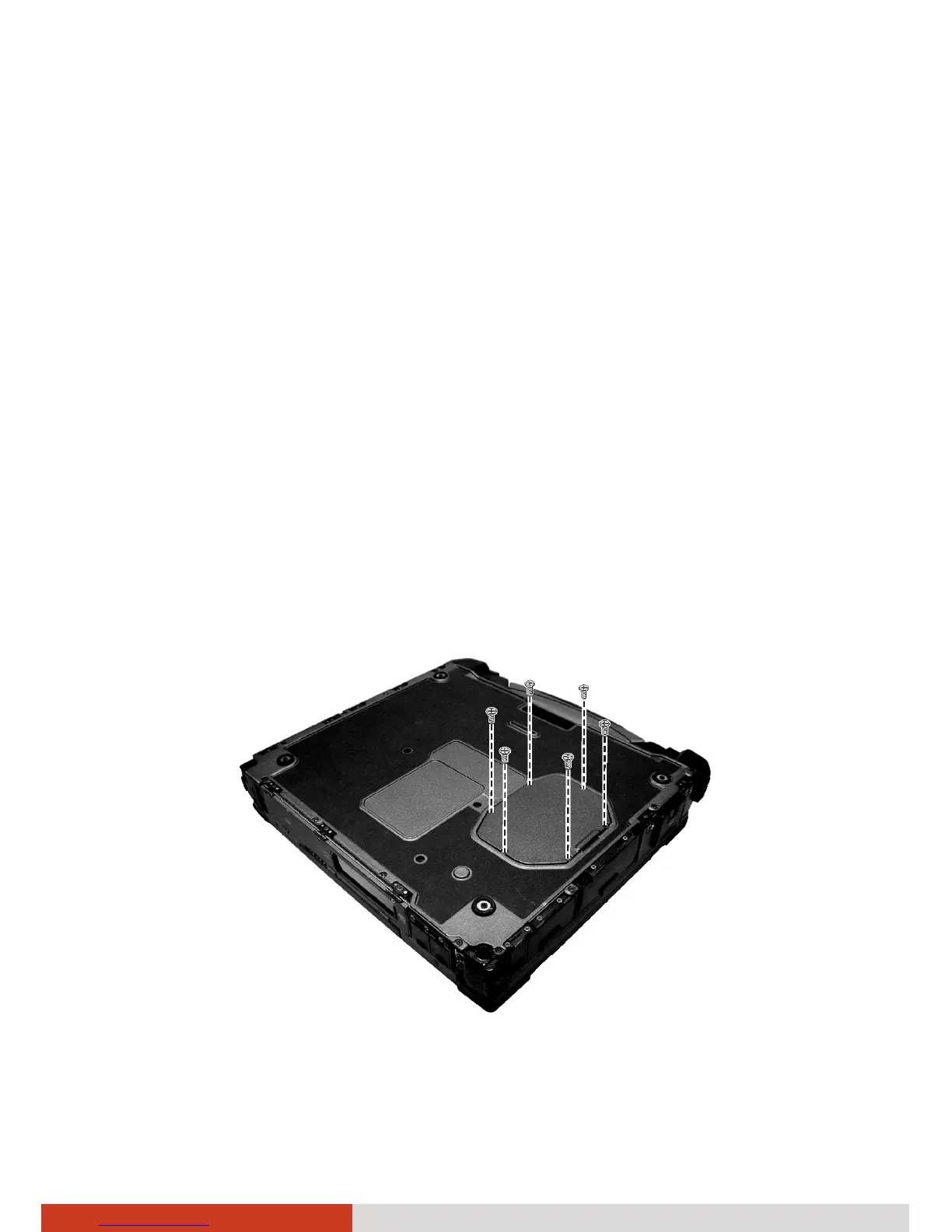
2. Carefully place the computer upside down.
3. Remove the six screws to open the compartment cover.



 To Next Page