4-16
Expanding Your Computer
Using the Port Replicator
(Optional)
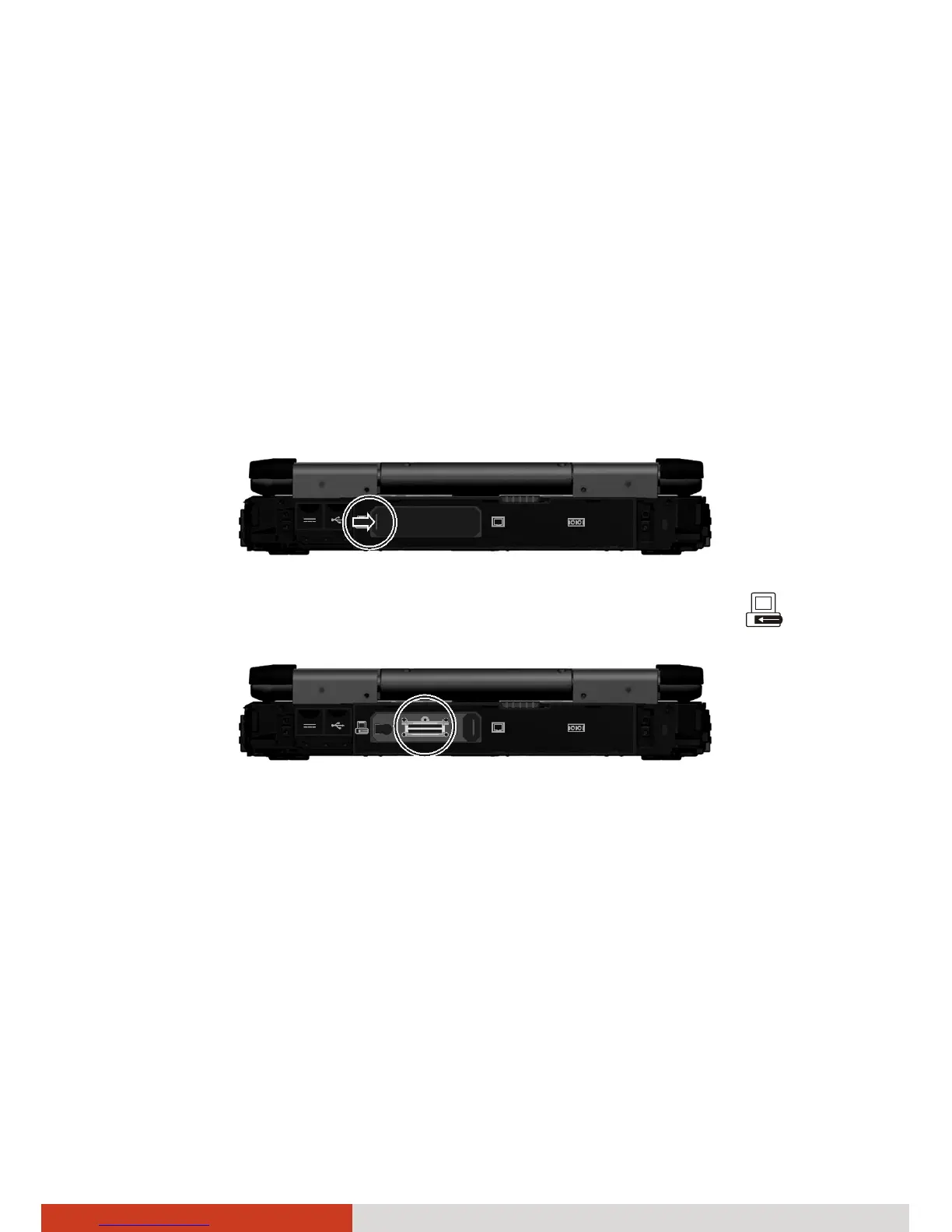
A port replicator is available as an option. This device eliminates the hassles
of having you connect and disconnect the various cables when carrying your
computer around and allows a variety of peripherals to be connected
including a headphone or microphone, etc. The port replicator connects to
the expansion bus connector at the rear of your computer.
1. Slide open the expansion bus connector cover.
2. Connect your port replicator to the expansion bus connector (
).
For more detailed information, refer to the Operating Instructions of the
port replicator.



 To Next Page