Managing Power 3-7
5. With the ribbon strip facing outward, insert the new battery pack all the
way into the compartment.
6. Close the cover, press the release latch downward to engage, and then
slide the lock towards the right to secure the cover.
Installing a Second Battery Pack (Optional)
You can install a second battery pack to your computer for a longer
operating time when AC power is not available. To install a second battery
pack:
1. Turn off the computer and disconnect the AC adapter.
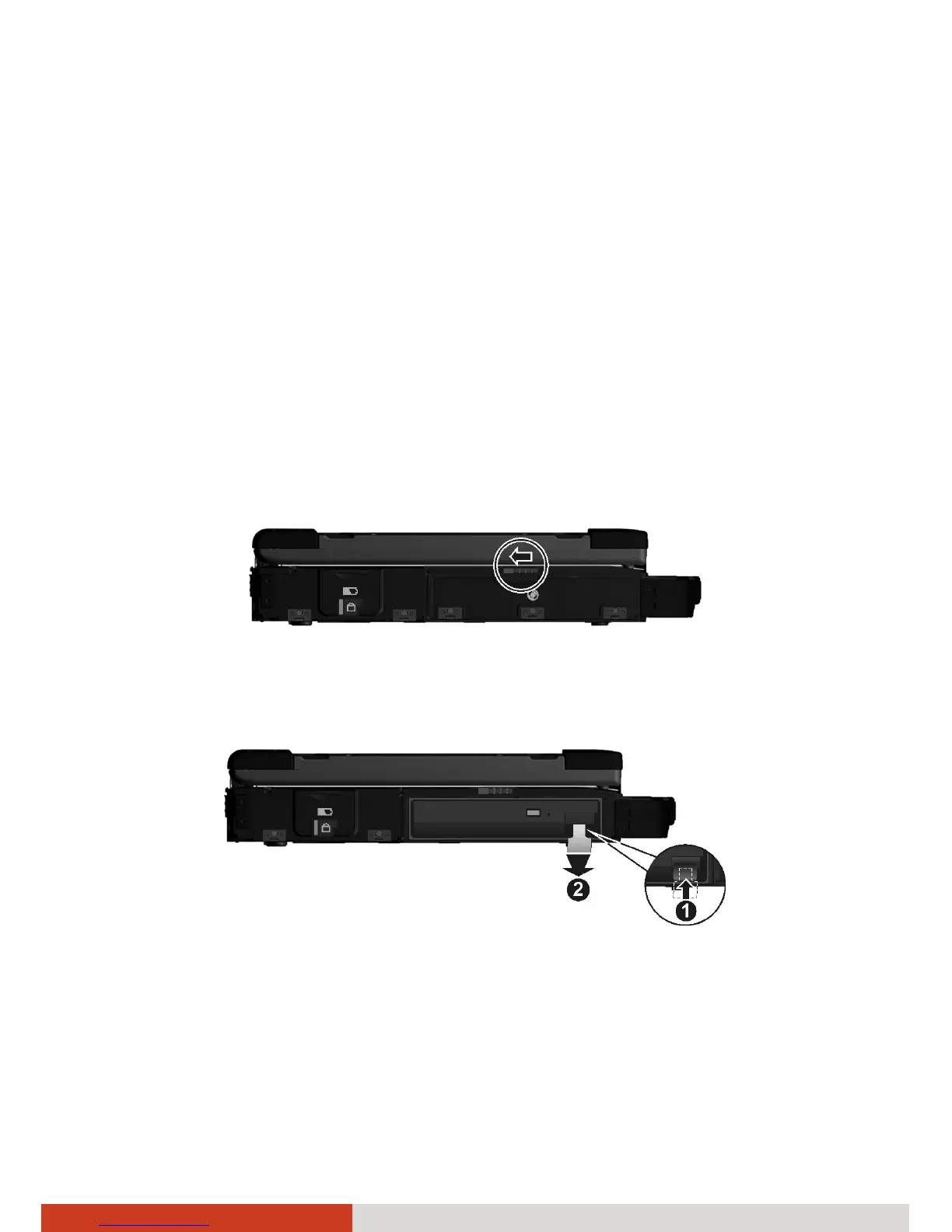
2. Open the media bay cover by sliding the release latch towards the left.
3. Press upward the release latch (n) and carefully pull the ribbon strip (o)
to slide the existing device out of the media bay.



 To Next Page