3-6
Managing Power
Replacing the Battery Pack
CAUTION:
z There is danger of explosion if the battery is incorrectly replaced.
Replace the battery only with the computer manufacturer’s optional
battery packs. Discard used batteries according to the dealer’s
instructions.
z Do not attempt to disassemble the battery pack.
If you often rely on battery power for a long period of time while traveling,
you may consider the purchase of an additional battery pack from your
dealer and keep it with you in a fully charged state as a backup.
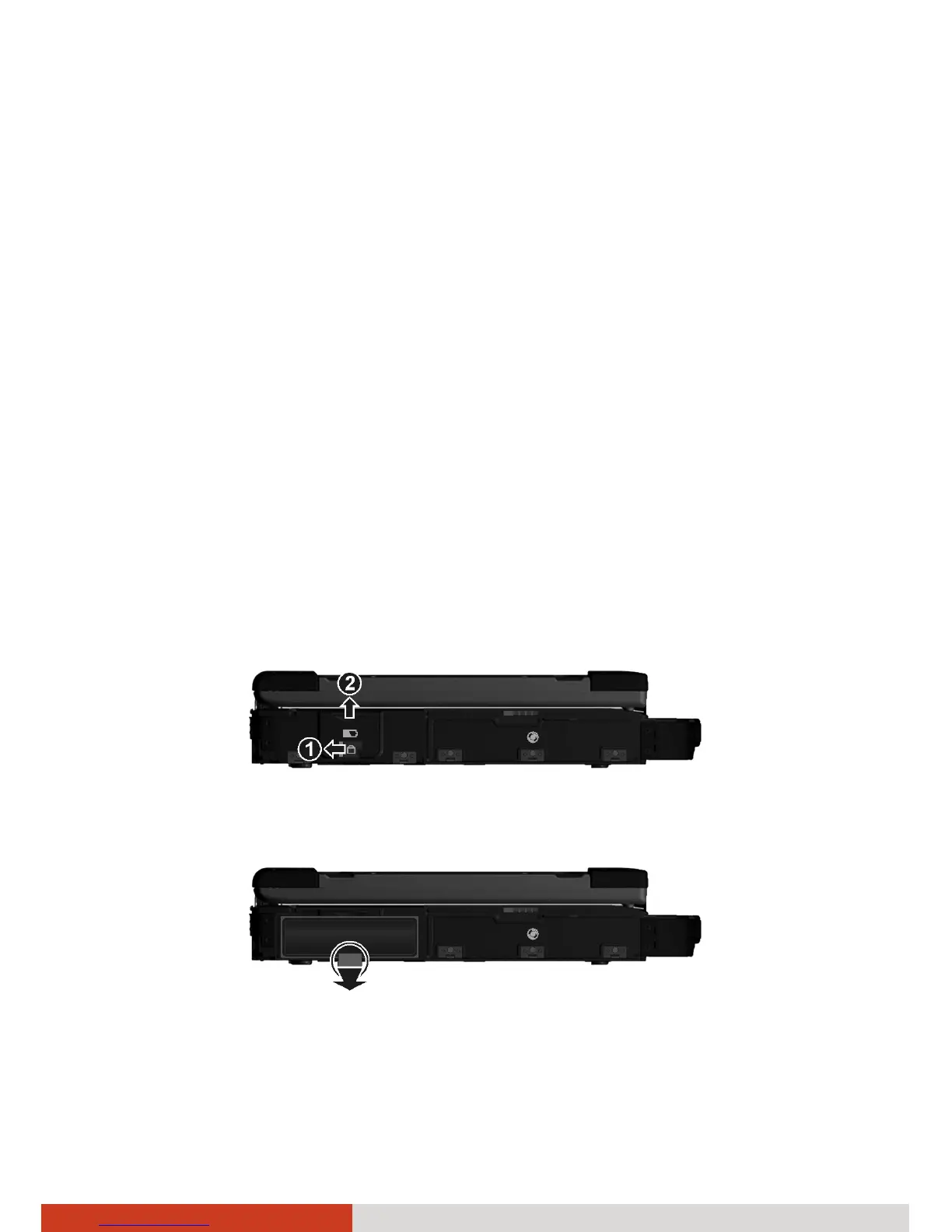
To replace the battery pack, follow these steps:
1. Turn off the computer and disconnect the AC adapter.
2. Locate the battery compartment on the left side of the computer.
3. Slide the cover lock to the left (n) and then lift the release latch (o) to
open the compartment cover.
4. Pull the ribbon strip and slide the battery pack out of the compartment.



 To Next Page