4-10
Expanding Your Computer
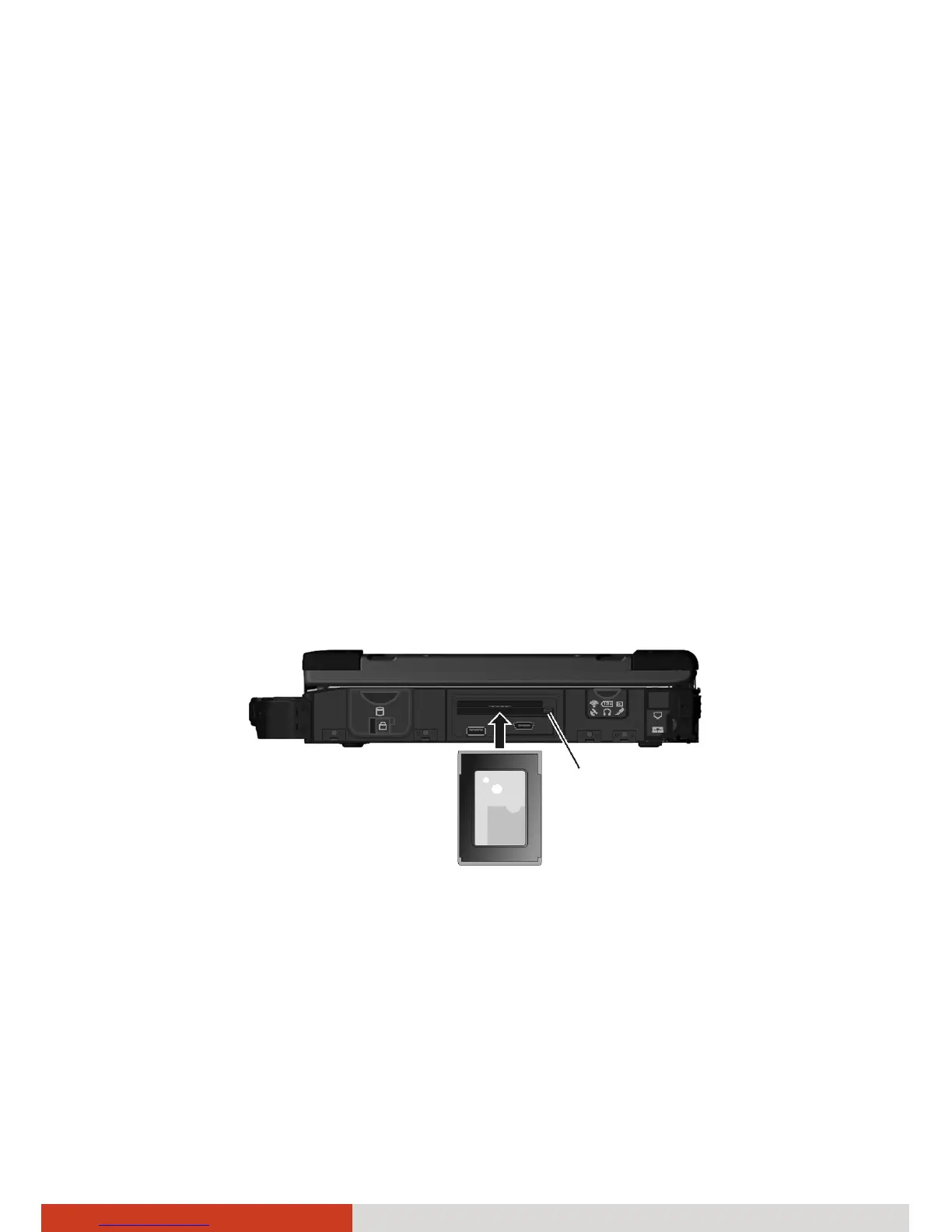
Using PC Cards
Depending on your model, your computer has one or two PC card slots
which supports type II card and CardBus specifications.
NOTE:
z Some PC cards require additional system resources. Before using such PC
card, you may have to free other system resources for the PC card.
z Although some PC cards can be inserted and removed without turning
off the computer, you cannot remove or install PC cards during Sleep
mode.
To insert a PC card:
1. Locate the PC card slot(s) on the right side of the computer and open the
cover.
2. Slide the PC card, with its label facing up, into the slot until the eject
button pops out.
3. When a new card is seated, the computer will detect it and try to install
the appropriate driver. Follow the on-screen instructions to complete the
process.
To remove a PC card:
Eject button



 To Next Page