101
settings will take effect (Please wait for about 30 seconds while router is
rebooting).
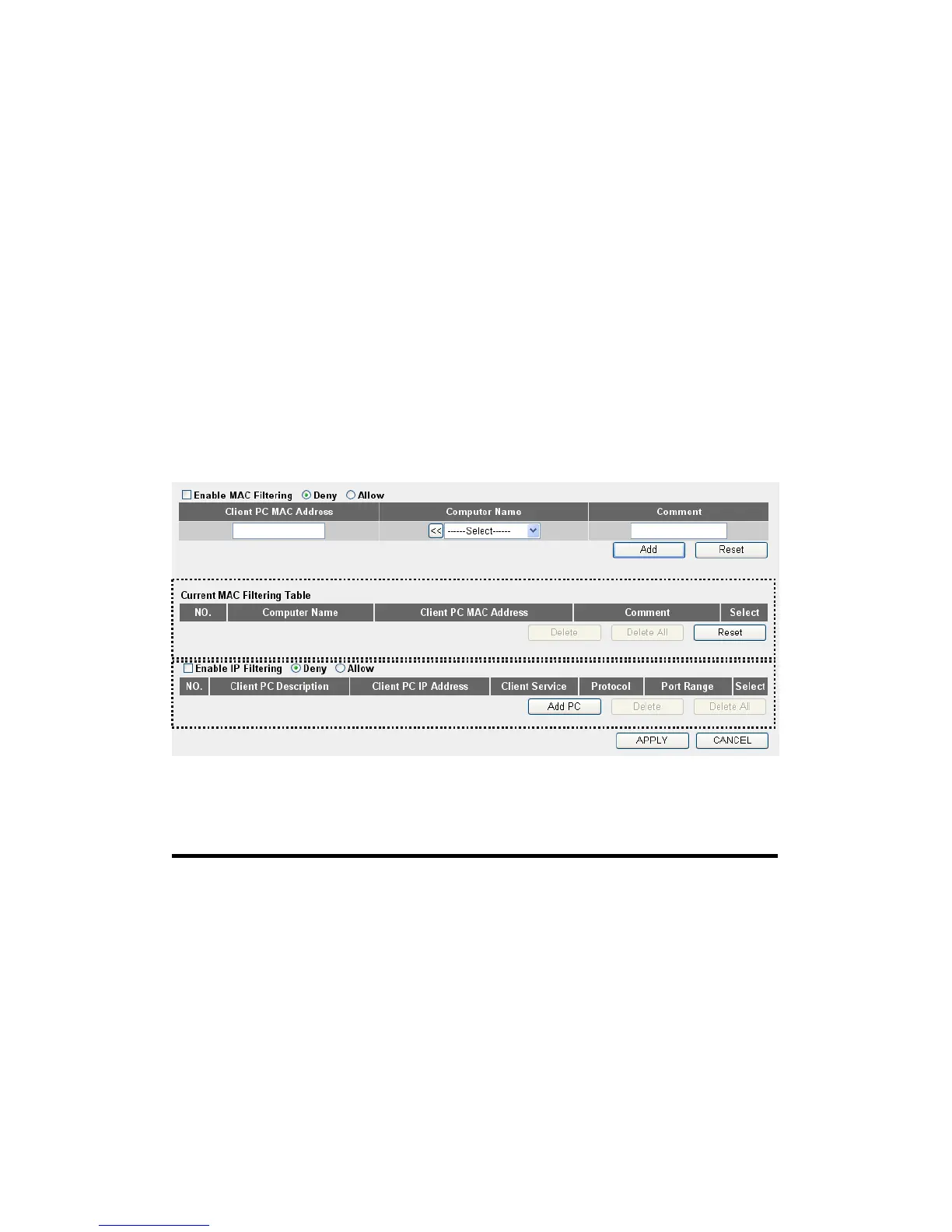
3-3-1 Access Control
This function allows or denies computers with specific MAC address
from connecting to the network; it can also allow or deny computers with
specific IP address, protocol, or port.
Please click ‘Firewall’ menu on the left of web management interface,
then click ‘Access Control’, and the following message will be displayed
on your web browser:
Here are descriptions of every setup items:
Enable MAC Check this box to enable MAC address based
Filtering (1): filtering, and please select ‘Deny’ or ‘Allow’ to
decide the behavior of MAC filtering table. If you
select deny, all MAC addresses listed in filtering
table will be denied from connecting to the network;
if you select allow, only MAC addresses listed in
filtering table will be able to connect to the network,
and rejecting all other network devices.
1
2 3
5 6
7
8
9 10
12



 To Next Page