95
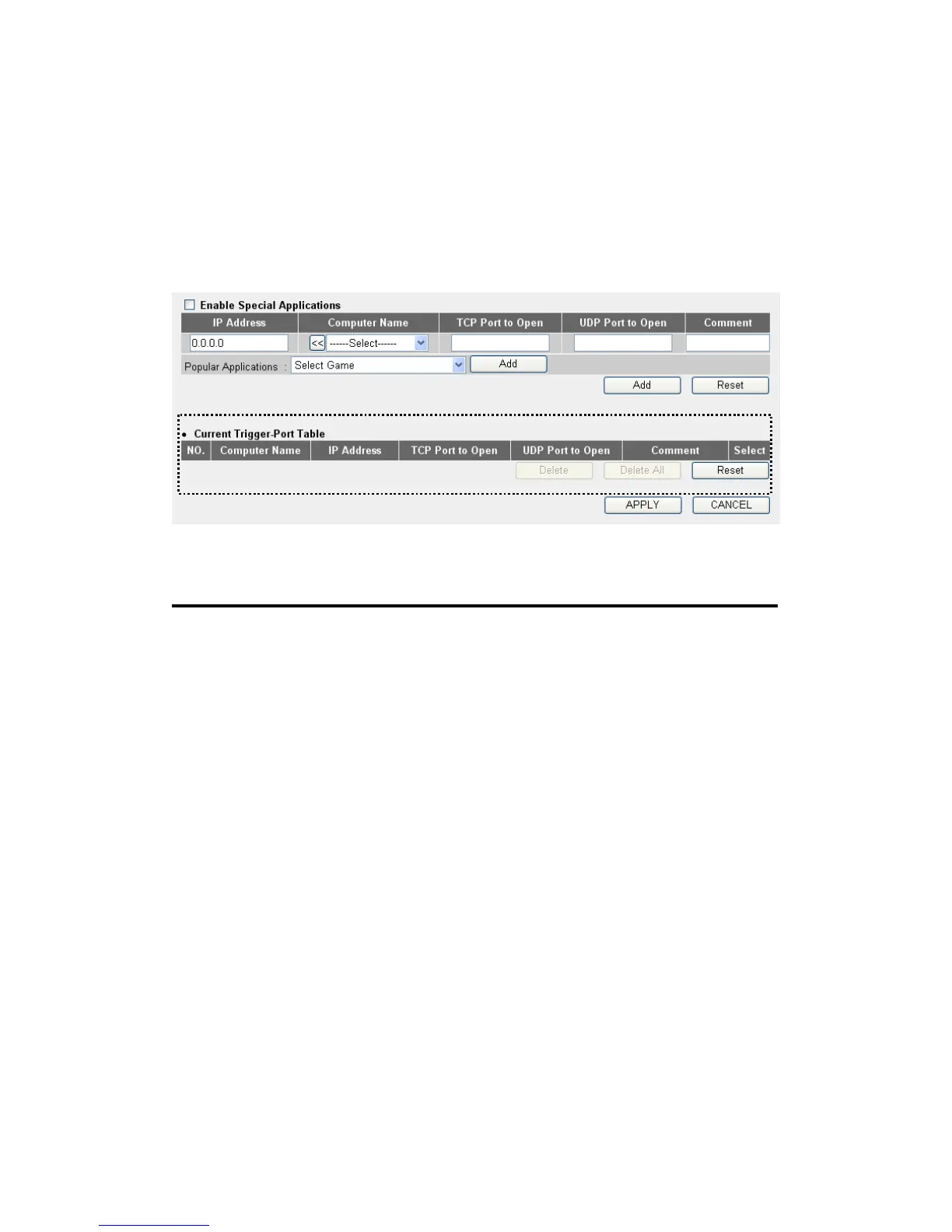
3-2-4 Port Mapping for Special Applications
Some applications require more than one connection a time; these
applications won’t work with simple NAT rules. In order to make these
applications work, you can use this function to let these applications
work.
Here are descriptions of every setup items:
Enable (1): Check this box to enable special applications and
uncheck this box to disable virtual server.
IP Address (2): Input the IP address of the computer which you
want to open the ports.
Computer Name (3): Pull down the menu and all the computers
connected to the router will be listed here. You can
easily to select the computer name without checking
the IP address of the computer.
TCP Port to Open (4): This is the out going (Outbound) range of TCP
port numbers for this particular application.
UDP Port to Open (5): This is the out going (Outbound) range of UDP
port numbers for this particular application.
Comment (6): The description of this setting.
1
2 3
4 5
8 9
10
11 12
7
6
13
14



 To Next Page