75
2-7-3-3 Wi-Fi Protected Access (WPA):
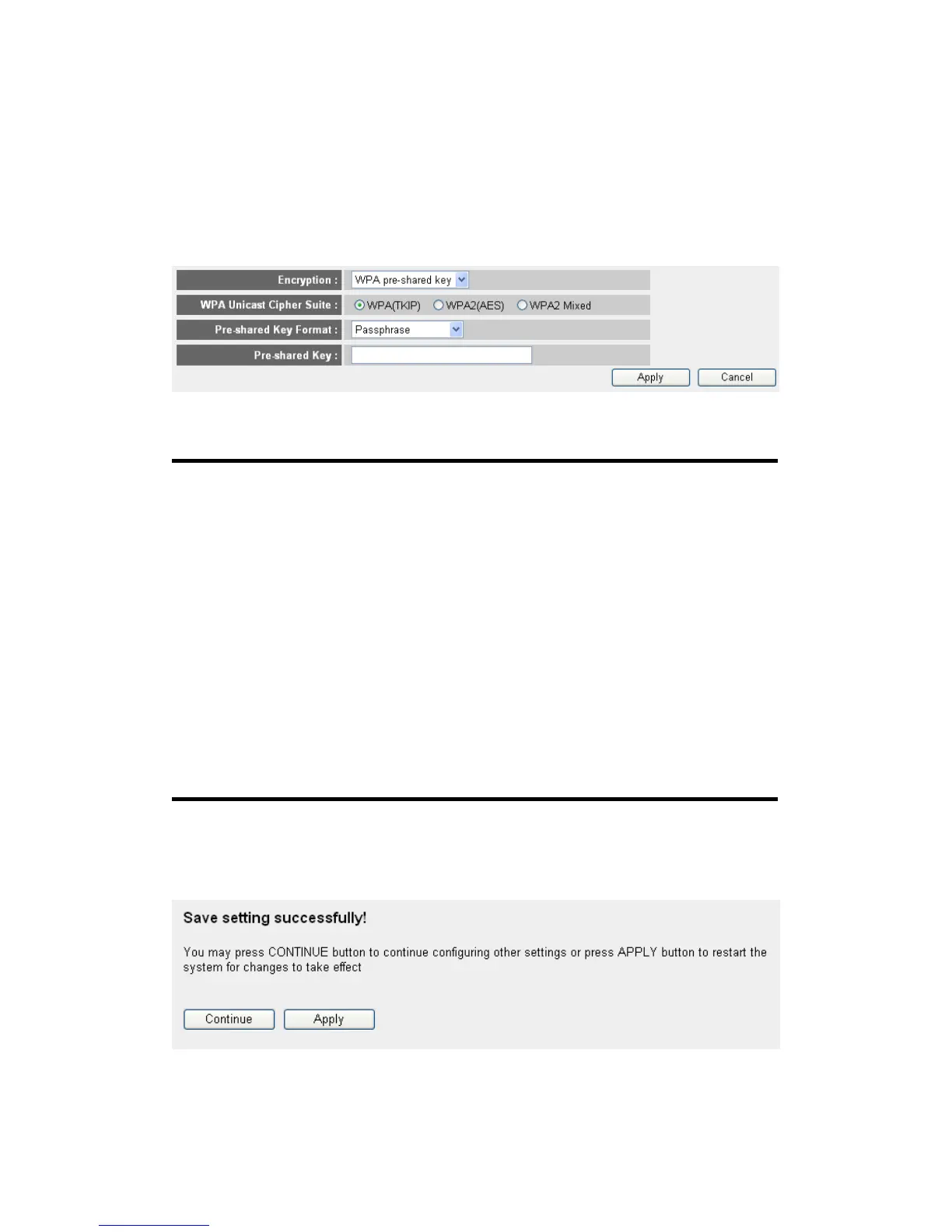
When you select this mode, the wireless router will use WPA encryption,
and the following setup menu will be shown on your web browser:
Here are descriptions of every setup items:
WPA Unicast Please select a type of WPA cipher suite.
Cipher Suite (2): Available options are: WPA (TKIP), WPA2 (AES),
and WPA2 Mixed. You can select one of them, but
you have to make sure your wireless client support
the cipher you selected.
Pre-shared Select the type of pre-shared key, you
Key Format (3): can select Passphrase (8 or more alphanumerical
characters, up to 63), or Hex (64 characters of 0-9,
and a-f).
Pre-shared Please input the WPA passphrase here.
Key (4): It’s not recommended to use a word that can be
found in a dictionary due to security reason.
After you finish WPA Pre-shared key setting, please click ‘Apply’ button
(5) and the following message will be displayed on your web browser:
Please click ‘Continue’ to back to previous setup menu; to continue on
1
2
3
5
4



 To Next Page