72
Please select an encryption method from ‘Encryption’ dropdown menu,
there are four options:
2-7-3-1 Disable wireless security
When you select this mode, data encryption is disabled, and every
wireless device in proximity will be able to connect your wireless router
if no other security measure is enabled (like MAC address access control
- see section 2-7-4, or disable ESSID broadcast).
Only use this option when you really want to allow everyone to use your
wireless router, and you don’t care if there’s someone reads the data you
transfer over network without your consent.
2-7-3-2 WEP - Wired Equivalent Privacy
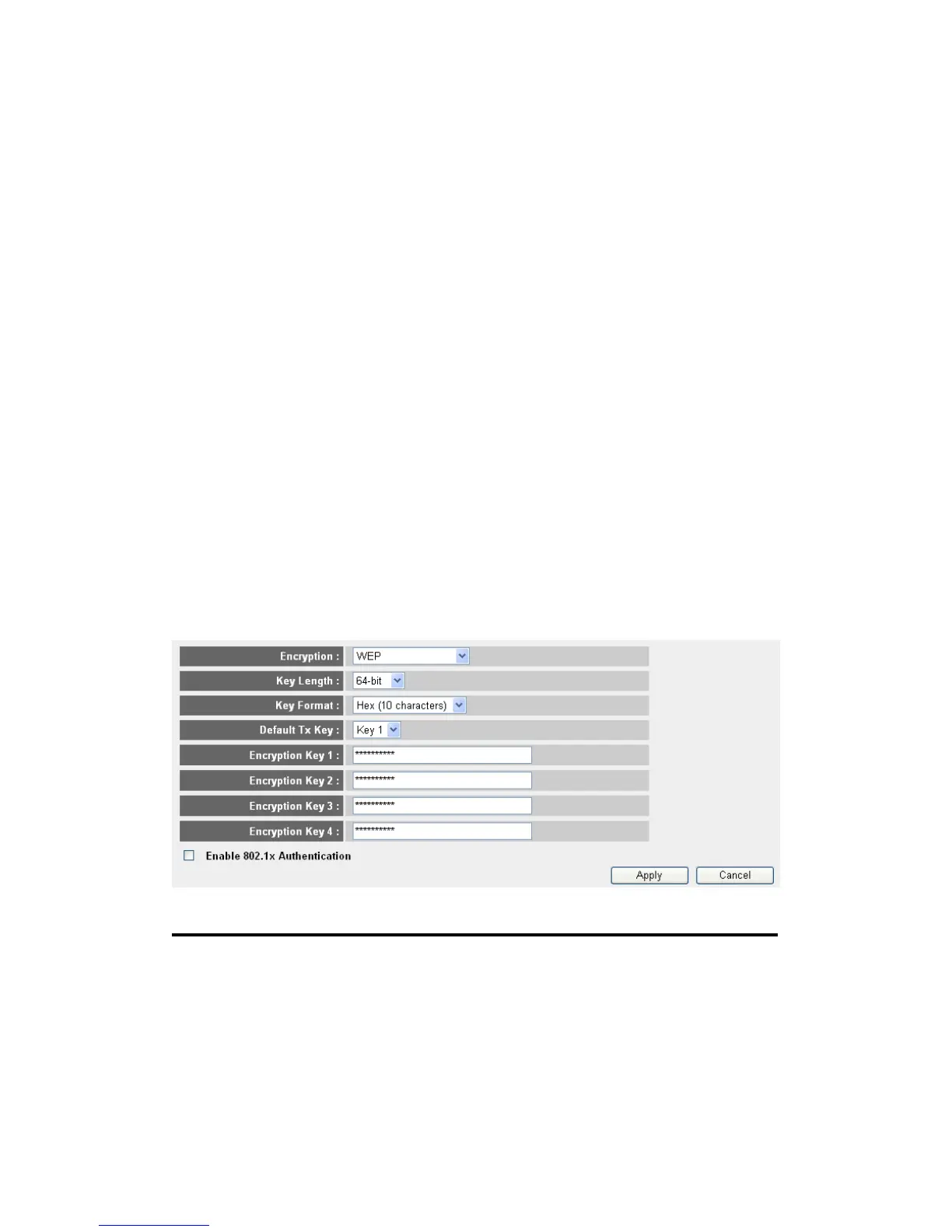
When you select this mode, the wireless router will use WEP encryption,
and the following setup menu will be shown on your web browser:
Here are descriptions of every setup items:
Key Length (2): There are two types of WEP key length: 64-bit and
128-bit. Using ‘128-bit’ is safer than ’64-bit’, but
will reduce some data transfer performance.
Key Format (3): There are two types of key format: ASCII and Hex.
When you select a key format, the number of
1
2
3
5
7
6
9
4
8
10



 To Next Page