23
After you finish with all settings, please click ‘Apply’ (4) button.
2. Broadband Type
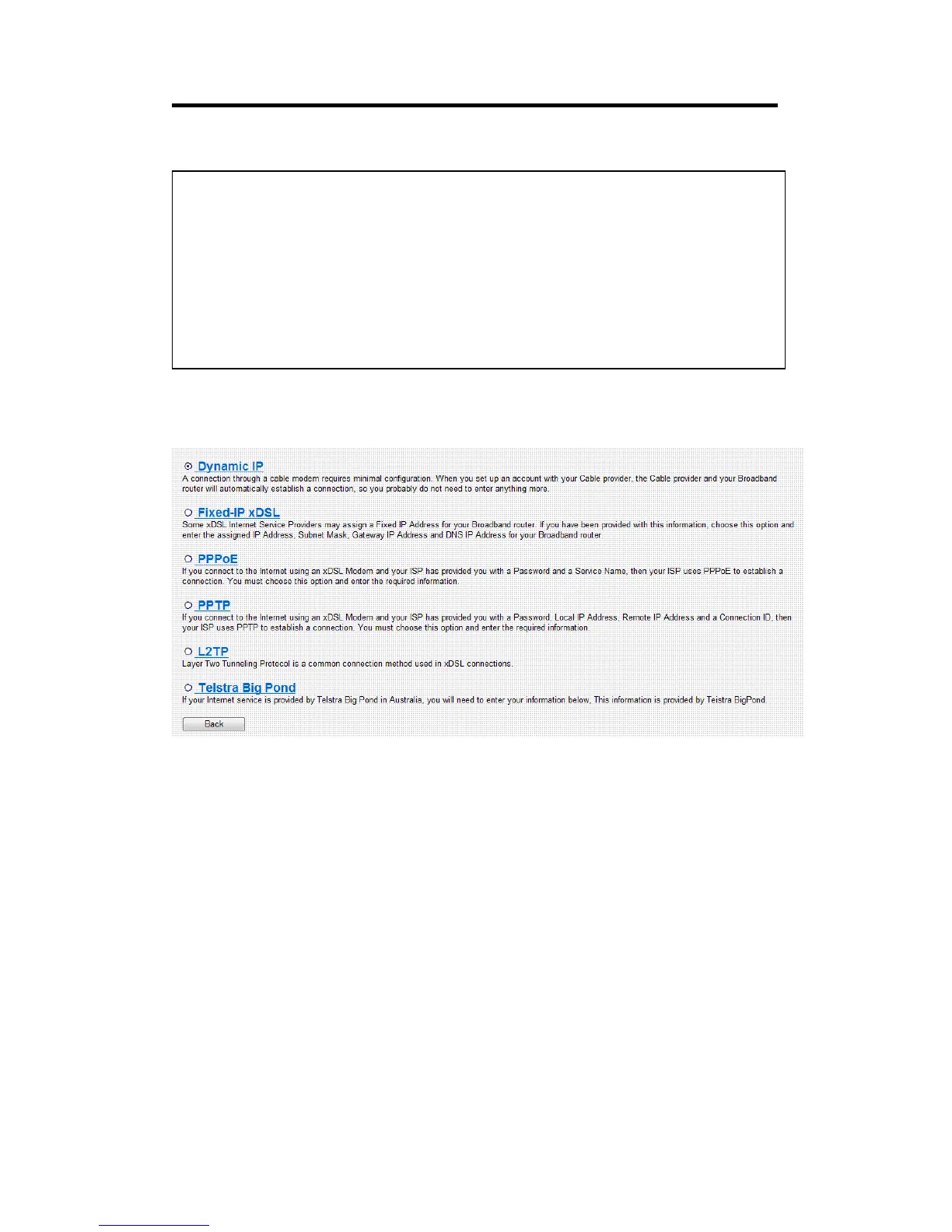
Please choose the broadband (Internet connection) type you’re using in
this page. There are six types of Internet connection, they are:
Dynamic IP - Please go to section 2-3-1
Fixed-IP xDSL - Please go to section 2-3-2
PPPoE - Please go to section 2-3-3
PPTP - Please go to section 2-3-4
L2TP - Please go to section 2-3-5
Telstra Big Pond - Please go to section 2-3-6
If you’re not sure, please contact your Internet service provider. A wrong
Internet connection type will cause connection problem, and you will not
be able to connect to internet.
NOTE: There are several time servers available on internet:
129.6.15.28 (time-a.nist.gov)
132.163.4.101 (time-a.timefreq.bldrdoc.gov)
131.107.1.10 (time-nw.nist.gov)
If you found that the time of router is incorrect, try another time server.



 To Next Page