84
Chapter III Advanced Functions
3-1 Quality of Service (QoS)
Quality of service provides an efficient way for computers on the network
to share the internet bandwidth with a promised quality of internet service.
Without QoS, all computers and devices on the network will compete
with each other to get internet bandwidth, and some applications which
require guaranteed bandwidth (like video streaming and network
telephone) will be affected, therefore an unpleasing result will occur, like
the interruption of video / audio transfer.
With this function, you can limit the maximum bandwidth or give a
guaranteed bandwidth for a specific computer, to avoid said unpleasing
result from happening.
3-1-1 Basic QoS Settings
Please follow the following instructions to set QoS parameters:
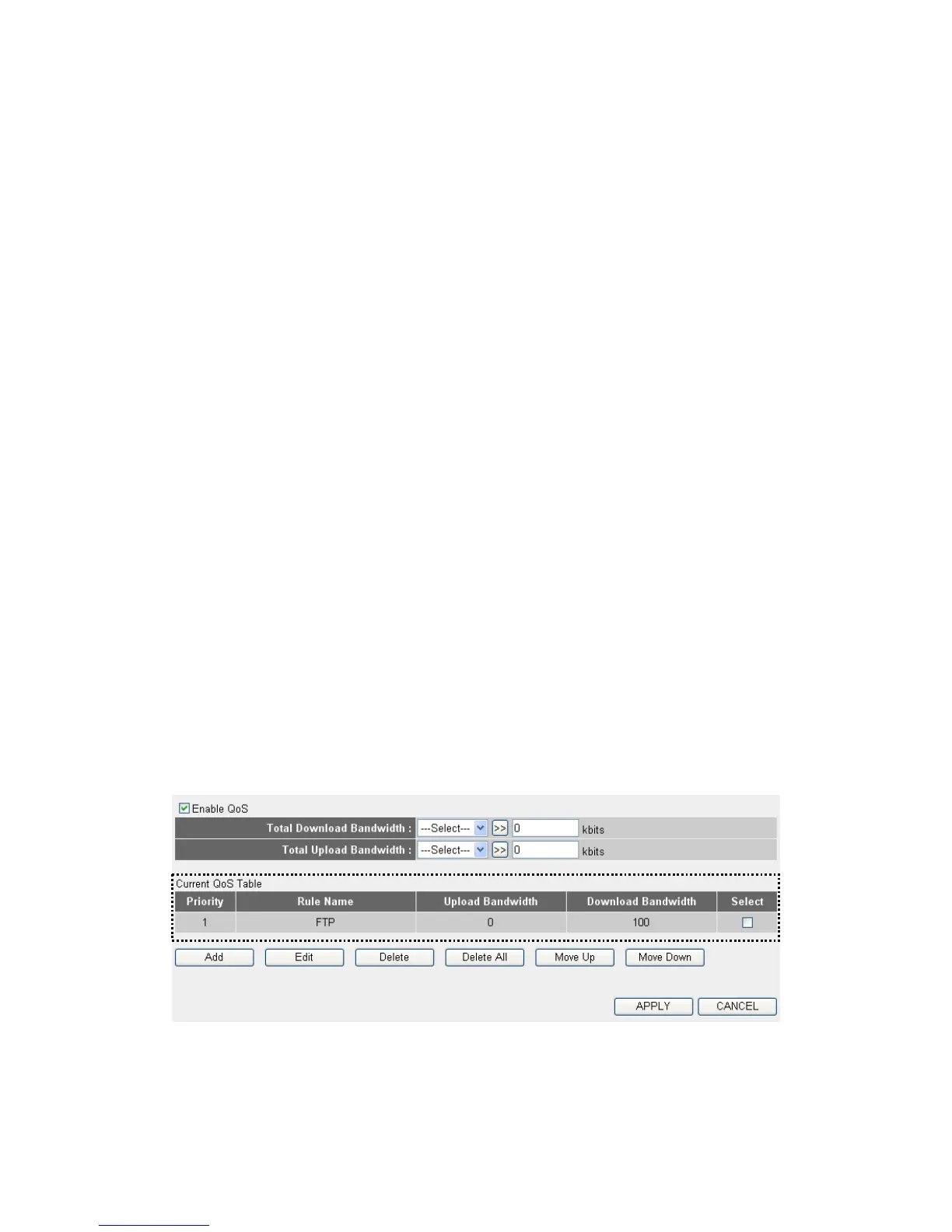
Please click ‘Qos’ menu on the left of web management interface and the
following message will be displayed on your web browser:
1
2



 To Next Page