28
WAN interface settings must be correctly set, or the Internet connection
will fail even those settings of PPTP settings are correct. Please contact
your Internet service provider if you don’t know what you should fill in
these fields.
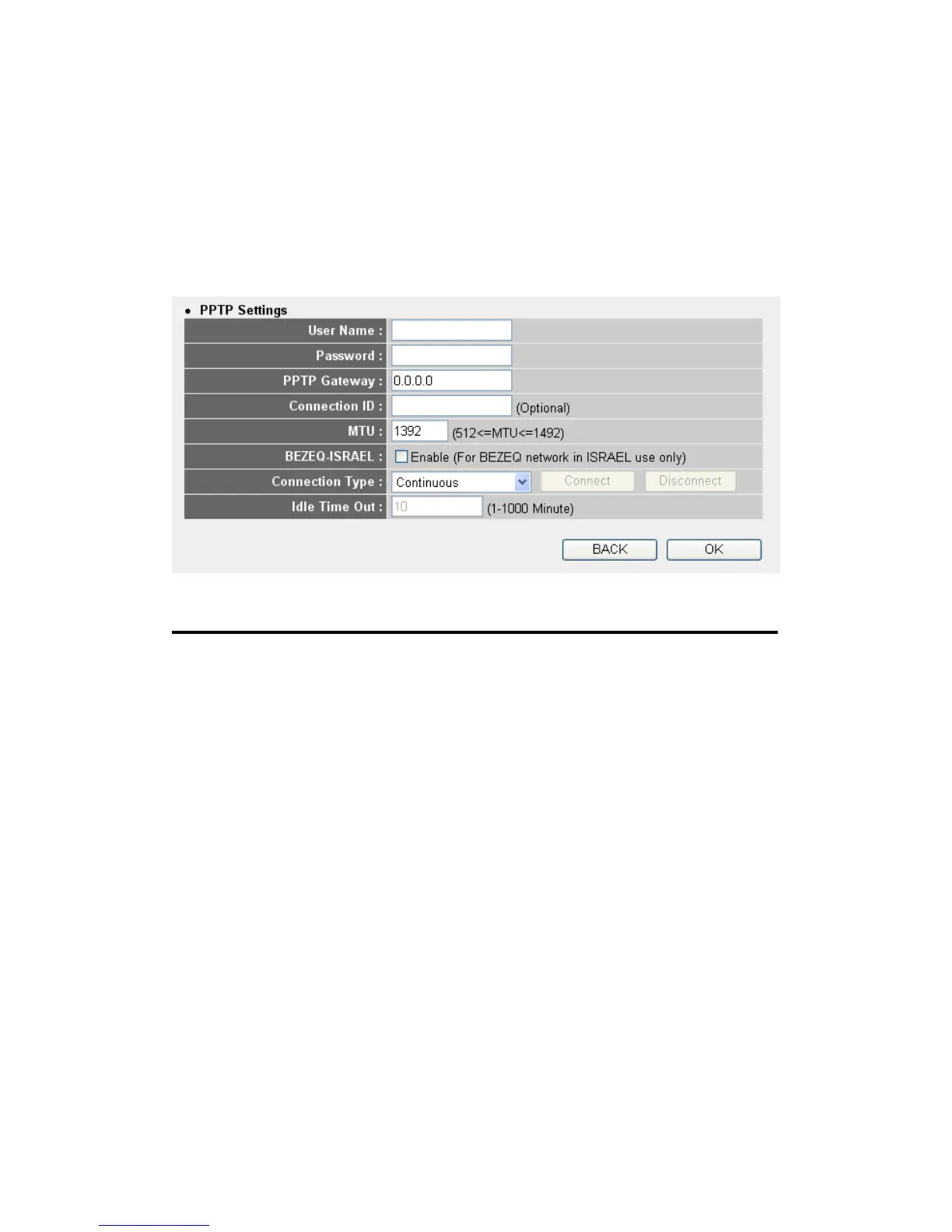
Now please go to PPTP settings section:
Here are descriptions of every setup items:
User Name (1): Please input user ID (user name) assigned by your
Internet service provider here.
Password (2): Please input the password assigned by your Internet
service provider here.
PPTP Please input the IP address of PPTP gateway
Gateway (3): assigned by your Internet service provider here.
Connection Please input the connection ID here, this is
ID (4): optional and you can leave it blank.
MTU (5): Please input the MTU value of your network
connection here. If you don’t know, you can use
default value.
BEZEQ-ISRAEL (6): Setting item ‘BEZEQ-ISRAEL’ is only required to
Check if you’re using the service provided by
1



 To Next Page