45
your Internet service provider if you don’t know what you should fill in
these fields.
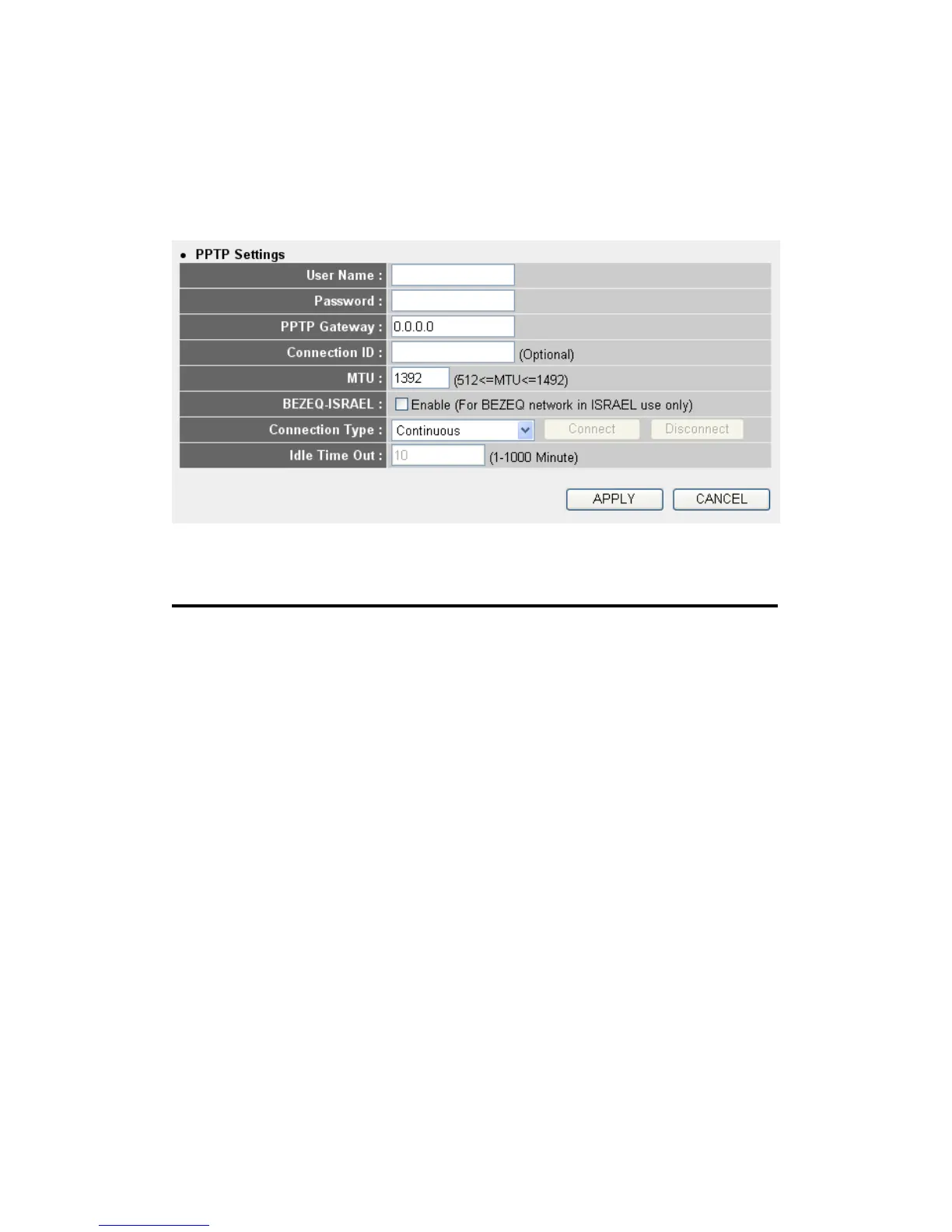
Now please go to PPTP settings section:
Here are descriptions of every setup items:
User Name (1): Please input user ID (user name) assigned by your
Internet service provider here.
Password (2): Please input the password assigned by your Internet
service provider here.
PPTP Gateway (3): Please input the IP address of PPTP gateway
assigned by your Internet service provider here.
Connection ID (4): Please input the connection ID here, this is optional
and you can leave it blank.
MTU (5): Please input the MTU value of your network
connection here. If you don’t know, you can use
default value.
BEZEQ-ISRAEL (6): If you are connecting to the BEZEQ network in
Israel. Please enable this function.
1



 To Next Page