53
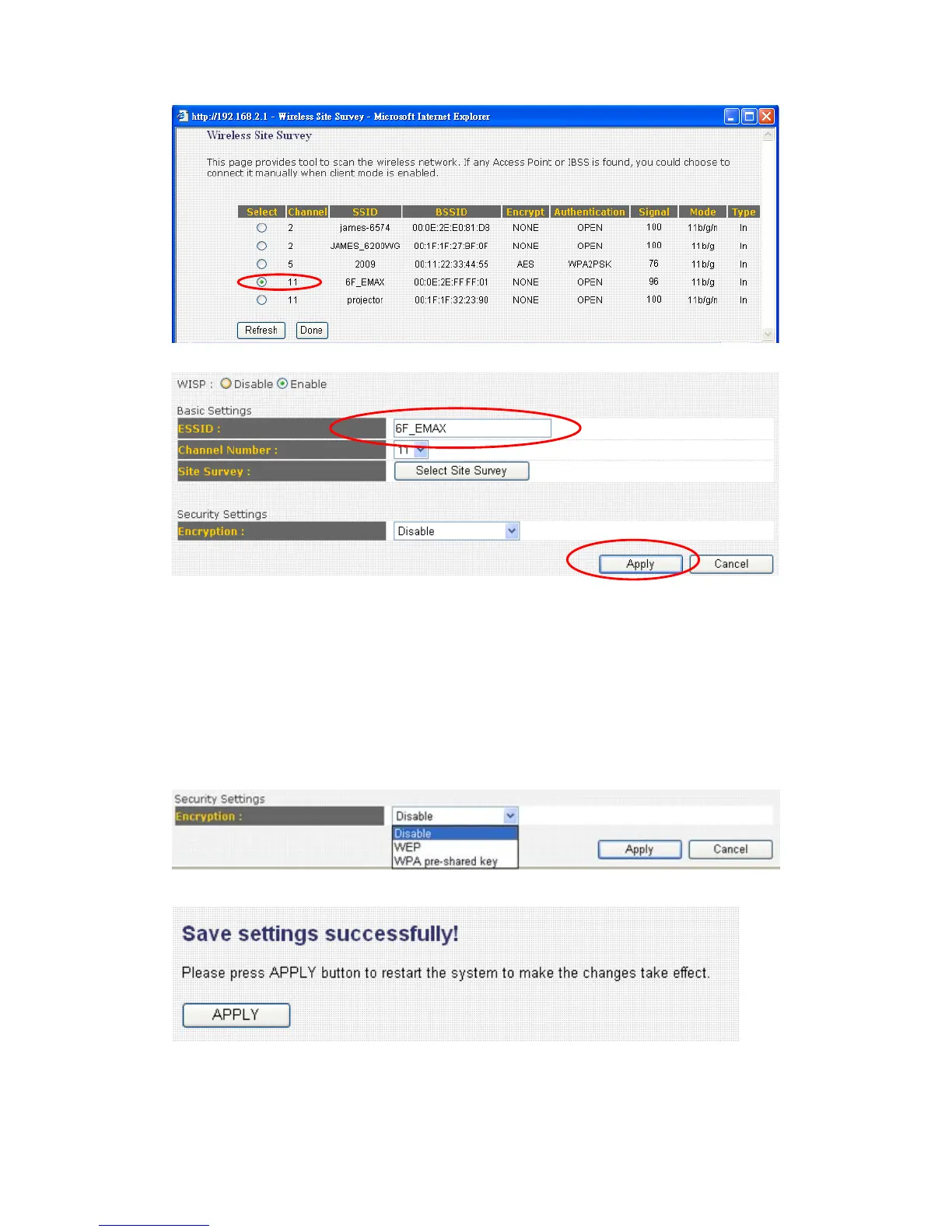
Here you will see the Access Point which you select.
Here we provide WEP and PWA-PSK security settings for you to connect
with ISP (Access Point). If your ISP does not ask you to input the security
key, please choose “ Disable” and click “ Apply “ to save changes you
made and restart the broadband router, this requires about 30 seconds and
the broadband router will stop responding (this is normal and is not
malfunction). You can reconnect to this broadband router and continue on
other settings later.



 To Next Page