55
12 Explanation of symbols
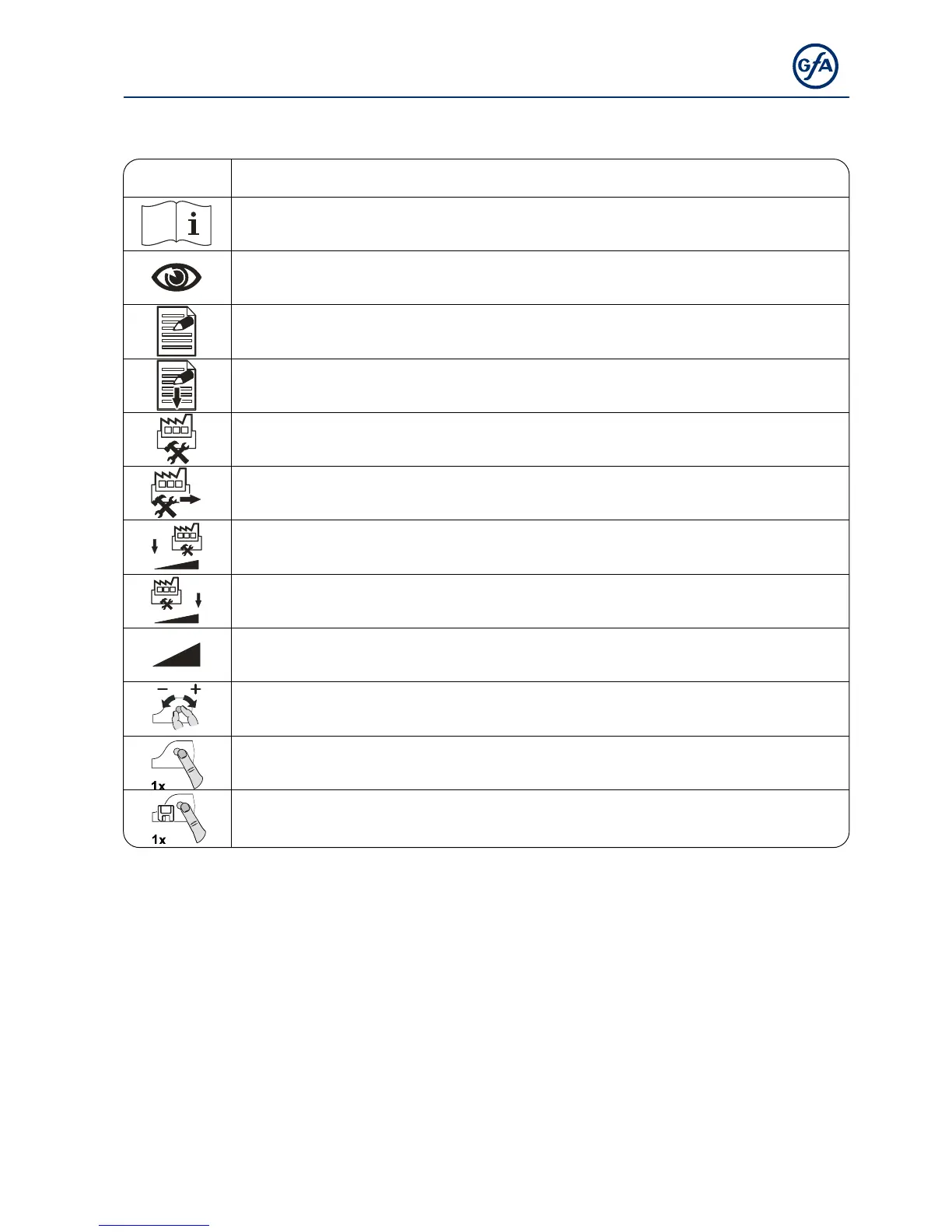
Symbol Explanation
Prompt: Read installation instructions
Prompt: Check
Prompt: Note
Prompt: Note the setting of the menu below
Factory setting of the menu
Factory setting of the menu, value on the right
Factory setting of the minimum limit, dependent on drive unit
Factory setting of the maximum limit, dependent on drive unit
Setting range
Prompt: Select menu item or value,
turn selector switch to the left or to the right
Prompt: View menu item,
press selector switch once
Prompt: Store,
press selector switch once



 To Next Page