223 Sample Changer User’s Guide 2-9
Installation
2
Rack Installation
Instructions for Deep-Well Microplates
For deep-well microplates:
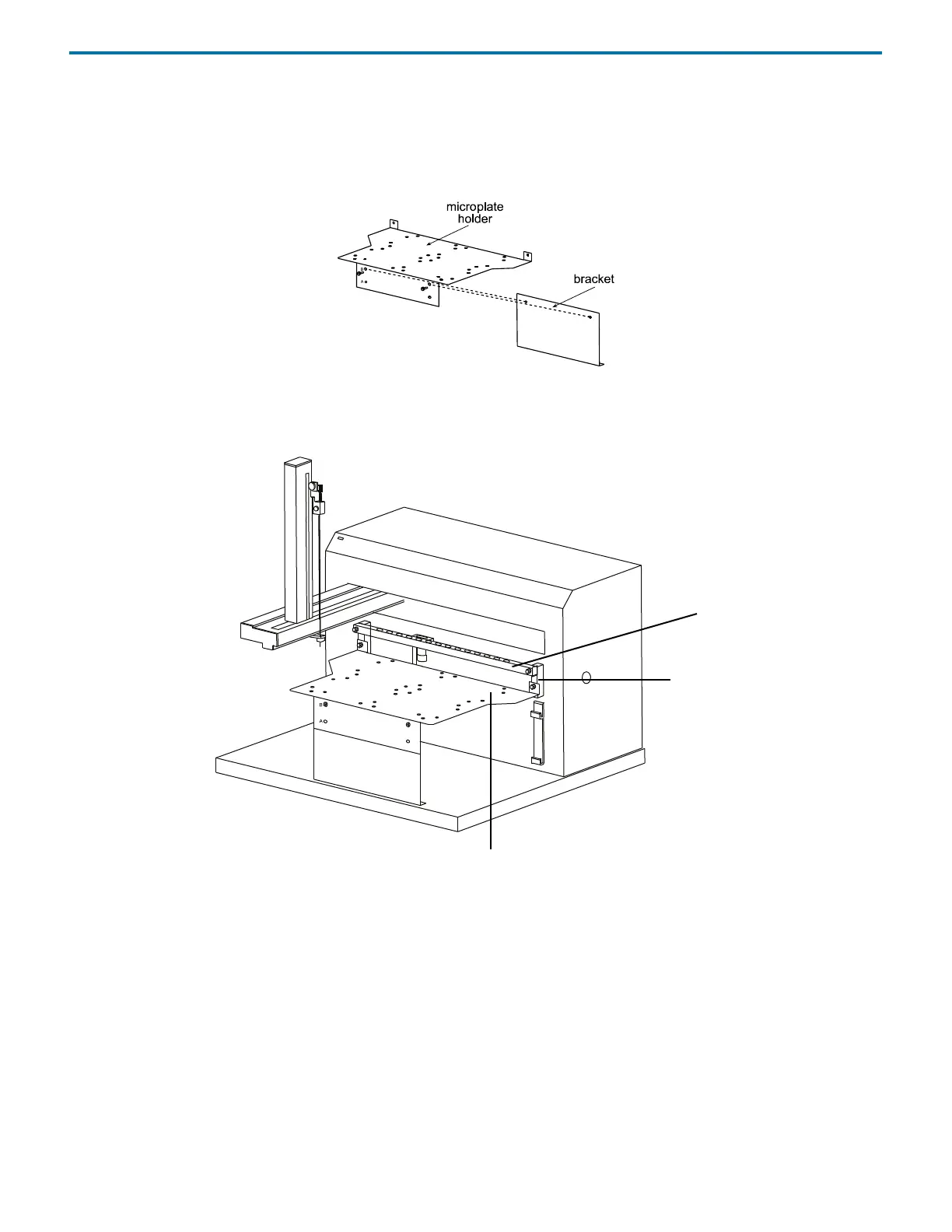
1 Align the upper set of holes (labeled B) in the microplate holder with the holes in the metal bracket. Insert the supplied
Phillips screws and tighten.
2 If installed, remove the polypropylene tray.
3 Install the microplate holder, in the lower position of the front standoffs, below the port bar if installed. Use the two knurled
screws supplied with the microplate holder.
port
front
standoff
bar
microplate
holder















 To Next Page