Operation
3
3-6 223 Sample Changer User’s Guide
223 Setup Utility
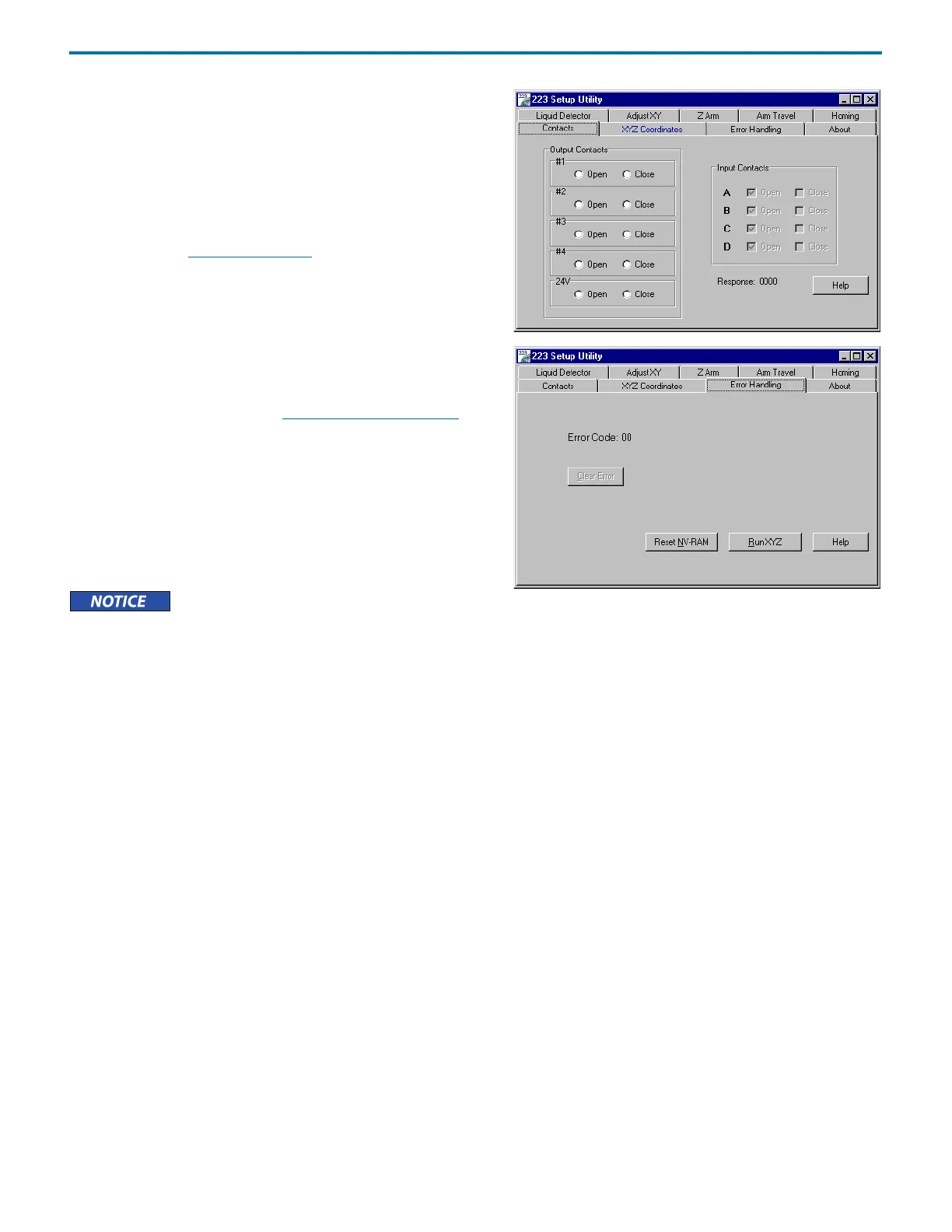
Contacts
The Contacts tab allows you to toggle output contacts to determine
if the correct contact connections have been made to peripheral
devices to be controlled by the 223 Sample Changer.
Before using this tab, you need to connect the peripheral device’s
inputs to the appropriate output pair on the sample changer. If
necessary, refer to Input/Output Ports
on page 2-14 for information
on making contact connections.
To exit the software, click Done.
Error Handling
This tab displays the current error when the instrument is in an error
state. For error solutions, refer to Chapter 5, Troubleshooting
. To
clear the error, click Clear Error.
Click Reset NV-RAM to reset the configuration options to the
factory defaults.
Click Run XYZ to demonstrate the capabilities of the sample
changer by performing an XYZ test. The XYZ test moves the probe to
several locations.
Remove the probe before running this test!















 To Next Page