27
If your A/V receiver is equipped with a Dolby Digital decoder, your
DVD+VCR can output Dolby Digital 5.1 sound, but you MUST
enable this feature in the menu system to prevent damage to your
speakers.
NOTE: Select “Bitstream” ONLY if you have connected a Dolby
Digital-equipped A/V receiver to the Digital Output
(optical or coaxial) on the DVD+VCR back panel.
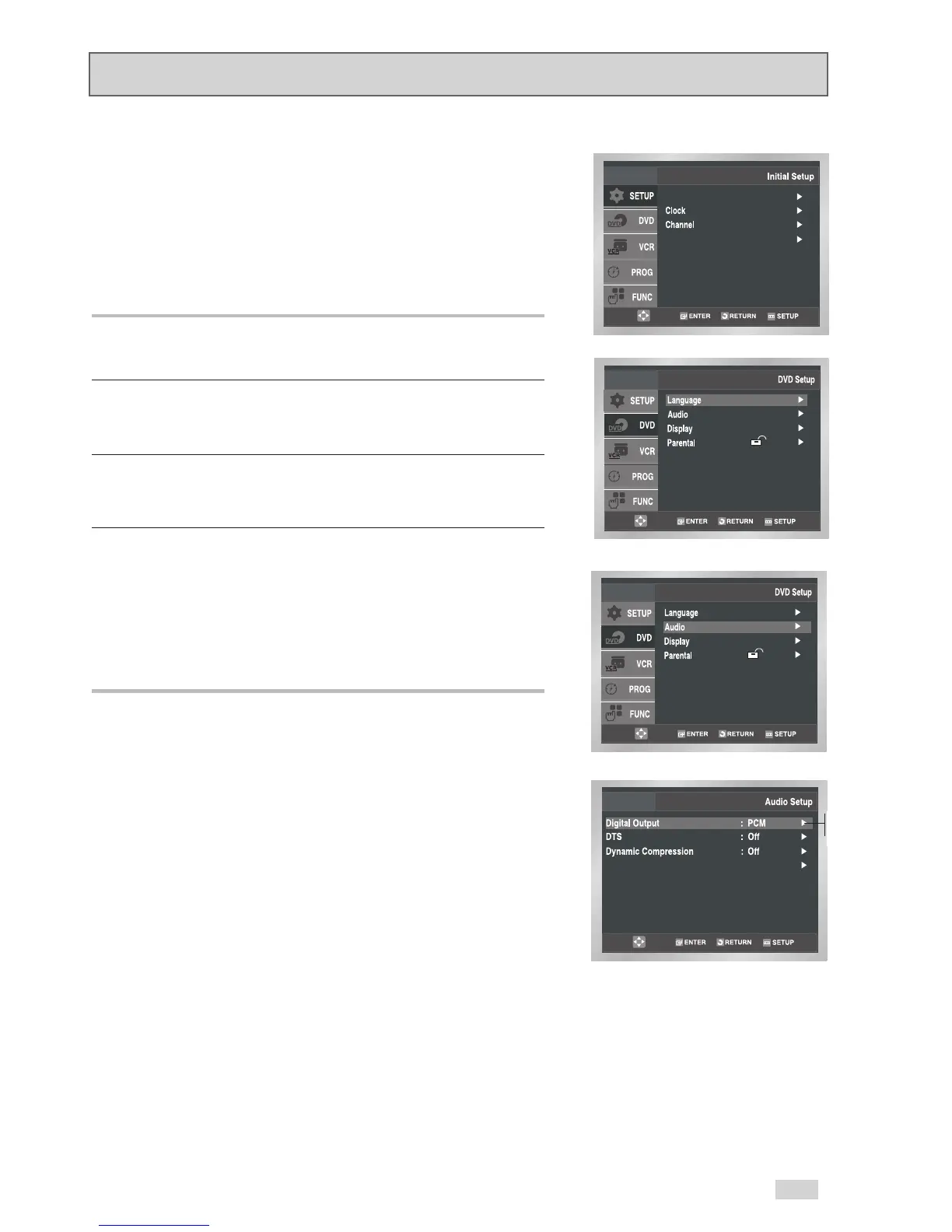
1Open “Initial Setup” menu
Press the SETUP button while the DVD is in Stop mode.
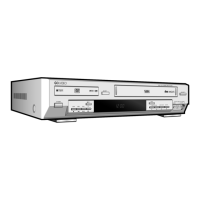
2 Select “DVD”
Use the
/
buttons to highlight “DVD”, then press ENTER to
select.
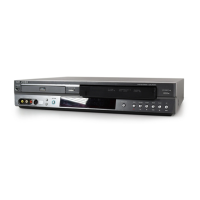
3 Select “Audio”
Use the
/
buttons to highlight “Audio”, then press ENTER to
select.
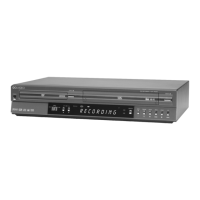
4 Set “Digital Output”
Use the
/
buttons to highlight “Digital Output”, then press
the
button to select one of the following options:
• PCM - To use your DVD+VCR with an A/V receiver NOT
equipped with a Dolby Digital decoder.
• Bitstream – To use your DVD+VCR with an A/V receiver
equipped with a Dolby Digital decoder.
Digital Output


 To Next Page