29
Dynamic Compression
Dynamic Compression restrains the dynamic range of sound, i.e.
the difference between the loudest and quietest passages of a DVD
audio track.
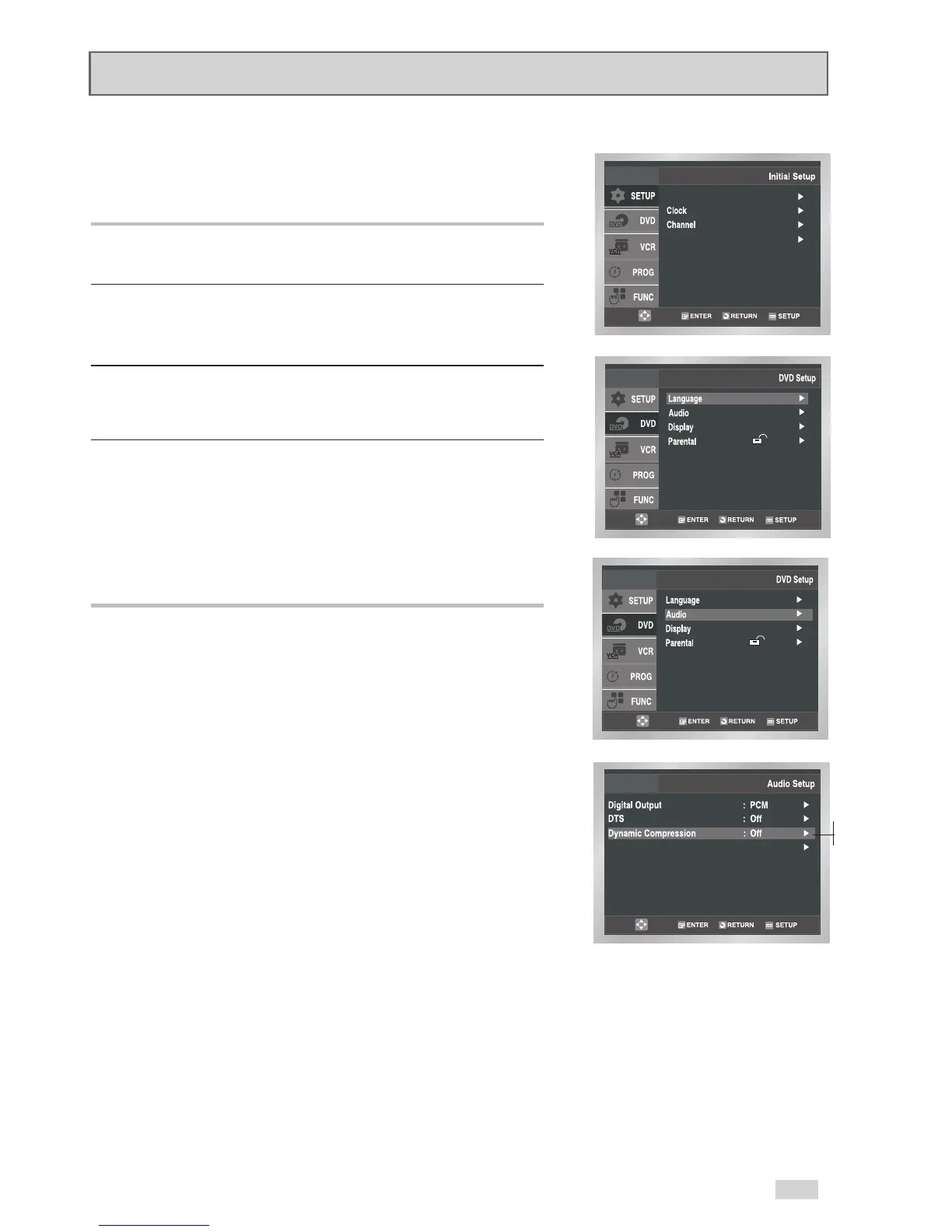
1Open “Initial Setup” menu
Press the SETUP button while the DVD is in Stop mode.
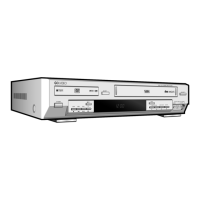
2 Select “DVD”
Use the
/
buttons to highlight “DVD”, then press ENTER
to select.
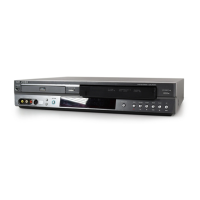
3 Select “Audio”
Use the
/
buttons to highlight “Audio”, then press ENTER to
select.
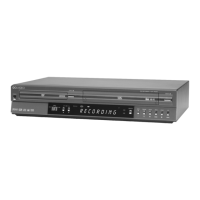
4 Set “Dynamic Compression”
Use the
/
buttons to highlight “Dynamic Compression”, then
press the
button to select one of the following options:
• On - Compresses the total dynamic range of the DVD audio,
making quiet passages in the audio signal louder and loud
passages softer.
• Off – Preserves the original dynamic range.


 To Next Page