36
During DVD/CD playback you can select from the following
special playback options. To resume normal playback, press the
PLAY/PAUSE
ll button.
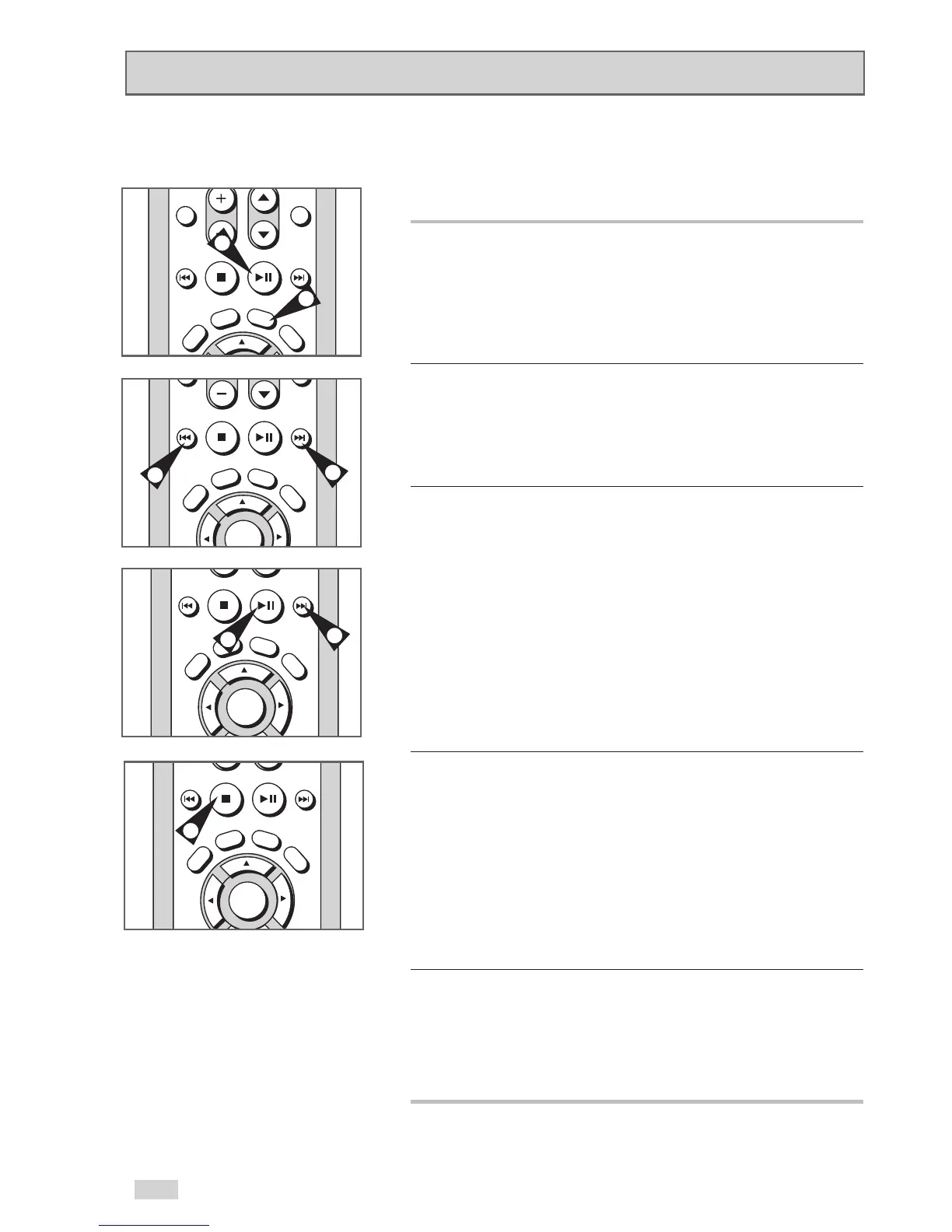
1 Still
Press the PLAY/PAUSE
ll
button on the remote control during
playback.
• The picture will pause and the audio will mute.
• To resume playback, press the PLAY/PAUSE
ll
button.
• If the player is left in Pause mode for 5 minutes, it will stop
automatically.
2 Frame Advance (Step)
While in Still mode, press the F.ADV/SKIP button on the remote
control to advance one frame at a time.
• Audio is muted during Frame Advance mode.
• Press PLAY/PAUSE
ll
to resume normal playback.
NOTE: Frame Advance operates only in the forward direction.
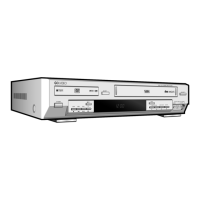
3 Skip Forward/Back
While a CD or DVD disc is in Play mode, press the FF
/ REW
¦¦
buttons on the remote control or front panel to jump forward
and backward through disc chapters/tracks.
• FF
will jump to the next chapter/track.
• REW
¦¦
will jump to the beginning of the current chapter/track.
• Press REW
¦¦
again to jump to the beginning of the previous
chapter/track.
Search Forward/Back
While a disc is in Play mode, press and hold the FF
/REW
¦¦
buttons on the remote control or front panel to visually search
forward/backward at 2X - 4X - 8X - 16X - 32X - 128X speed.
Press PLAY/PAUSE
ll
to resume normal speed.
NOTE: CD search speeds are 2X, 4X and 8X.
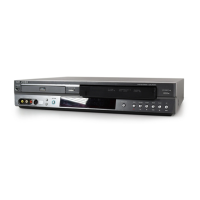
4 Slow Motion
During playback, press the PLAY/PAUSE
ll
button to Still the
image. Press and hold FF
to play in slow motion at variable
speeds.
• Press and hold FF
on the remote and front panel to increase
or decrease the speed from normal playback to 1/8, 1/4 or 1/2
speed.
• Audio is muted during slow motion playback.
• Press the PLAY/PAUSE
ll
button to resume normal
playback.
NOTE: Slow function is not available for CD.
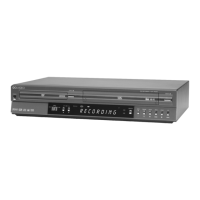
5 Stop/Resume
• Press the STOP
■
button once to stop playback. To resume the
DVD/CD from the point where the disc stopped, press the
PLAY/PAUSE
ll
button.
• Press the STOP
■
button twice to completely stop playback.
The next time you press PLAY/PAUSE
ll
, the disc will start
over from the beginning.
Special Playback Features


 To Next Page