80
MDE-LEDInetworkITS-server-4078V1.3
2. FULL SETUP
Use the tool provided on the CDROM to congure your device:
Insert the CDROM in the drive. Start the tool that is localized in the
directory
4
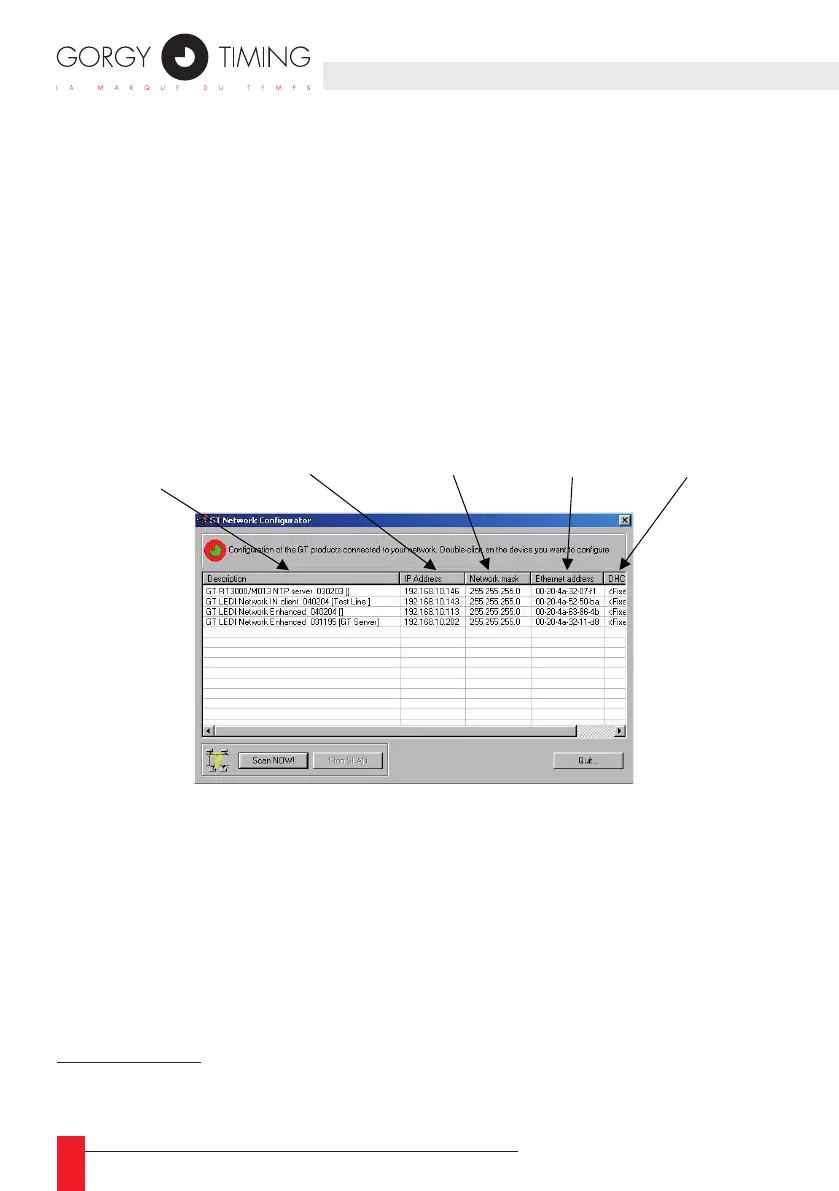
The tool displays automatically the Gorgy Timing products installed
on your network. Each line contains information about one connected product
as shown below:
4/ For example, if your CD reader has letter E:, the GTNetMng tool is localized in E:\Common\Conguration\
GTNetMng.exe
Name, serial number
and localization
Current IP address
network mask
DHCP identifier MAC address



 To Next Page