95
MDE-LEDInetworkITS-server-4078V1.3
4. WEB INTERFACE
4.2.5. Input setup
When you click on the Input button, the input conguration of the LEDI Network ITS/
DCLS/NTP Server is displayed.
A/ Time Base
►
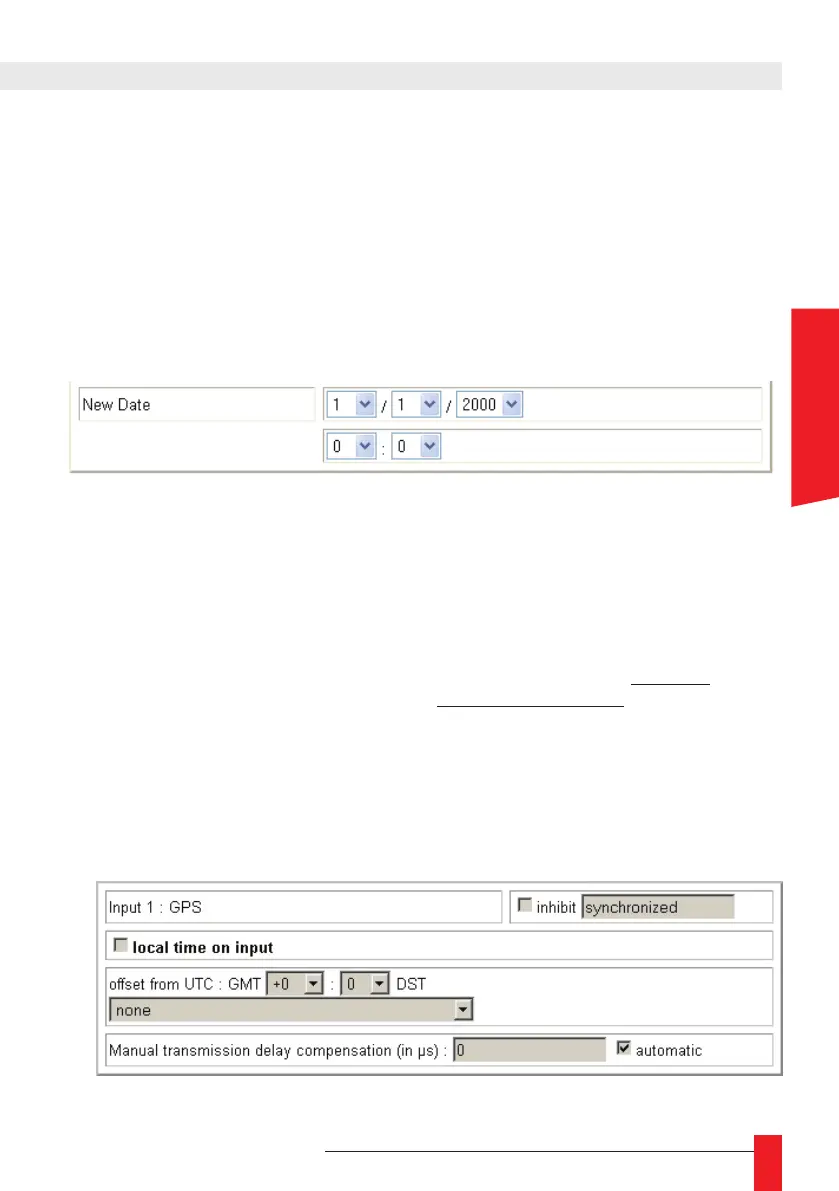
Check this box if you want that your LEDI Network ITS/DCLS/NTP Server run auto-
nomously, independently of the time on input. Then set the actual date like shown
below. Validate your date by pressing Submit
☛ Note: this mode is useful for client-server synchronization tests, or if
you don’t have a synchronization source. However, the date is not exact,
and the accuracy is not guaranteed.
B/ Input 1 or Input 2
►
In some cases, the device is not synchronized on an UTC time source but on a
local time source for example. Then you need to congure the time zone from the
Greenwich Mean Time (GMT), and the Day Saving Time policy of the source.
For example in France, the local time is UTC+1 hour in winter and UTC+2 in sum-
mer. Here is the needed conguration:
Offset from UTC : +1h00
DST : European Union
If you use an UTC time source, keep the “” checkbox unchecked.
ENGLISH



 To Next Page