First contact
L-SOLUTION 700 / 800 / 900 machines . 31
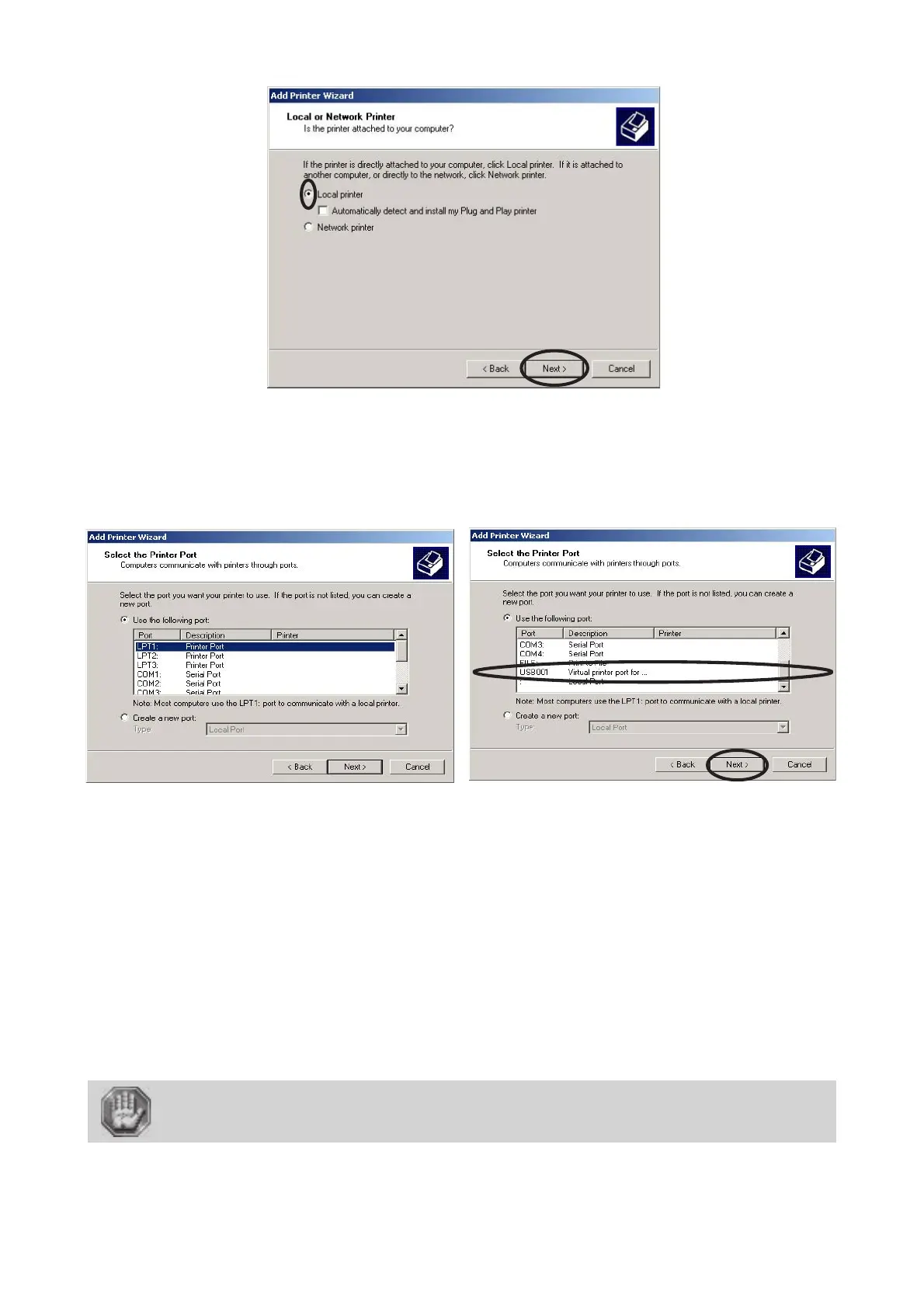
6. Click «Local Printer» and click «Next».
Printer driver
7. Click the port your LASER system is connected to and click «Next».
LPT port if you have set up the transfer with a suitable Gravograph parallel cable, connected
to the parallel port of the engraving machine and an LPT port of the computer.
COM port if you have set up the transfer with a suitable Gravograph series cable, connected to the series
port of the engraving machine and a COM port of the computer.
USB port if you have set up the transfer with a suitable Gravograph USB cable, connected to the USB port
of the engraving machine and an USB port of the computer. As soon as the machine and the PC computer
are connected and switched on, a virtual USB port is created automatically (ex: "USB001 (Virtual printer
port for USB)").
Please refer to the installation guide shipped with your computer to identify the port the
transmission cable should be connected to.
Most computers have at least one parallel port called LPT1 and 2 series ports, called COM1 and
COM2. COM1 is generally used to connect the mouse. Ports LPT1 and COM2 can be used
to connect your engraving machine.
If you select a COM port, set up the serial link or your computer ! (see the following
paragraph).











 To Next Page