L-SOLUTION 700 / 800 / 900 machines . 32
First contact
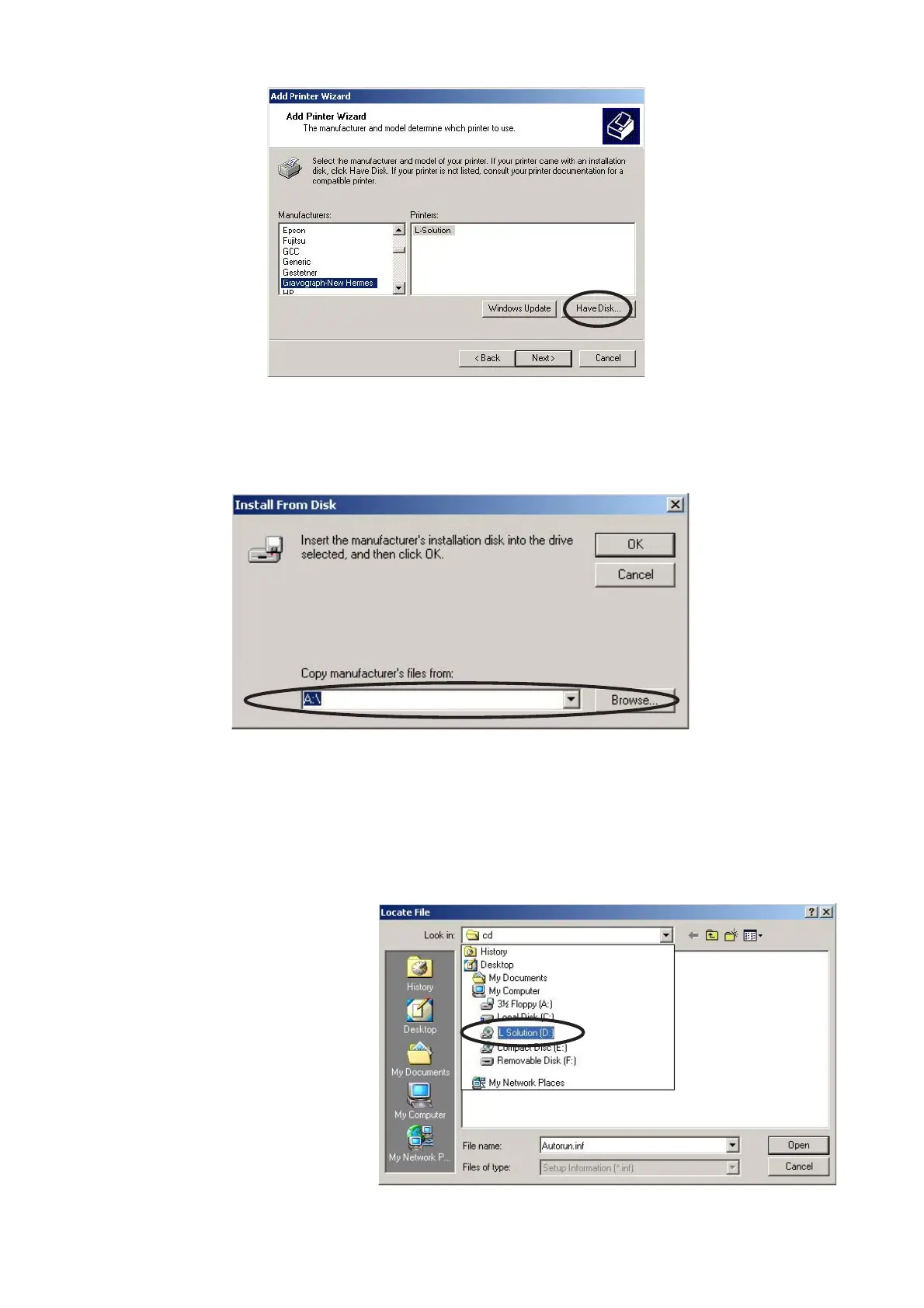
8. When the «Manufacturer» and «Printers» menu list appears click «Have Disk»
(Do not look for the printer in the menu).
9. Indicate where is the driver (on the CD-Rom already inserted). The driver for Windows 2000 and
Windows XP is in the folder "LSolution2000" and the driver for Windows 98 is in the folder
"LSolution98" :
9a. Select the drive where is the
CD-Rom which contains the dri-
ver of the machine.
Printer driver











 To Next Page