PEL-3000(H) User Manual
204
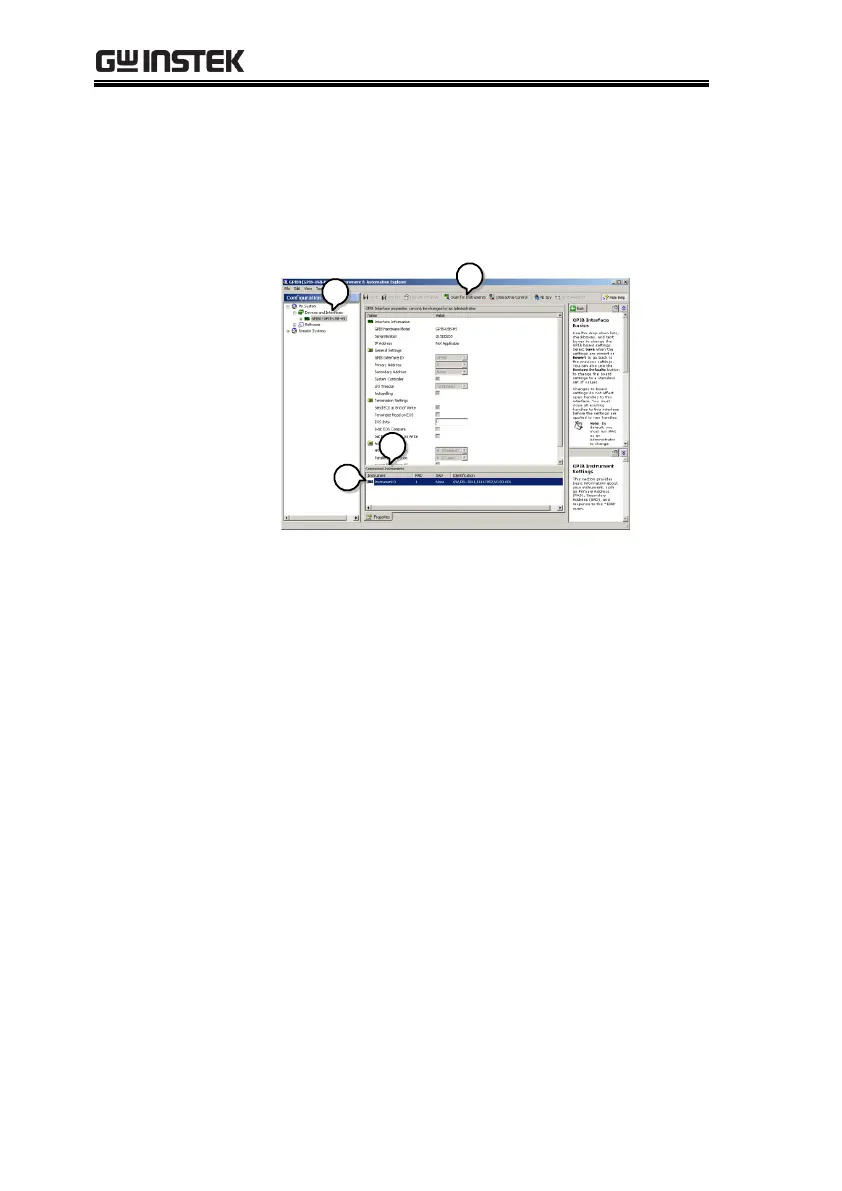
4. In the Connected Instruments panel the PEL-
3000(H) should be detected as Instrument 0 with
the address the same as that configured on the
PEL-3000(H).
5. Double click the Instrument 0 icon.
6. Click on Communicate with Instrument.
7. In the NI-488.2 Communicator window, ensure
*IDN? is written in the Send String: text box.
Click on the Query button to send the *IDN?
query to the instrument.
8. The String Received text box will display the
query return:
GW, PEL-3XXX(H),EXXXXXXX,VX.XX.XXX
(manufacturer, model, serial number, version)



 To Next Page