2
5. Modular Jack (MJ1) 2-11
Specifications
Connection with Printer through Serial Interface
• To connect a printer through serial interface, connect the cable to a modular jack (MJ1).
• Refer to the specification sheet of the printer to be used for the connecting cable for serial
interface.
For information on MJ1 signals, refer to page 2-9.
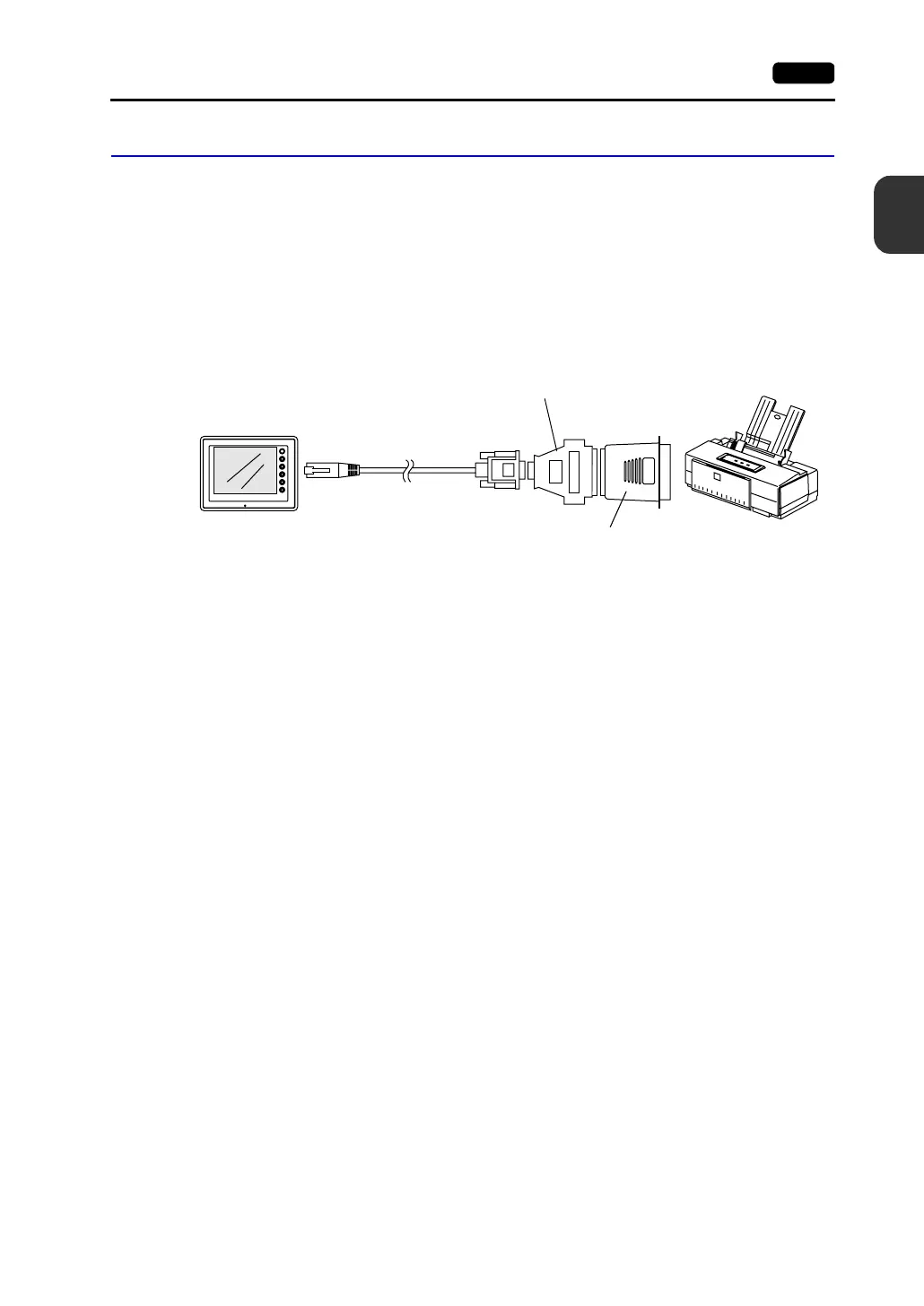
• To connect a printer through the parallel interface, use a commercially available parallel-serial
converter.
When the serial connector of the converter is a D-sub 9-pin male connector, use Hakko
Electronics’ V6-CP connection cable.
Compatible Printer Models
Control code system:
• PR201 PC-PR201 series compatible with MS-DOS computer
• ESC-P ESC/P24-J84, ESC/P-J84, ESC/P super function compatible
with MS-DOS computer
• HP PCL Level 3
Others:
• CBM292/293 CBM’s line thermal printer (Screen hard copying is not
possible.)
• MR400 Sato’s barcode printer “MR400 series” (It is not possible to
print a screen hard copy, data sheet or sampling data.)
MJ
SYSTEM
F2
F3
F4
F5
F1
POWER
V606e
Printer
V6-CP
Parallel-serial converter
D-sub 25-pin-9-pin converter
Parallel port



 To Next Page