3-2 2. Power Supply Cable Connection
2. Power Supply Cable Connection
Power Supply Cable Connection
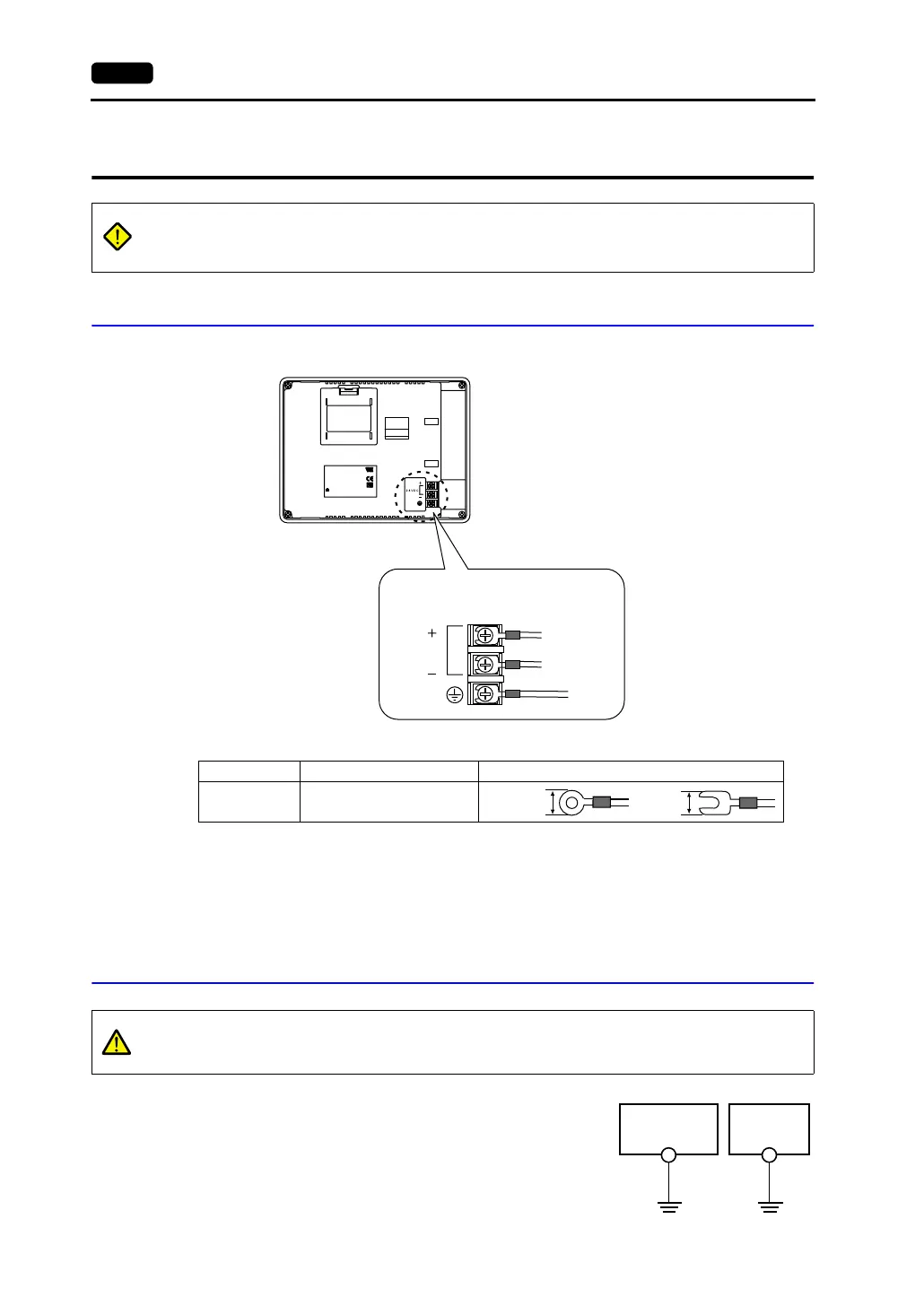
• Connect the power supply cable to the terminal on the backside of the unit.
• When connecting the power supply cable, tighten the terminal screws to the following torque.
• The power source must be within the allowable voltage fluctuation.
• Use a power source with low noise between the cables or between the ground and the cable.
• Use as thick a power supply cable as possible to minimize drop in voltage.
• Keep the power supply cable a sufficient distance from high-voltage, large-current carrying cables.
• Be sure to attach the terminal cover to the terminal block.
Grounding
• An independent earth pole must be used for MONITOUCH.
• Use a cable which has a nominal cross section of more than
2mm
2
for grounding.
• Set the grounding point near the MONITOUCH to shorten the
distance of grounding cables.
DANGER
Electric shock hazard
Shut the power off before connecting the power supply cable.
CN1
MJ1
INPUT: 24VDC
CURRENT:0.4A
ASSEMBLED IN CHINA
CUS
E185413
Hakko Electronics Co., Ltd.
TYPE:V606eM*0
Ser No: ******* *
DIPSW
24 VDC
(3)
Grounding
24 VDC
Power supply
24 VDC ± 10%
Screw Size Tightening Torque Crimp-style Terminal (Unit: mm)
M3.5 0.5 N•m
7.1 MAX 7.1 MAX
CAUTION
Be sure to establish a ground of MONITOUCH.
(The level of grounding resistance should be less than 100 Ω.)
V606e unit
Other
equipment



 To Next Page