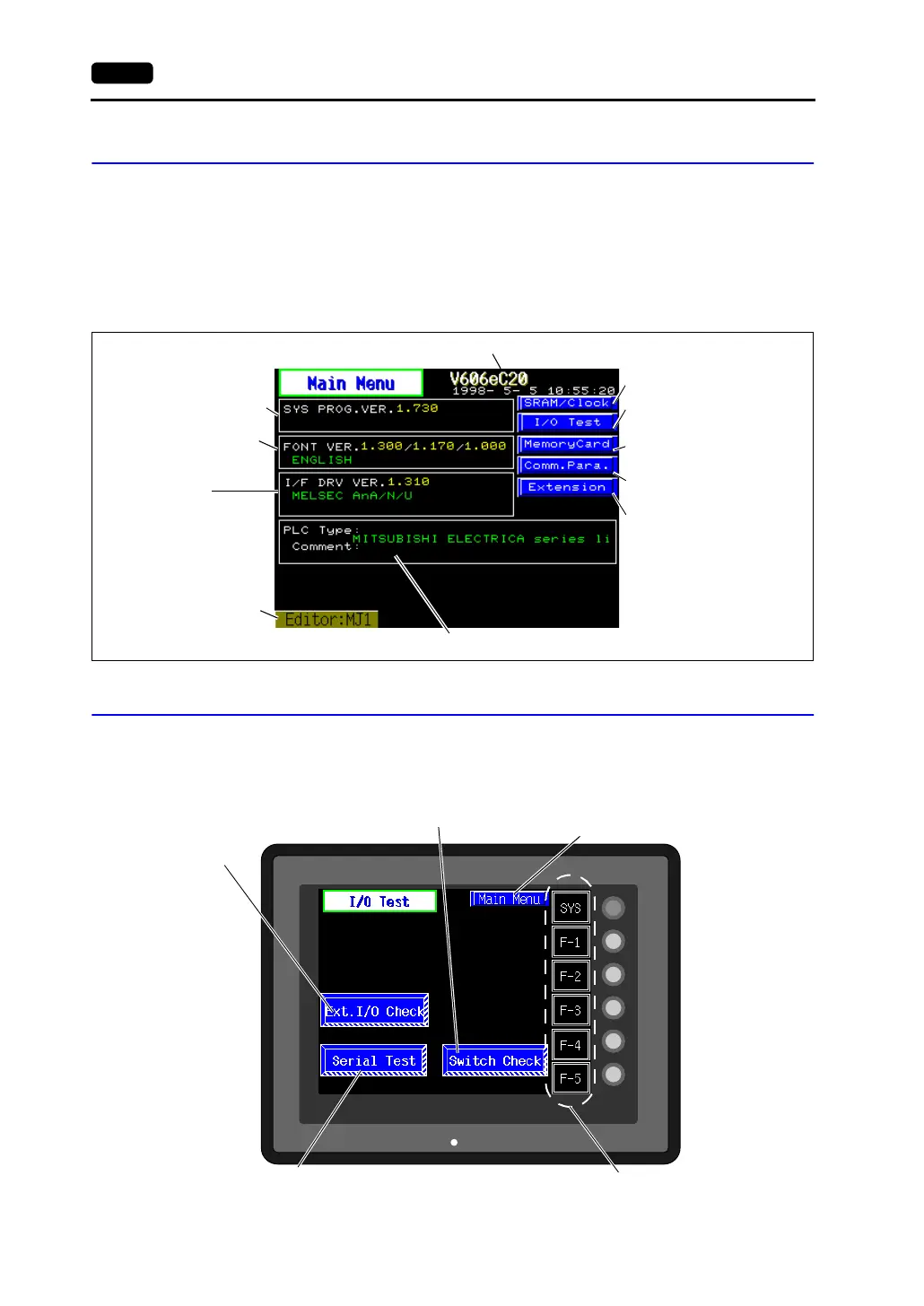
6-4 2. Main Menu Screen
Main Menu Screen
• The Main Menu screen indicates the V606e model, system information, and screen data
information.
• The Main Menu screen is the system menu screen for transferring screen data between a
personal computer and the V606e.
When transferring screen data from a personal computer to the V606e, this Main Menu screen
must be displayed. (However, if [Editor Port] is selected for [Modular Jack 1] or on-line editing is
used, it is not necessary to bring up this screen.)
1. I/O Test
When the [I/O Test] switch on the Main Menu screen is pressed, the following “I/O Test” screen
appears. This screen is used to check that there is no problem with the V606e interfaces and touch
switch operation.
Font data versions,
country/local/font
V606e model
System program version
PLC I/F driver version
and model
Communication parameter
(See page 6-13.)
Port name used
for data transfer
PLC model and file comment set for the screen data file
I/O Test (See page 6-10.)
Memory Card (See page 6-13.)
Extension (See page 6-15.)
SRAM/Clock (See page 6-14.)
SYSTEM
F2
F3
F4
F5
F1
POWER
Performs a V-I/O
connection test.
This switch is displayed
only when the use of
V-I/O is set.
Moves to the “Touch Switch” screen.
(See page 6-8.)
The Main Menu screen is displayed again.
(See page 6-4.)
Performs a CN1/MJ1 interface test.
(See page 6-5.)
Performs a function switch test.
(See page 6-8.)



 To Next Page