6
2. Main Menu Screen 6-3
MONITOUCH Operations
2. Main Menu Screen
The Main Menu screen is displayed when the MONITOUCH is in the STOP mode. In this state, the
MONITOUCH is disconnected from the PLC and other external devices.
Displaying the Main Menu Screen
In the RUN Mode
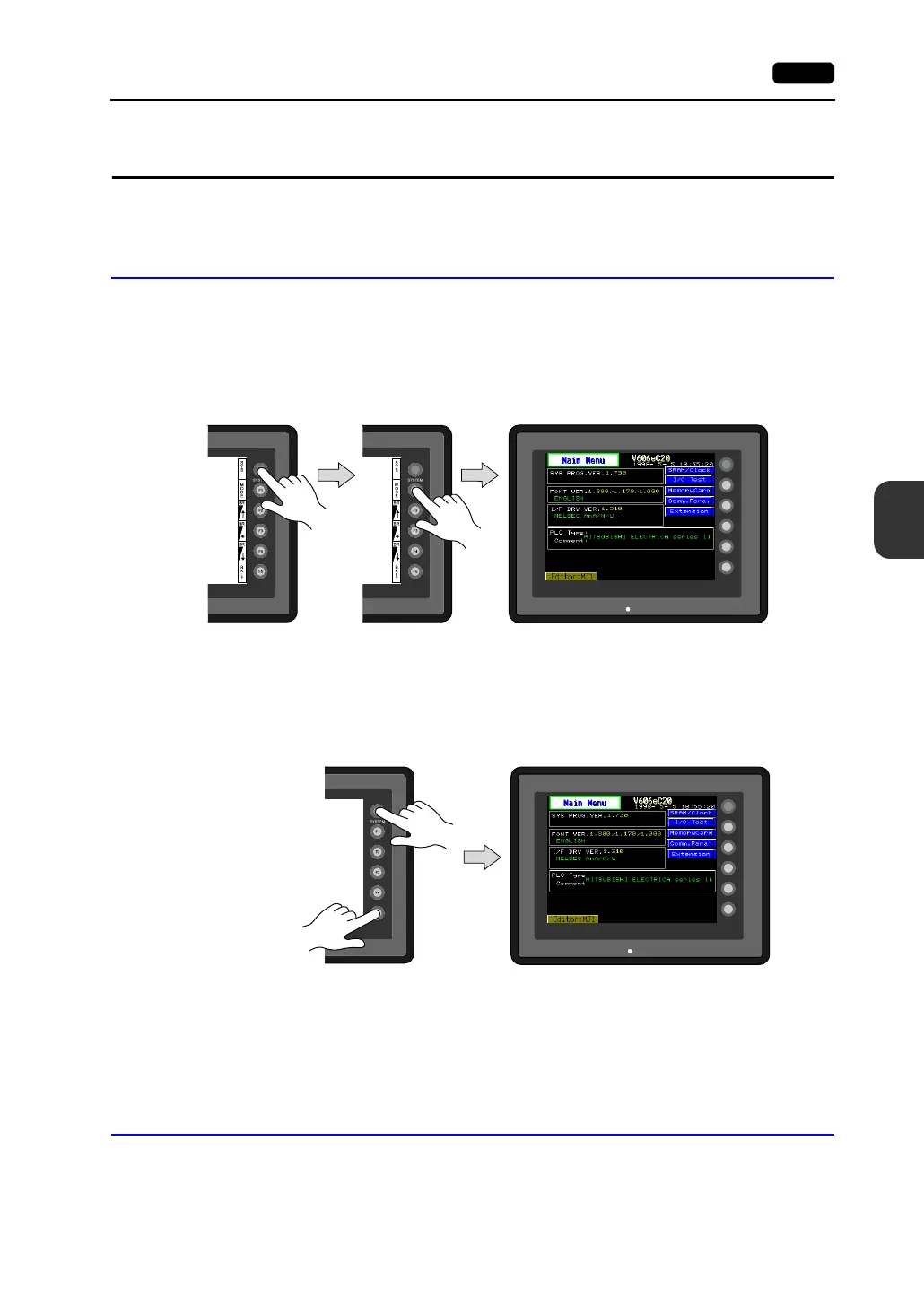
To bring up the Main Menu screen in the RUN mode, press the [SYSTEM] switch and then the [F1]
switch while the vertical menu is displayed.
(Hold down the [F1] switch for the required time if [Change-over Time] has been set.)
When the [SYSTEM] switch is disabled:
Pressing the [SYSTEM] switch does not bring up the vertical menu.
In this case, press the [SYSTEM] and [F5] switches at the same time. (If the time for simultaneous
pressing of these switches is preset, hold down the switches for the required time.)
When the [MODE] (F1) switch is disabled:
When the vertical menu is displayed by the [SYSTEM] switch, the [MODE] (F1) switch does not work.
In this case, press the [MODE] (F1) and [F5] switches at the same time. (If the time for simultaneous
pressing of these switches is preset, hold down the switches for the required time.)
Moving Back to the Screen in the RUN Mode
Press the [SYSTEM] switch and the [F1] switch.
SYSTEM
F2
F3
F4
F5
F1
POWER
Main Menu screen
SYSTEM
F2
F3
F4
F5
F1
POWER
Main Menu screen



 To Next Page