6-16 2. Main Menu Screen
6. Extended Function Setting
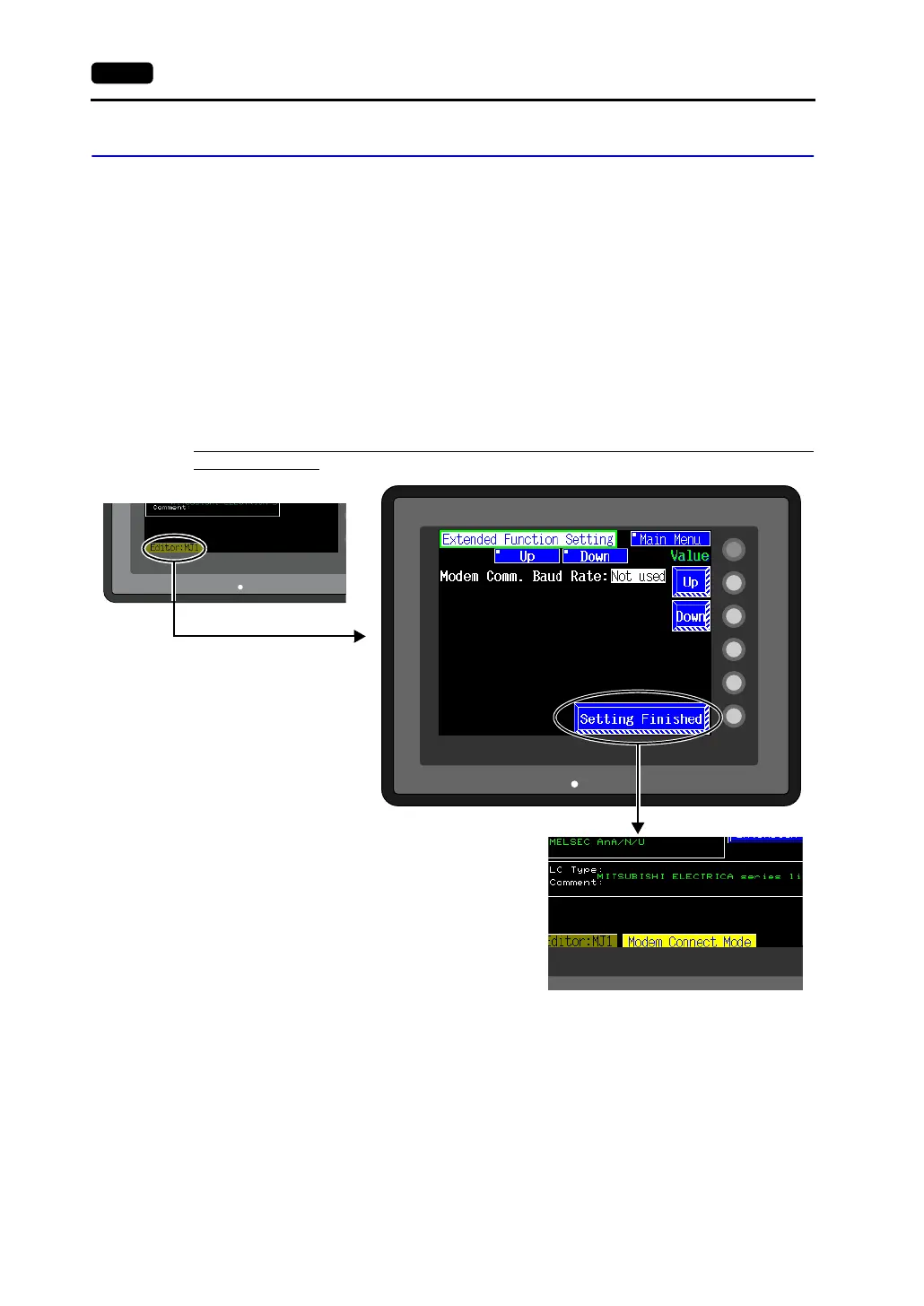
When the [Editor: MJ1] switch on the Main Menu screen is pressed, the following “Extended Function
Setting” screen appears.
Set the baud rate to be used when transferring screen data between the V606e and a modem.
1. Select the desired baud rate using the [↑] / [↓] switch, and press the [Setting Finished] switch.
(Setting range: 4800, 9600, 19200, 38400, 57600, 115200)
* The function switches and switches on the Main Menu screen are not valid for 15 seconds
after the [Setting Finished] switch is pressed.
* When the [Setting Finished] switch is pressed, an AT command is automatically sent to the
modem and the baud rate used between the V606e and the modem is set.
2. The [Main Menu] (local main) screen is displayed automatically. [Modem Connect Mode]
automatically appears at the right side of [Editor: MJ1].
3. To transfer screen data without a modem, select “Not used” for [Modem Comm. Baud Rate].
For screen data transfer while a computer is connected with V6-CP, specify [Not Used] for [Modem
Comm. Baud Rate].
SYSTEM
F2
F3
F4
F5
F1
POWER
Pressing the [Editor: MJ1] switch
brings up the “Extended
Function Setting” screen.
Pressing the [Setting Finished] switch
moves back to the Main Menu screen.
POWER
POWER



 To Next Page