4
3. Function Switches 4-5
Instructions
3. Function Switches
Types
• There are six function switches provided.
[SYSTEM], [F1], [F2], [F3], [F4], [F5]
[SYSTEM] Switch
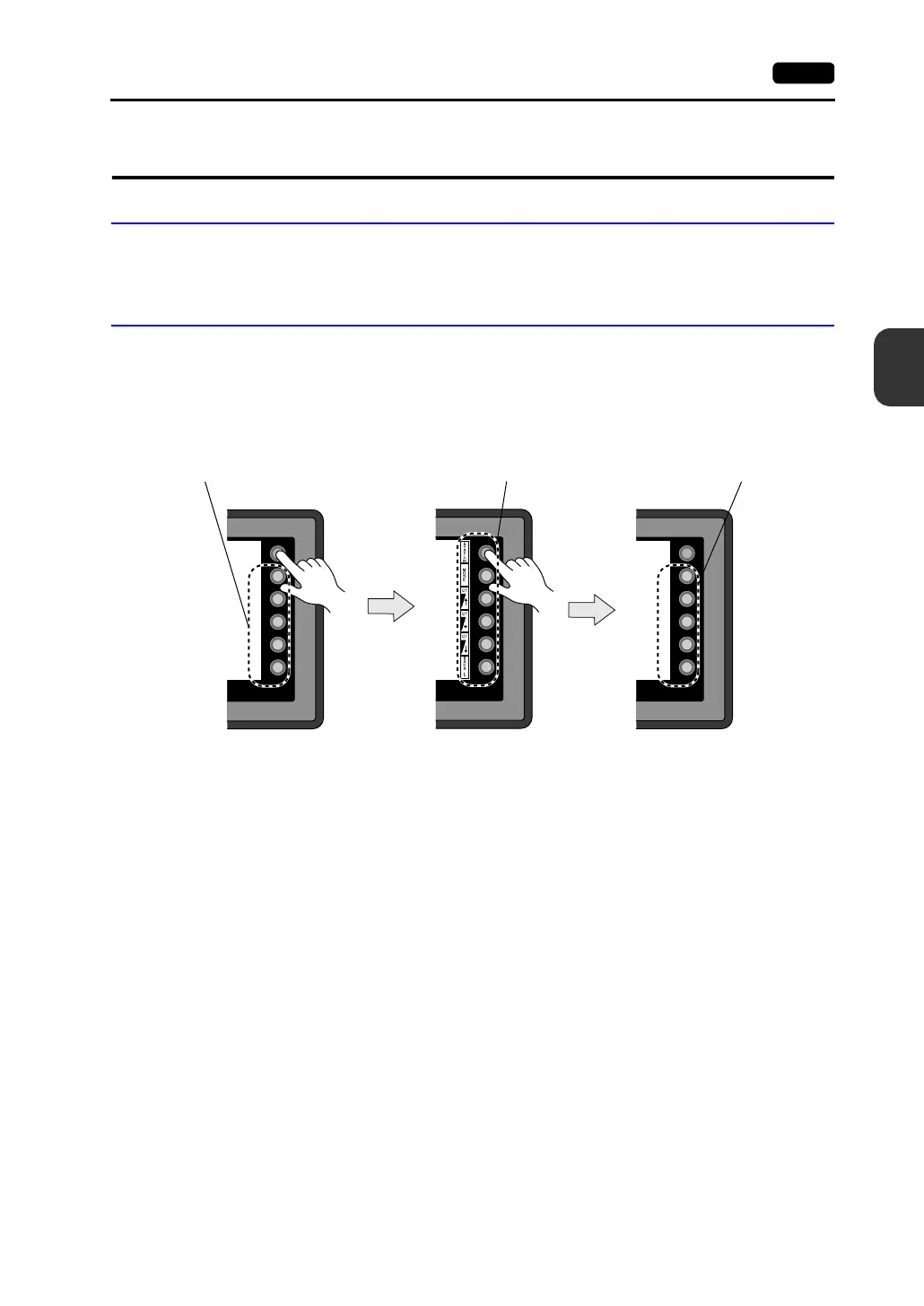
The [SYSTEM] switch works in “alternate” operations.
When this switch is pressed once, the switch menu is displayed at the side of the function switches
[F1] to [F5], and each function switch corresponds to the menu item displayed in the switch menu.
When the [SYSTEM] switch is pressed again, the switch menu disappears, and the function switches
[F1] to [F5] work as defined by the user. (page 4-5)
User-defined Function Switches [F1] to [F5]
• When the V606e is in the STOP mode, the function switches do not work.
• When the V606e is in the RUN mode and the switch menu by the [SYSTEM] switch is not
displayed, the function switches can be defined by the user.
• User-defined function switches should be set in the following dialogs of the V-SFT editor.
- Settings for each screen
[Edit] → [Local Function Switch Setting] → [Function Switch Setting] dialog
- Setting for all screens
[System Setting] → [Function Switch Setting] → [Function Switch Setting] dialog
SYSTEM
F2
F3
F4
F5
F1
SYSTEM
F2
F3
F4
F5
F1
SYSTEM
F2
F3
F4
F5
F1
Function switches for
switch menu selection
User-defined function
switches
User-defined
function switches



 To Next Page