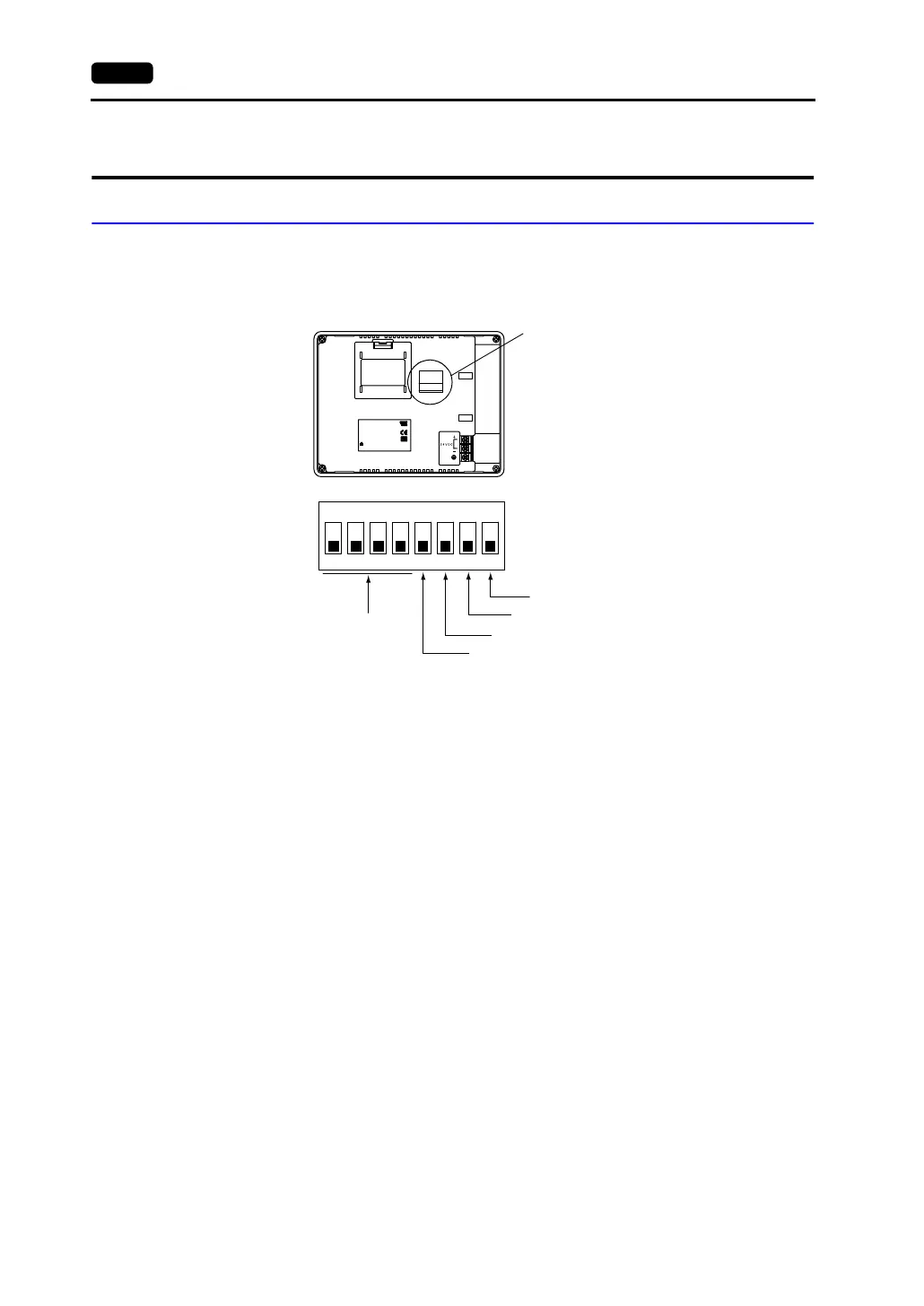
4-4 2. DIP Switch Setting
2. DIP Switch Setting
DIP Switch (DIPSW) Setting
Set the terminating resistance for RS-422/485 connection with the DIP switch.
When setting the DIP switch, turn the power off.
* Set DIPSW1 to 4 and DIPSW8 (not used) to the OFF position.
Terminating Resistance Setting (DIPSW5, 6, 7)
• When connecting the PLC at CN1 via RS-422/485 interface (2-wire connection), set DIPSW7 to
the ON position.
• When connecting the PLC at CN1 via RS-422/485 interface (4-wire connection), set DIPSW5
and
7 to the ON position.
• For the following connections at modular jack 1, set DIPSW6 to the ON position.
- Master station for multi-link 2 connection
- Temperature controller network/PLC2Way connection via RS-485
- Card Recorder: Connection with the CREC (optional)
- Serial extension I/O: Connection with the V-I/O (optional)
- Connection to the V606e at the termination of V-link connection via RS-485
CN1
MJ1
INPUT: 24VDC
CURRENT:0.4A
ASSEMBLED IN CHINA
CUS
E185413
Hakko Electronics Co., Ltd.
TYPE:V606eM*0
Ser No: ******* *
(3)
Rear View
DIP switch
ON
12345678
Not used
CN1 RD terminating resistance at pins 24 and 25
MJ1 (modular jack 1) terminating resistance
Not used
CN1 SD terminating resistance at pins 12 and 13
(*1)



 To Next Page