6-10 2. Main Menu Screen
2. Memory Card Screen
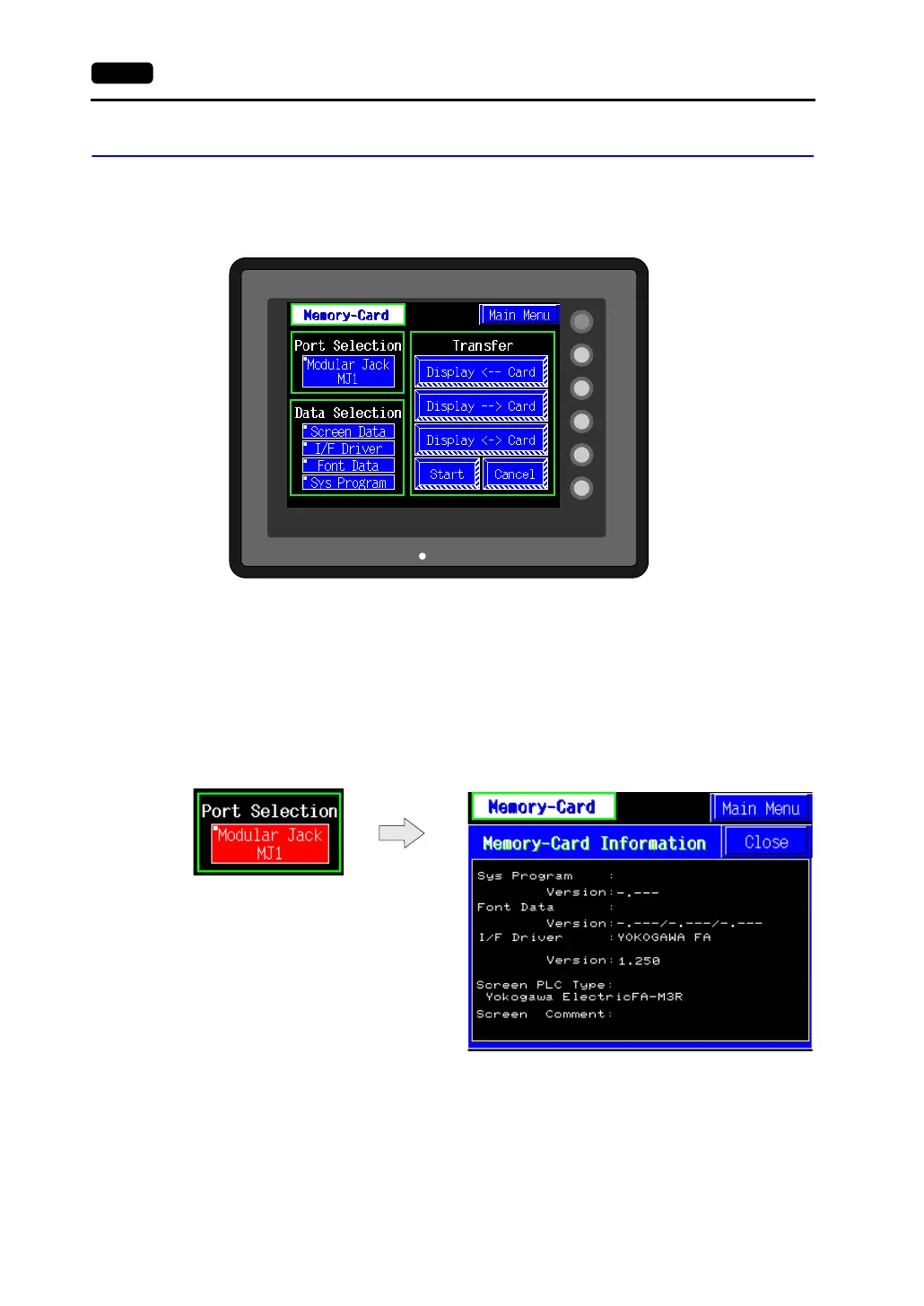
When the [Memory Card] switch on the “Main Menu” screen is pressed, the following [Memory-Card]
screen appears.
This screen is used to transfer screen data between the V606e and a memory card.
The procedure for transferring data is described below.
1. Connecting the CREC
Connect a card recorder CREC (using the CREC-CP cable included with the CREC) to the MJ1
port.
2. Mounting the Memory Card
Insert a memory card in to the card recorder (CREC).
3. Memory Card Information
Press the [Modular Jack MJ1] switch.
The memory card information contained in the inserted memory card is indicated.
Switches in the “Data Selection” field and “Transfer” field become active.
To move back to the previous screen, press the [Close] button.
SYSTEM
F2
F3
F4
F5
F1
POWER



 To Next Page