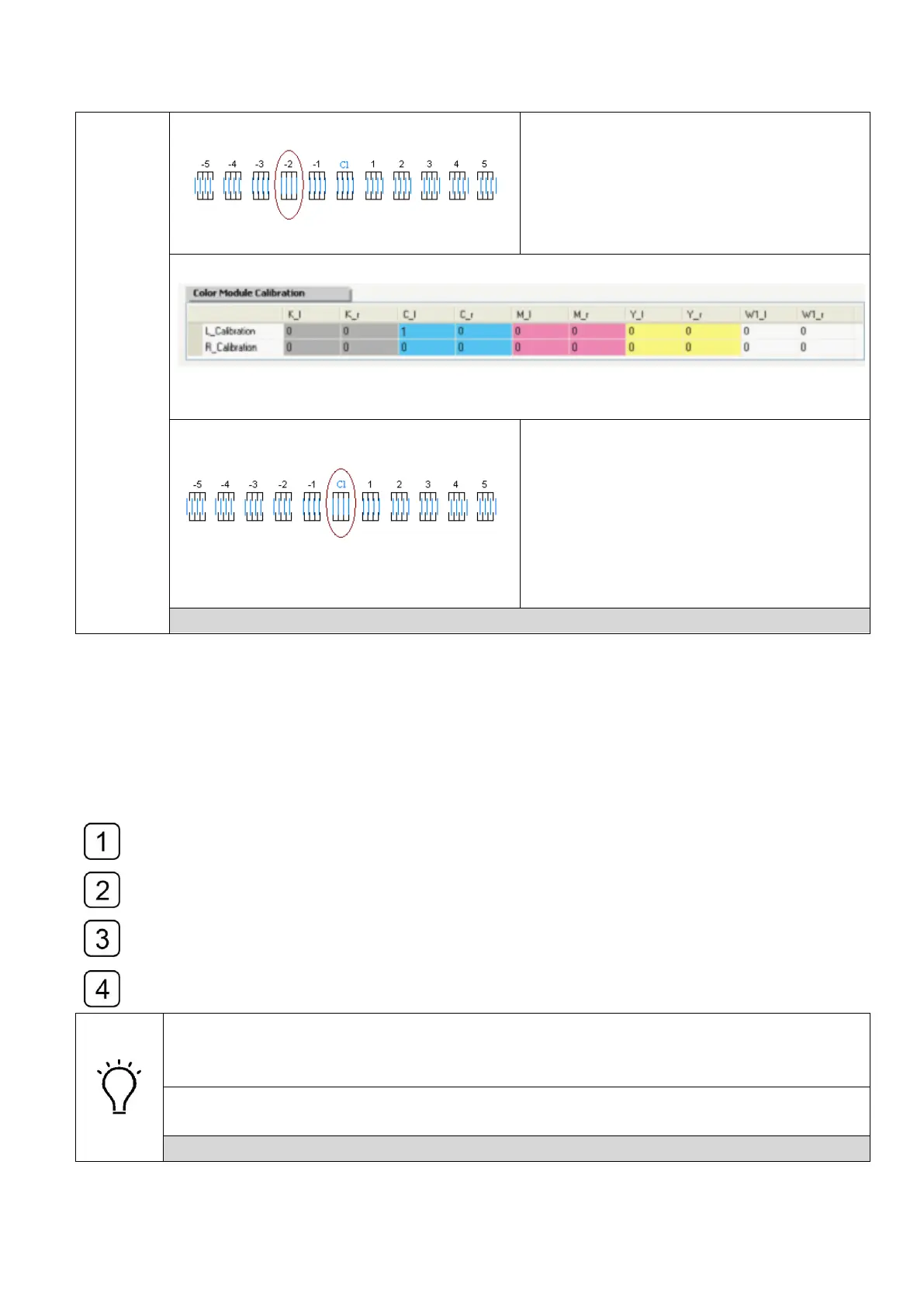
The left-side nozzles of the printhead
(Cl) printed line align with the black line
more perfectly in the icon with a figure of
“-2”.
Subtract 2 on the basis of the origin for C_l
Aligned after adjusting the offset
parameters.
Right Direction Offset using the same method with Left Direction Offset
4.11.4 Bi-directional Offset Calibration
Select the “bi-directional offset” (Small & Middle mode) in the drop-down-list of
“Calibration and Alignment” and get it output at the carriage speed of 1.0x.
Use the magnifier to observe the best alignment of the offset calibration print and take
it as a variable to adjust the original value.
Modify the value with a variable in the corresponding blank of “Bidi_Offset & Step
Calibration” sector and check the alignment again.
Repeat Step1, Step2 and Step3 until they were aligned.
The Bi-directional Offset Calibration consist of “Small &Middle Dots” and
“Gray-scale& Large Dots” mode.
They use similar adjusting method.
The calibration parameter differs for different carriage speed.
Calibrate the Bi-direction offset parameters for them separately.
How to read the Bi-directional Offset Calibration print



 To Next Page