AXIS4000 WHEEL ALIGNMENT SYSTEM
HAWEKA Wheel Alignment –AXIS4000
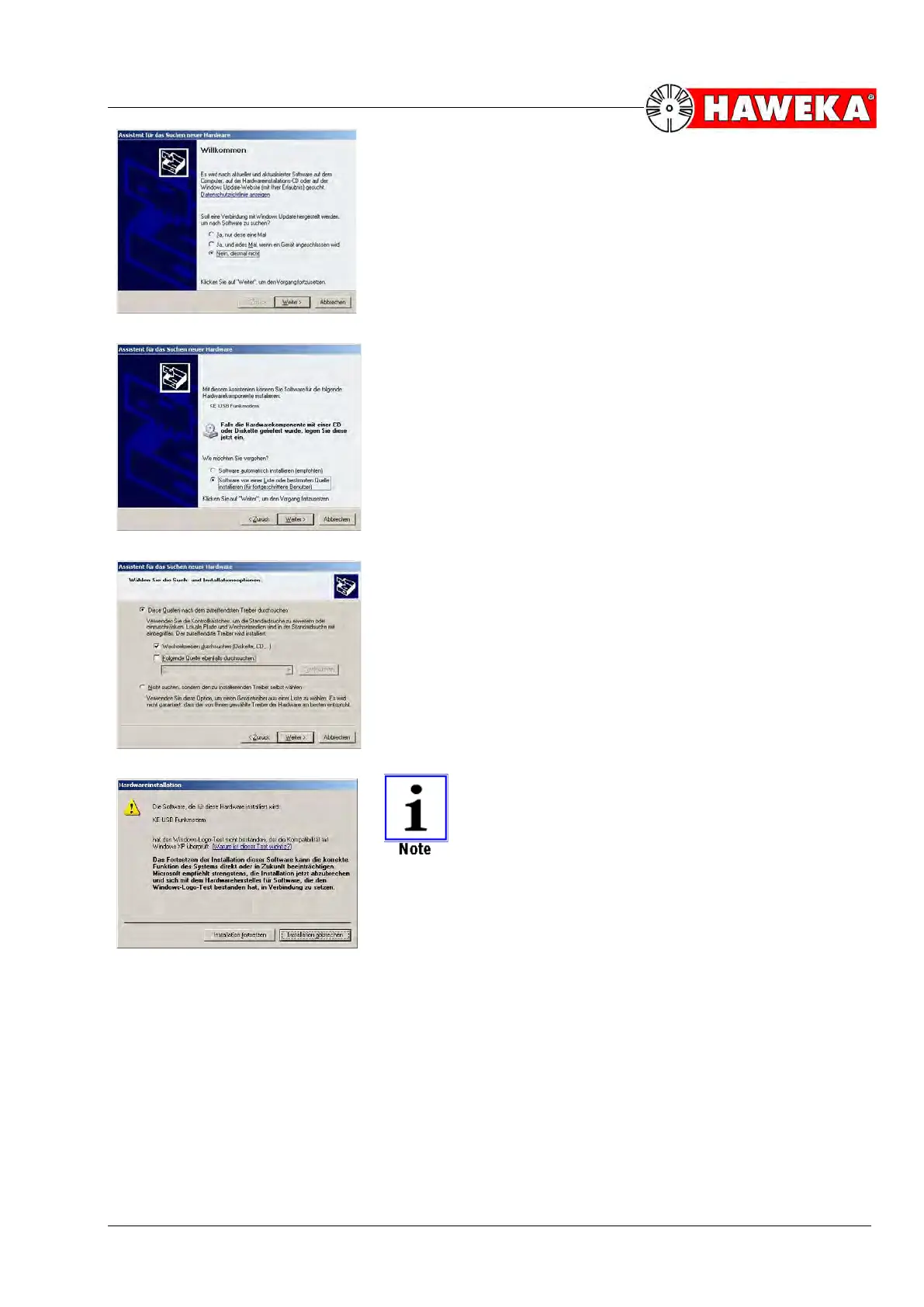
• Since the driver should not be looked for over the in-
ternet, choose the following option:
(Fig. 4)
o No, not this time
and click on Next.
• Next, choose:
o Install software from a specific location
and click on Next.
(Fig. 5)
• For the search option, choose:
o Search removable storage device
and click on Next.
(Fig. 6)
The operating system has detected the driver and
provides information about its compatibility with Win-
dows XP. Read the information and continue with the
installation.
To do this, select:
o Continue installation
(Fig. 7)
• After installation, remove the USB-Stick from the PC.


 To Next Page