AXIS4000 WHEEL ALIGNMENT SYSTEM
HAWEKA Wheel Alignment –AXIS4000
Front axle measurement
9.6.1 Adjusting the toe
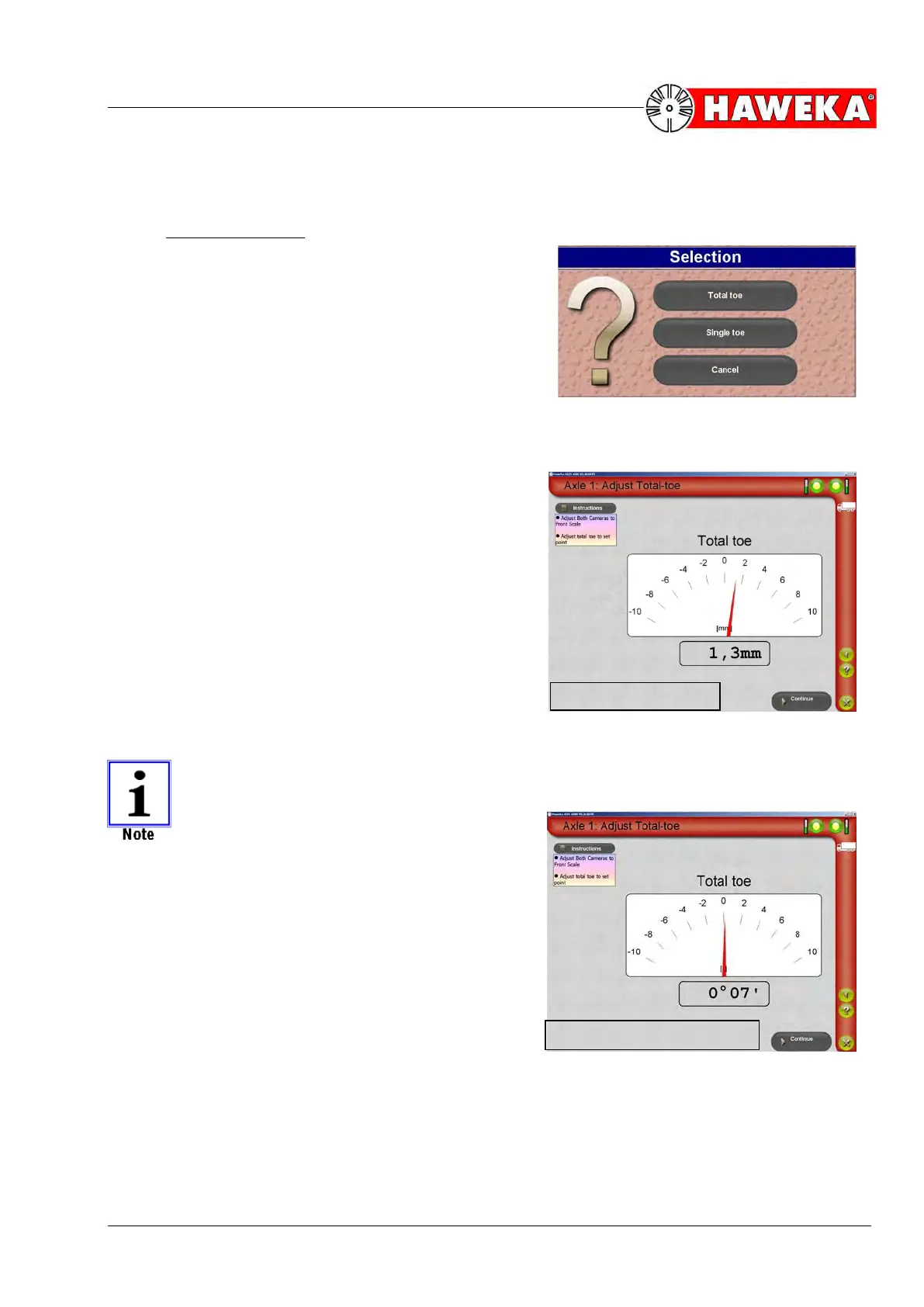
In the Selection dialogue window, you can choose the
adjustment for single toe or total toe, depending on the
axle type.
(Fig. 51)
Adjusting the total toe for front axles without the
option of adjusting the single toe
• On the selection screen for adjustments, select
Total toe.
• A display appears for adjusting the NOMINAL value,
which always shows the current value of the total
toe, both analogue and digital, in mm for the entire
duration of adjustment.
(Fig. 53)
If the toe value is needed in degrees, then
the display can be changed from [mm] to
[degrees].
(Fig. 54)
On this topic, please refer to Point 7.2.8 Ex-
tended settings.


 To Next Page