AXIS4000 WHEEL ALIGNMENT SYSTEM
HAWEKA Wheel Alignment –AXIS4000
12 The AXIS4000 user reference database
You can use this additional module for the AXIS4000 wheel alignment program to enter and save
default target values for vehicle geometry data.
You can use this additional module to carry out a nominal/actual value comparison, during or after
measurement.
12.1 Creating new vehicles in the database
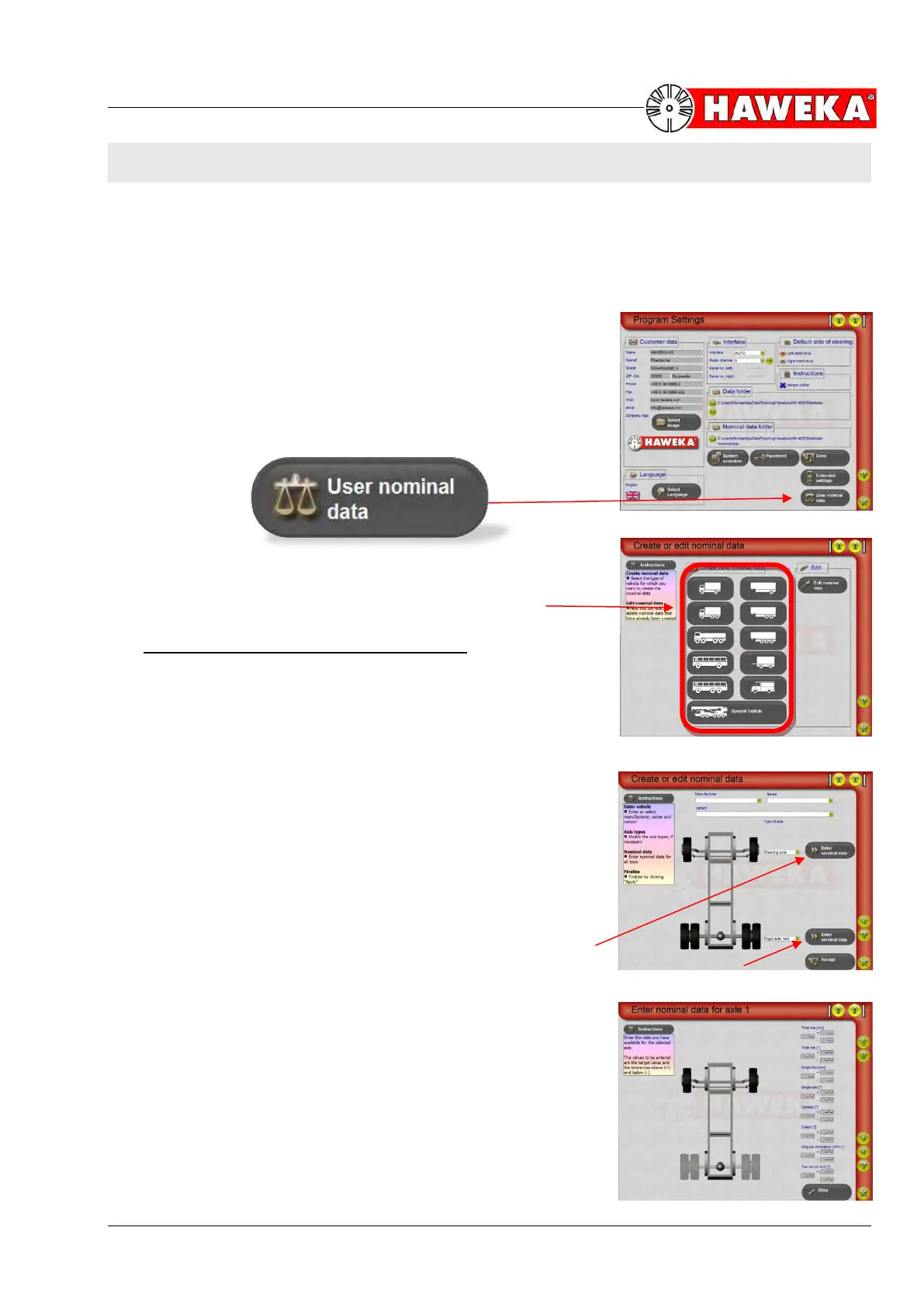
A new User nominal data selection button has been added un-
der the Settings menu item after activation
. (Fig. 82)
•
Click on the User nominal data button
• Select the type of vehicle for which you want to create
nominal data.
(Fig. 83)
• Enter the manufacturer, series and variant:
• Manufacturer:
Add the vehicle manufacturer’s name here.
E.g. Mercedes
• Series:
Add the type here.
E.g. Actros
• Variant:
Add special features here.
E.g. left- or right-hand drive or specific serial numbers
• After the axles types for the front and rear axles have been
set via the drop-down selection menu, click on the first
“Enter nominal data” button (for the front axle)
(Fig. 84)
• Enter the default values for the individual geometry data
including the default tolerance values.
(Fig. 85)
• After you have entered all values, click on the “Okay” but-
ton.
(Fig. 85)
• Next, select the second “Enter nominal data” button for
the rear axle.
• Enter the default values including the default tolerance
values here as well.
(Fig. 84)


 To Next Page