36
PME-MP85
A0897−3.4 enHBM
5.6 Profibus interface (MP85DP only)
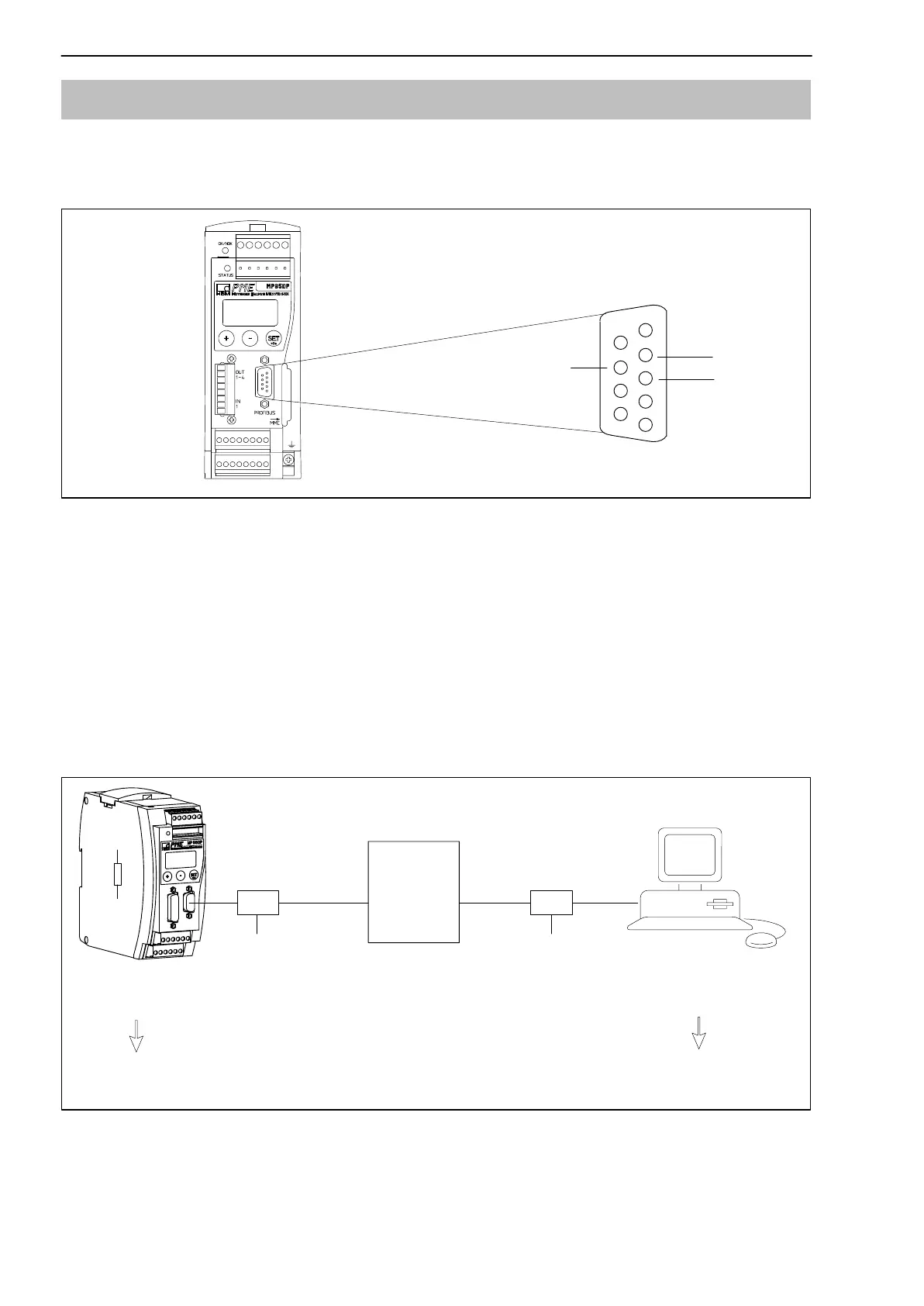
On the front panel of the MP30DP is a 9-pin D-sub connection socket for the
Profibus connection.
Profibus
connection socket
1
5
6
9
GND
RS485-RTS
RS485-B
RS485-A
Vcc (5V)
Fig. 5.9: Profibus connection in accordance with standard
Installation:
• Connect the MP85DP module to the 24 V supply voltage and set the
required Profibus address via the keyboard or the Setup program.
• Connect the Profibus cable to the MP85DP module. Ensure that a
terminating resistance is connected to the first and last Profibus unit (the
housing of the Profibus connector usually contains a sliding switch for this
purpose).
Example:
PLC
First device in
the bus line
Last device in
the bus line
sliding switch of Profibus connector
to ”Resistance ON”
sliding switch of Profibus connector
to ”Resistance ON” . . . .
Profibus
connector
Profibus
connector
Fig. 5.10: Profibus operation



 To Next Page