19
PME-MP85
A0897−3.4 en HBM
2.4 Starting the software and setting up
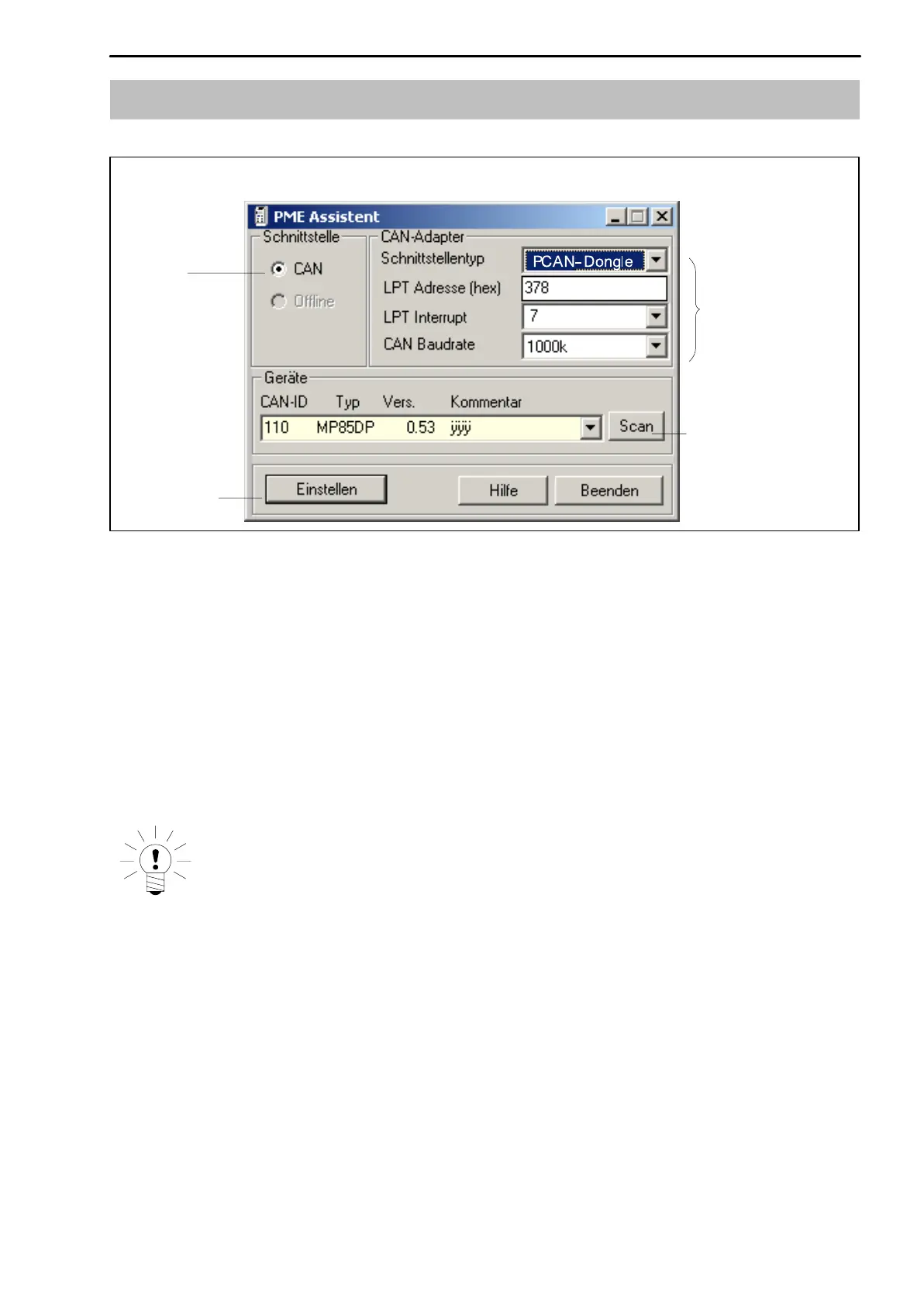
The factory settings
of the interface
CAN bus scan for
connected PME
modules
Opens the
Setup window
Interface mode
Fig. 2.1: Startup window
2.4.1 Using the LPT interface
• Start the PME Assistant program and in the startup window, enter the
interface details.
To configure the LPT interface, perform the following steps:
1. In the <Schnittstellentyp> dropdown list box, select the mode PCAN
Dongle Std.
2. Enter the port address of the parallel interface in the <LPT Adresse (hex)>
text box.
NOTE
Under Windows 2000, open System from the Control Panel and click the
Device Manager button on the Hardware tab. Use Connections " Printer
connection to display the available hardware. Double-click on an entry
to open a dialog box to display the requisite information.
3. Select the interrupt of the parallel interface from the <LPT Interrupt>
dropdown list box.
This interrupt must not be used for other devices.



 To Next Page