8
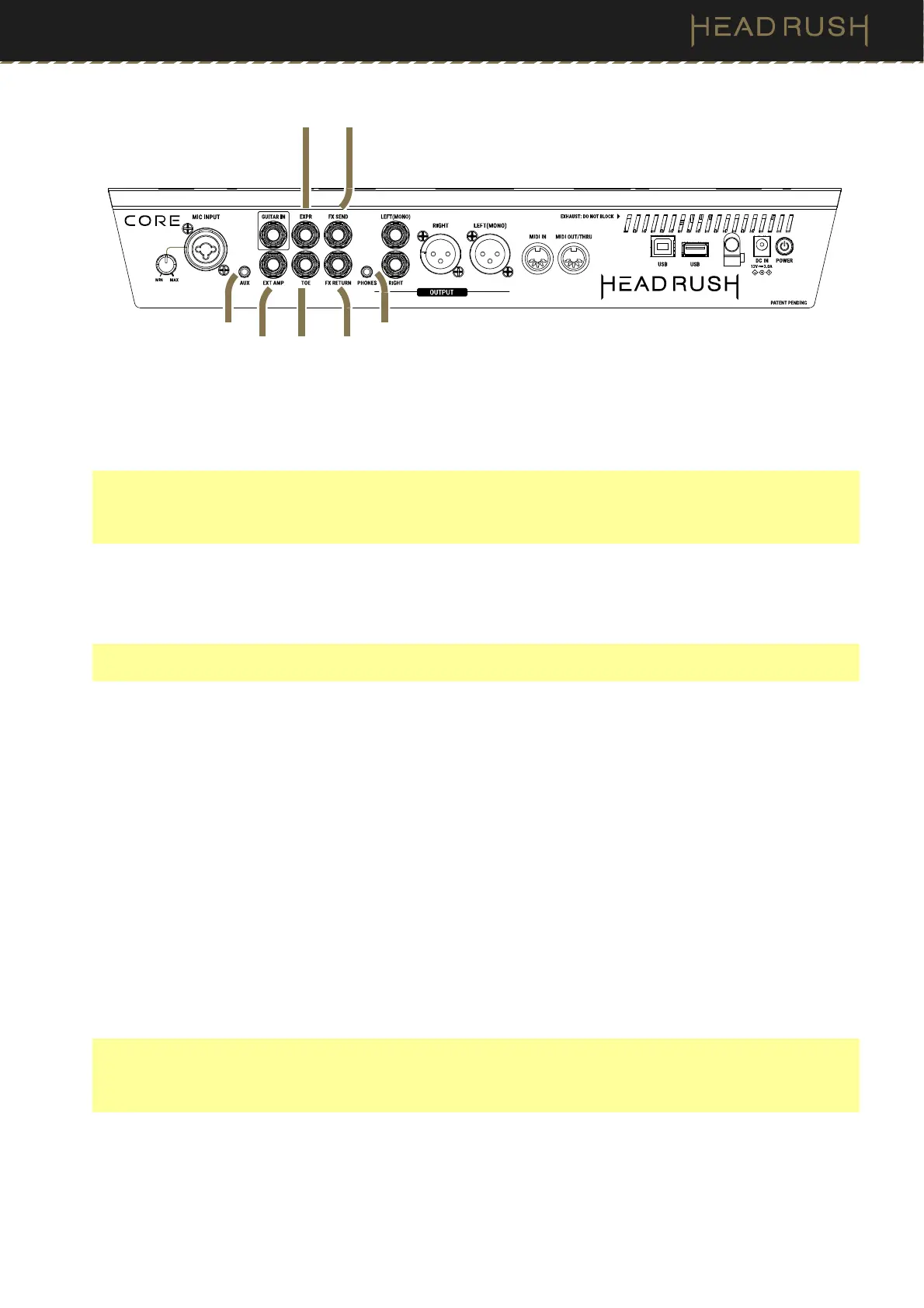
9. External Amp Footswitch Output (1/4”/6.35 mm, TRS)
Connect this output to the footswitch input of an external guitar amplifier to toggle channels or turn reverb on and
off on the amplifier using HeadRush Core.
IMPORTANT! Only connect this output to amplifiers that have a “short-to-sleeve” footswitch input. If you
connect this output to any other type of footswitch input, you may cause permanent damage to your equipment.
If you are unsure if your amplifier has a “short-to-sleeve” footswitch input, please consult the amplifier's manual
or manufacturer to confirm before attempting.
10. Aux Input (1/8”/3.5 mm, TRS)
Connect an optional audio source (e.g., smartphone, tablet, etc.) to this input using an 1/8” (3.5 mm) stereo
cable.
Important: The audio signal from the aux input is routed directly to the outputs of HeadRush Core without any
modeling or effects applied, and cannot be used by the looper. It is also unaffected by the main volume knob.
11. Expression Pedal Input (1/4”/6.35 mm, TRS)
Connect an optional secondary expression pedal to this input using a standard instrument cable.
12. Expression Pedal Toe Switch Input (1/4”/6.35 mm, TS)
Connect the toe switch output of your optional expression pedal to this input using a standard 1/4” (6.35 mm)
TS cable.
13. FX Send Output (1/4”/6.35 mm, TRS)
Connect this output to the input of another effects module, an effect pedal, or the effects loop return of an
amplifier.
14. FX Return Input (1/4”/6.35 mm, TRS)
Connect this input to the output of another effects module, an effect pedal, or the effects loop send of an amplifier.
Note: If you want to use the FX loop with Mono devices, use a standard 1/4” TS instrument cable. If you want
to use the FX loop with Stereo devices, use a 1/4” TRS instrument cable, such as a 1/4” TRS to Dual 1/4” TS
Splitter cable. If you are using the FX loop in Stereo, you will also need to enable the Stereo FX Send and/or
Return in the (4.20.2) Global Settings > Audio menu.
15. Phones Output (1/8”/3.5 mm, TRS)
Connect standard 1/8” (3.5 mm) stereo headphones to this output. Use the phones volume knob to control
the volume level.
11
13
10
9
12 14
15



 To Next Page