9
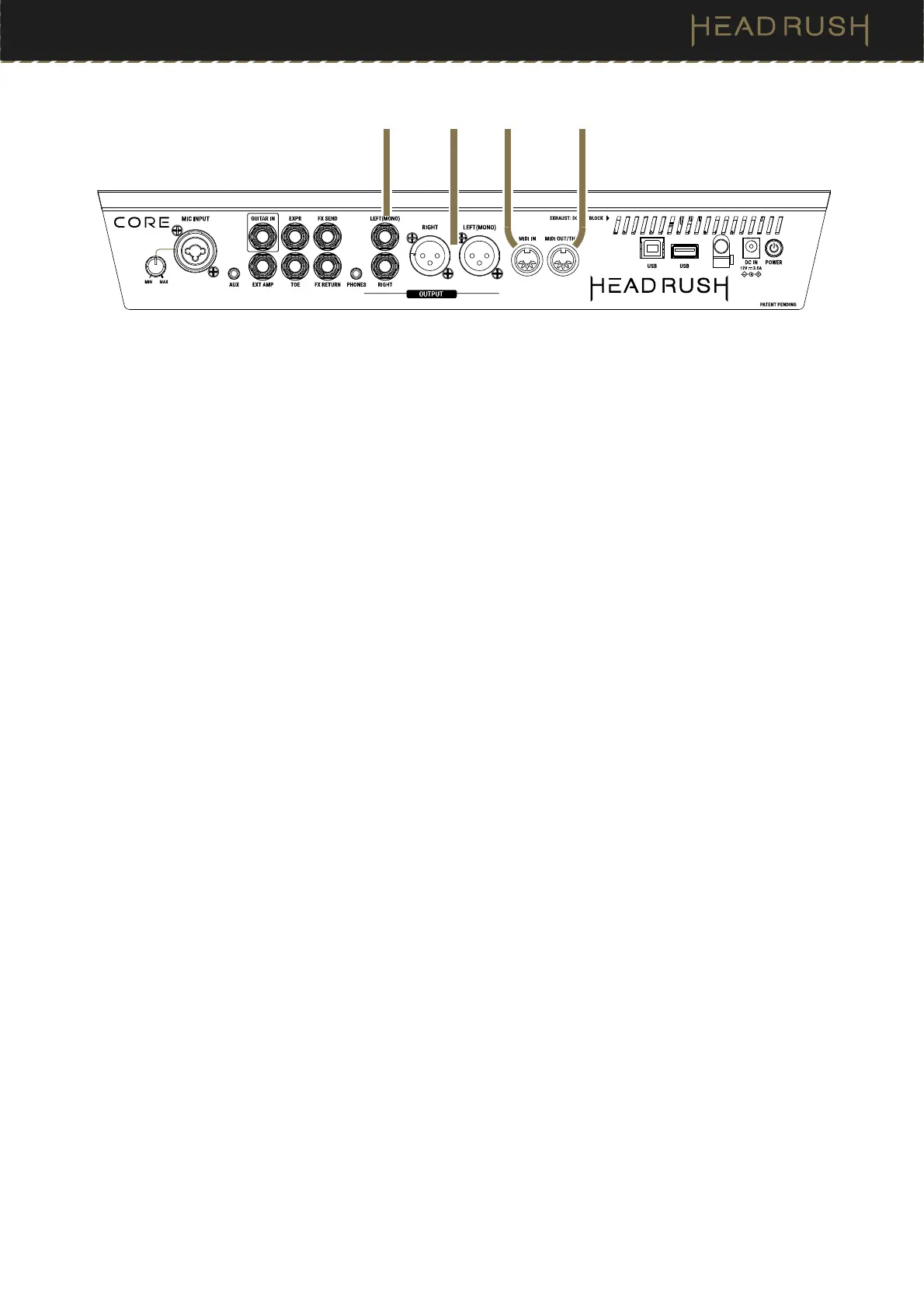
16. Outputs (1/4”/6.35 mm, TRS)
Connect these outputs to the inputs of your amplifier, audio interface, etc. If you only need to use one output,
use the one labeled (Mono) L.
The 1/4” Outputs can be set to amp level or line level in the (4.20.2) Global Settings > Audio menu.
17. Outputs (XLR)
Connect these outputs to the inputs of your mixer, active loudspeaker, etc. If you only need to use one output,
use the one labeled Left (Mono).
If you need to reduce hum or noise, enable the XLR Ground Lift setting in the (4.20.2) Global Settings > Audio
menu.
18. MIDI Input (5-pin DIN)
Use a standard MIDI cable to connect this input to the MIDI output of an optional external MIDI device.
19. MIDI Out/Thru (5-pin DIN)
Use a standard MIDI cable to connect this output to the MIDI input of an optional external MIDI device. You
can set this output to be a standard MIDI output or MIDI throughput in the (4.20.6) Global Settings > MIDI
menu.
16
17
18 19



 To Next Page