36
(4.10) Song View
When using a setlist, you can choose to view your current rig selection as well as your position within the setlist on
a simpler Song View screen. This is particularly helpful for when playing live, when you may not be making as many
edits to your rigs.
Song View automatically appears after you select the Setlist
or Song footswitch mode. You can also select it by tapping the
Menu icon in the top left of the Main screen, and then tappping
the Song View icon.
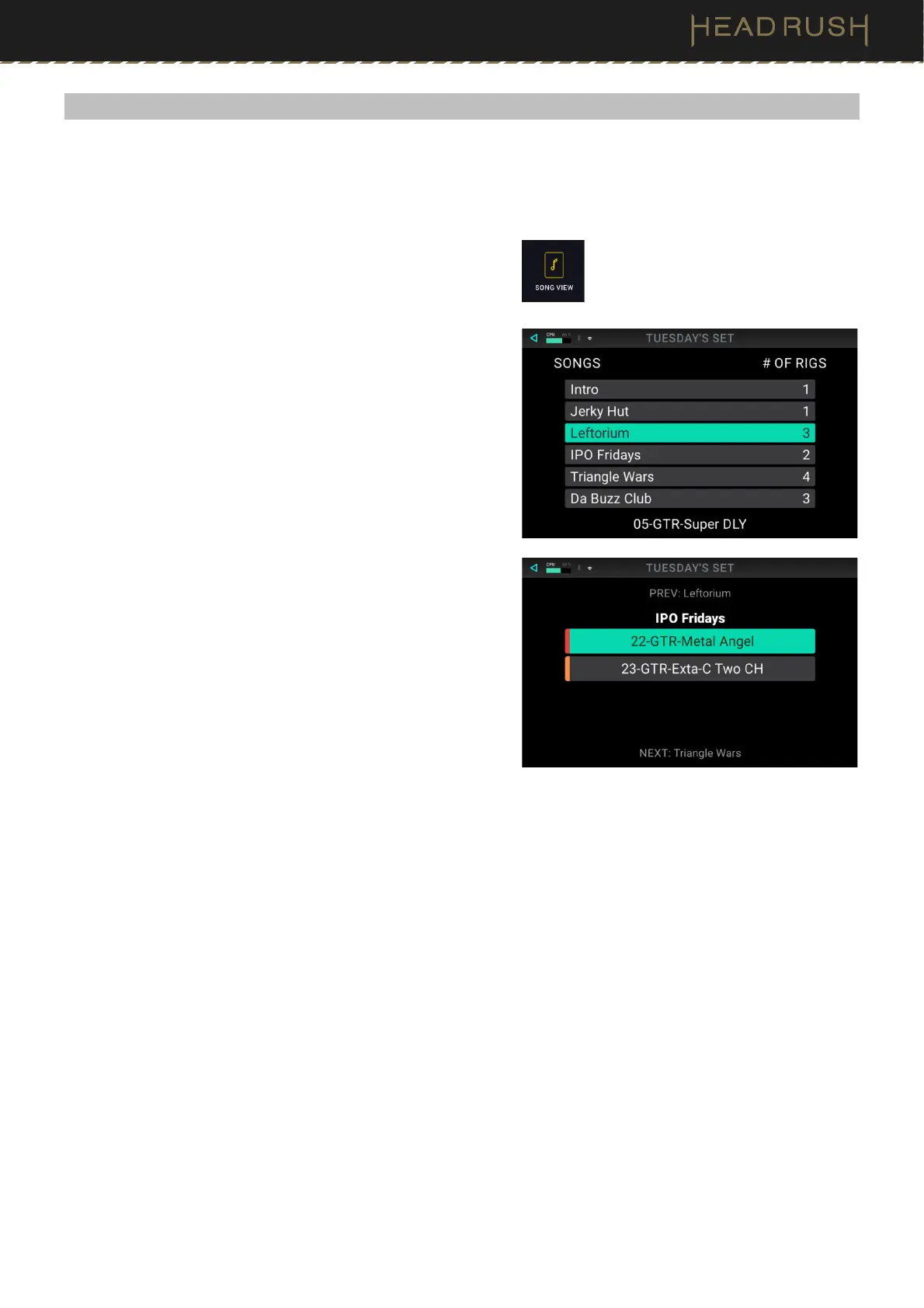
There are two Song View screens that can be used to show
your currently loaded setlist during a performance: Classic
(default) and Advanced.
You can select between Classic and Advanced on the global
settings screen. See (4.21) Global Settings for more information.
• Classic Song View (default, pictured on top) shows a
list of the songs in the setlist, the number of rigs in each
song, and the current rig.
• Advanced Song View (pictured below) shows the
current song and rig in the setlist, all other rigs within
the current song, as well as the previous and next
songs in the setlist.



 To Next Page