37
(4.11) Practice Tool
HeadRush Prime includes a convenient built-in Practice Tool that you can use to play along with songs from your
HeadRush Prime’s internal storage, connected USB storage devices, or a linked Dropbox account.
In addition to being able to play along with a song, you can also set loop points within a song, and use speed
controls to slow it down to making learning the song easier, or use pitch controls to practice a song in different keys.
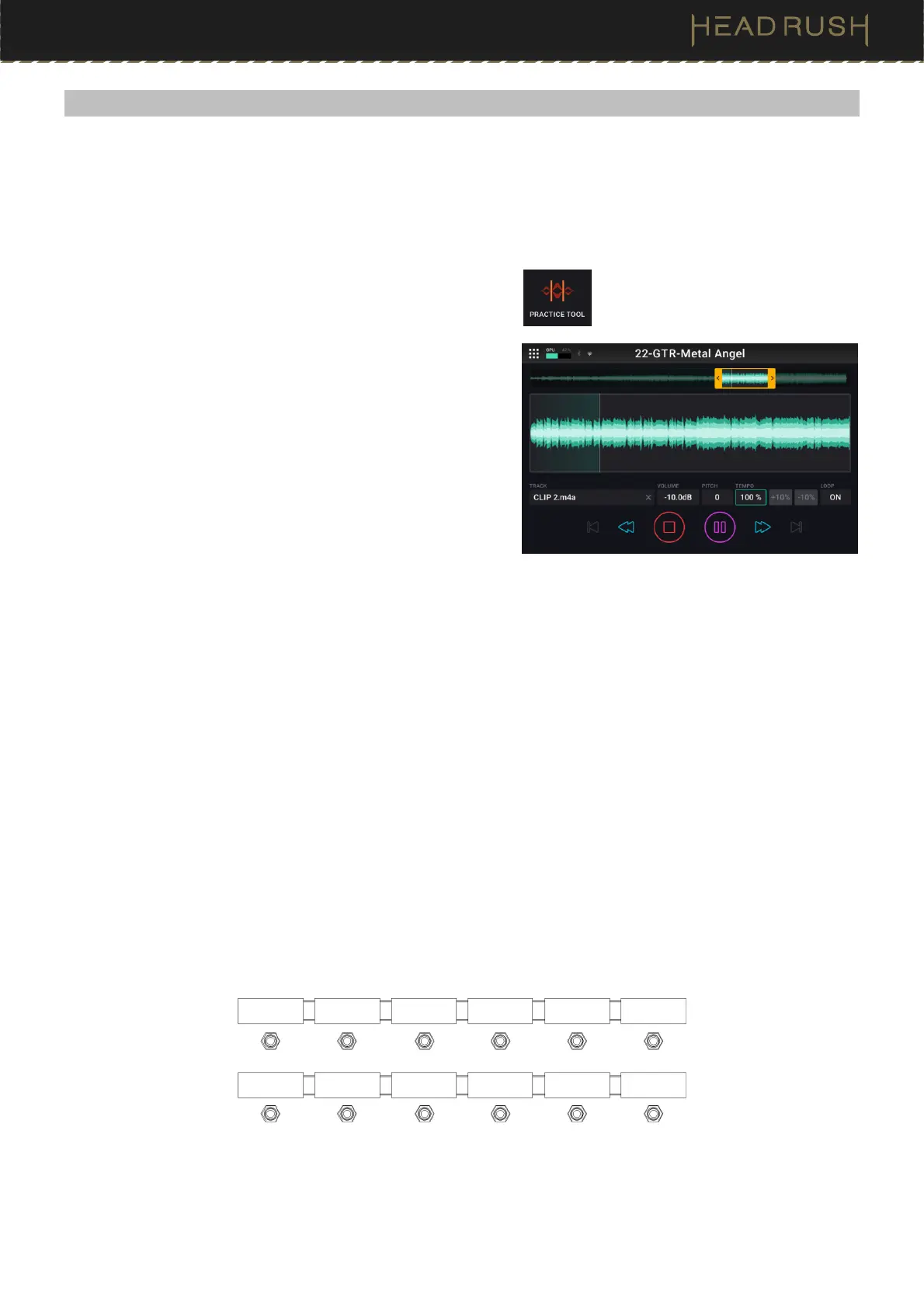
To access the Practice Tool, tap the Menu icon in the top left
of the Main screen, and then tap the Practice Tool icon.
To load a track to the practice tool, tap the box titled Track.
To load the next track in the currently selected folder, tap the
footswitch labeled Track >>.
To load the previous track in the currently selected folder, tap
the footswitch labeled Track <<.
To control playback of the track, tap the transport icons
(Rewind, Stop, Play/Pause, Forward) at the bottom of the
screen, or use the 3 footswitches labeled Rwd, Play, and
Fwd.
To turn the Loop feature of the Practice Tool on and off, tap the box titled Loop until it displays On or Off
accordingly.
To set loop points within the track, tap and drag the yellow arrows at the top of the screen, or tap the footswitches
labeled Loop In and Loop Out.
To adjust the playback volume of the track, tap the box titled Volume, and then turn the main encoder.
Alternately, you can use the footswitches labeled Volume - and Volume + to adjust the volume.
To adjust the pitch of the track (in semitones)
without affecting the speed of the track, tap the box titled Pitch,
and turn the main encoder.
To adjust the speed of the track without affecting the pitch of the track, tap the box titled Tempo, and turn the
main encoder. You can also tap the +10% or -10% buttons located next to the tempo percentage, or tap the 2
footswitches labeled Speed – or Speed +.
When the Practice Tool is in use, the following will be shown on HeadRush Prime’s footswitch OLED screens:
Speed -
Speed + Volume - Volume+
Track << Track >>
Loop In
Rwd Play Fwd Loop Out
Exit



 To Next Page