43
(4.15) HeadRush Cloud
The HeadRush Cloud is a free and easy-to-use file sharing service that can be accessed directly from your
HeadRush Prime when connected to a Wi-Fi network. To learn how to connect to a Wi-Fi network, see (4.21) Global
Settings > Wi-Fi.
Using the HeadRush Cloud, you can find instant inspiration for new tones by previewing, downloading, and rating
rigs and clones from HeadRush Artists as well as other HeadRush Prime users. You can also upload rigs and clones
for backup purposes, as well as share your own creations with the HeadRush Prime community.
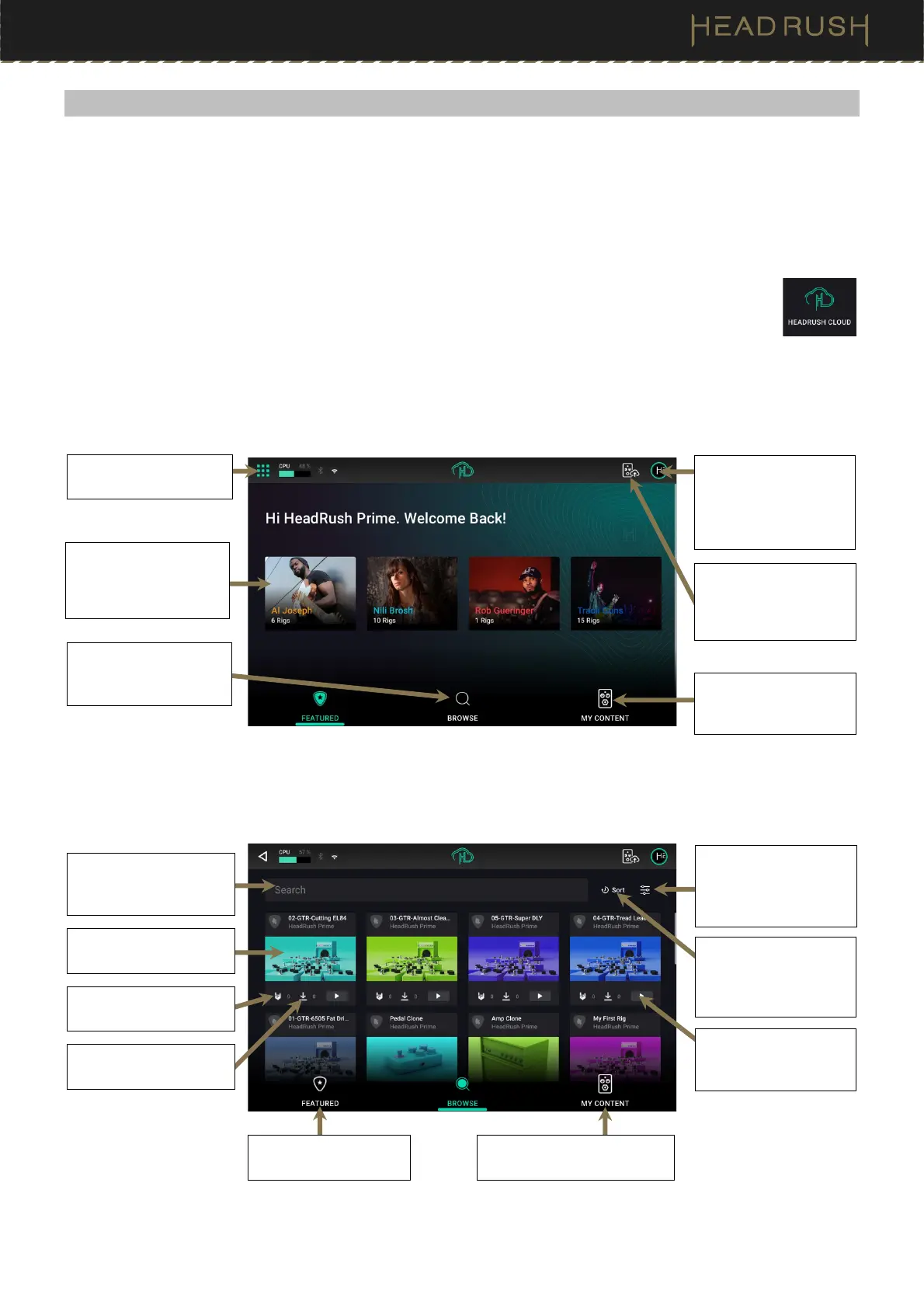
To open HeadRush Cloud, tap the Menu icon in the top left of the Main screen, and then tap the
Browser icon.
The first time that you log into the HeadRush Cloud, a QR code will be shown on the screen along with a security
code. Follow the directions on the screen to register for a free account.
Once you have registered and signed in, the Featured tab will be shown. On the Featured tab, you can learn more
about HeadRush featured artists, as well as preview and download their personal rigs and clones.
On the Browse tab, you can search for new rigs from the HeadRush community by using the search bar, sort, and
filter features. You can tap and drag the screen to scroll through the content shown on screen.
Tap here to return to the
Menu screen.
Tap a HeadRush Artist
to learn more about
them and view their
u
loaded content.
Tap here to Browse rigs
and clones from other
HeadRush Prime users.
Tap here to access
your personal profile
settings, view support
resources, or to sign
out.
Tap here to view your
previously uploaded
content.
Tap here to upload a
new rig or clone to your
HeadRush Cloud
account.
Tap the filter icon to
filter the content by
type (rig vs clone) as
well as intended genre.
Tap the Sort icon to
sort by upload date,
downloads, likes, and
alphabetical order.
Tap the play icon to
preview a rig’s sound
without downloading it.
Tap the search bar to
use the virtual keyboard
to search for content.
Tap the image to learn
more about the content.
Tap the download icon
to download the rig.
If you like the content,
Tap here to like the rig.
Tap here to return to
the Featured Artist tab.
Tap here to view your
previously uploaded content.



 To Next Page