19
(4.4) Adjusting Settings
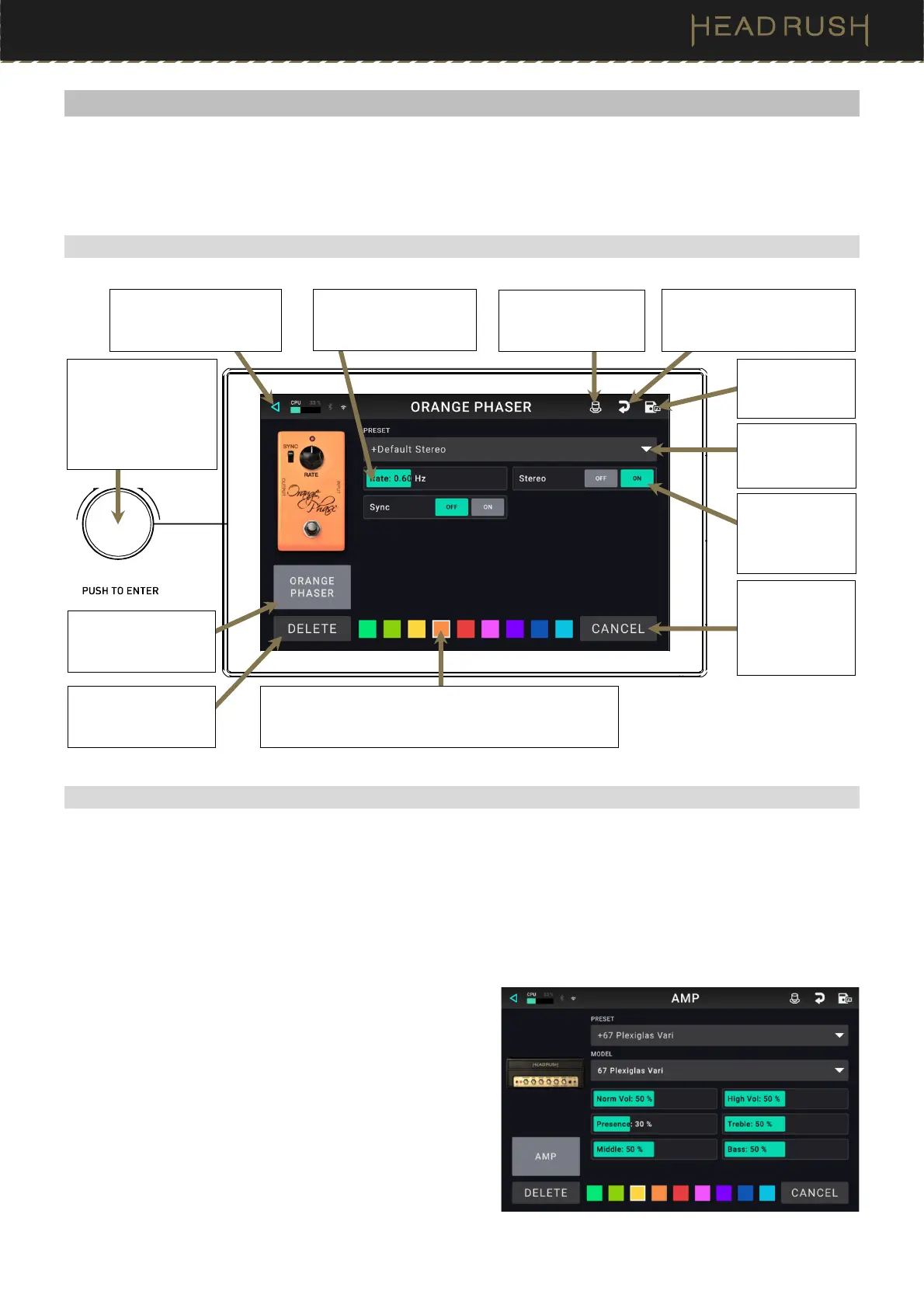
To adjust the settings of a block in your rig, double-tap it to open its settings screen. You can adjust the settings
of any block (amp, cab, IR, clone, or effect), the input (the In/Lock icon), the output (the Out icon), or mix (the Mix
icon).
(4.4.1) Overview
(4.4.2) Parameters
Listed below are some of the common parameters that you can adjust for each type of block. The block types
include amps, cabs, IRs, clones, effects, input settings, output settings, and mix settings (if you are using a split
signal path). See (4.4.3) Saving a Block Preset to learn how to save a preset after adjusting parameters.
Amp (HeadRush / Revalver)
The Amp category is a list of popular guitar and bass
amplifiers.
Preset: This is the current amp preset, which includes the
model, all its settings, and its color assignment.
Model: This is the amp model.
Amp Settings: These are the settings for the selected
amp model (different models may have more or fewer
settings).
Color: This is the assigned color, which will appear in
the Hardware Assign screen and the switch indicator
if the amp is assigned to a switch.
Tap the Preset
menu to select a
preset.
Tap this icon to discard any
changes you’ve made since
opening this screen.
Tap Delete to
unassign the block
from the slot.
Tap the block name
to assign a different
block to this slot.
Tap to return to retain
your changes and return
to the main screen.
See (4.4.3)
Saving a Block
Preset.
Tap a button to
change a
parameter’s
setting.
Tap and slide a fader to
change a parameter’s
value.
Tap a color to assign it to this block. That color will be
shown on the main screen, in the Hardware Assign
screen, and in the footswitch indicator for this model.
Tap this icon to enter
the (4.6)
Hardware
Assign menu.
Turn encoder to move
through selectable
items onscreen or to
adjust parameters.
Press encoder as an
Enter command.
Tap Cancel to
return to discard
your changes
and return to the
main screen.



 To Next Page