32
(4.7) Hands-Free Mode
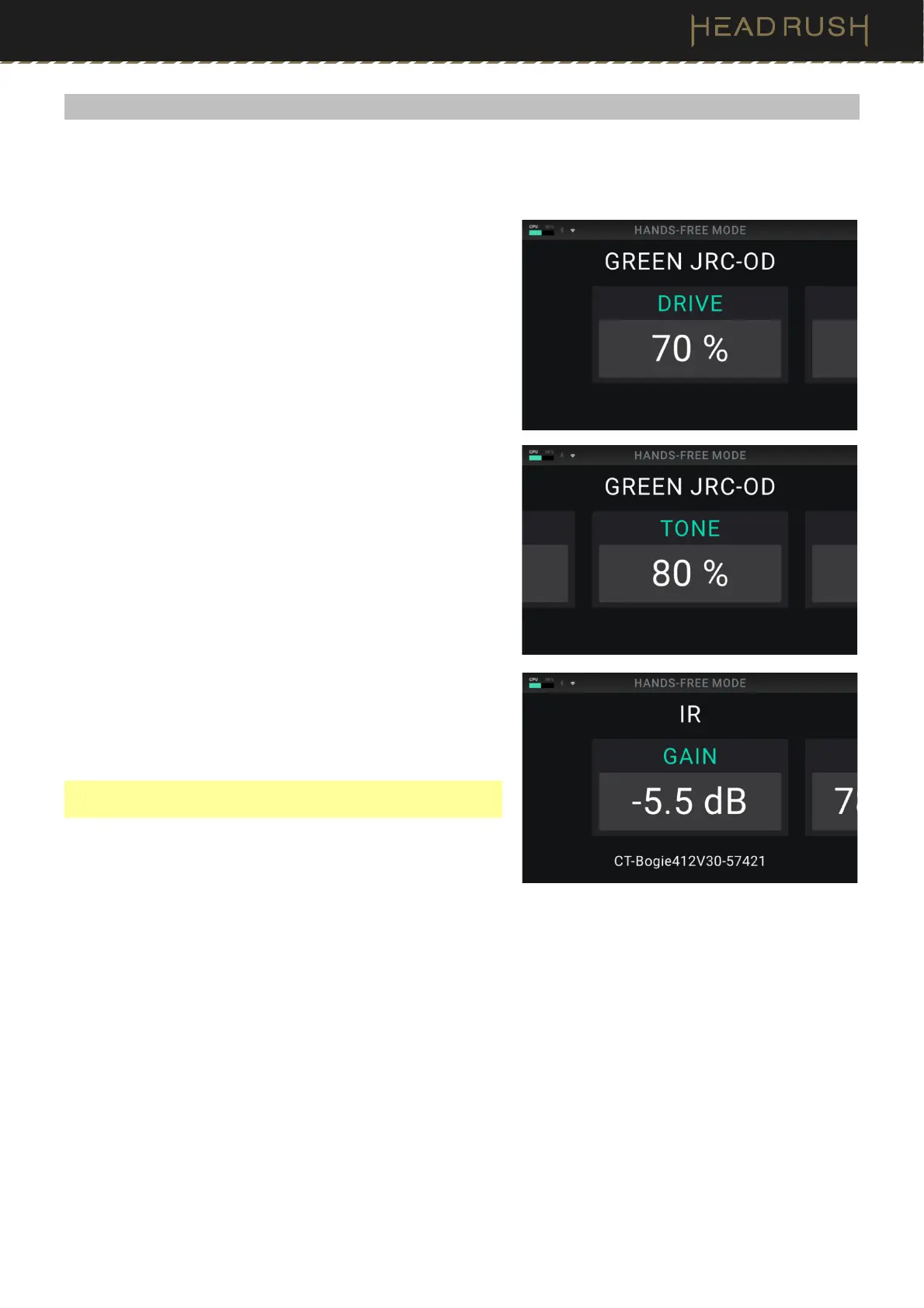
Hands-Free Mode enables you to adjust any of the settings on your blocks by using just the footswitches and
expression pedal.
To enter Hands-Free Mode, press and hold a footswitch
assigned to a block for over one second. While in Hands-Free
Mode, the screen will show a single parameter and its value,
and the top six footswitches will correspond to six parameters
of that model.
To exit Hands-Free Mode, press the lower-left most (Exit)
footswitch.
To change the value, move the expression pedal.
To fine-tune the value incrementally, use the lower-right two
(– or +) footswitches.
To show another parameter, press the corresponding
footswitch. If that model has more than six parameters, press
the lower-middle two ( or ) footswitches to show the
previous or next six parameters.
To save your rig in Hands-Free Mode, press the second
footswitch from the left in the lower row of footswitches.
To quickly change and audition IR files, use the lower-middle
two (IR or IR ) footswitches.
Note: This option is only available when editing an IR in Hands-
Free Mode.



 To Next Page