52
(4.20) Global EQ
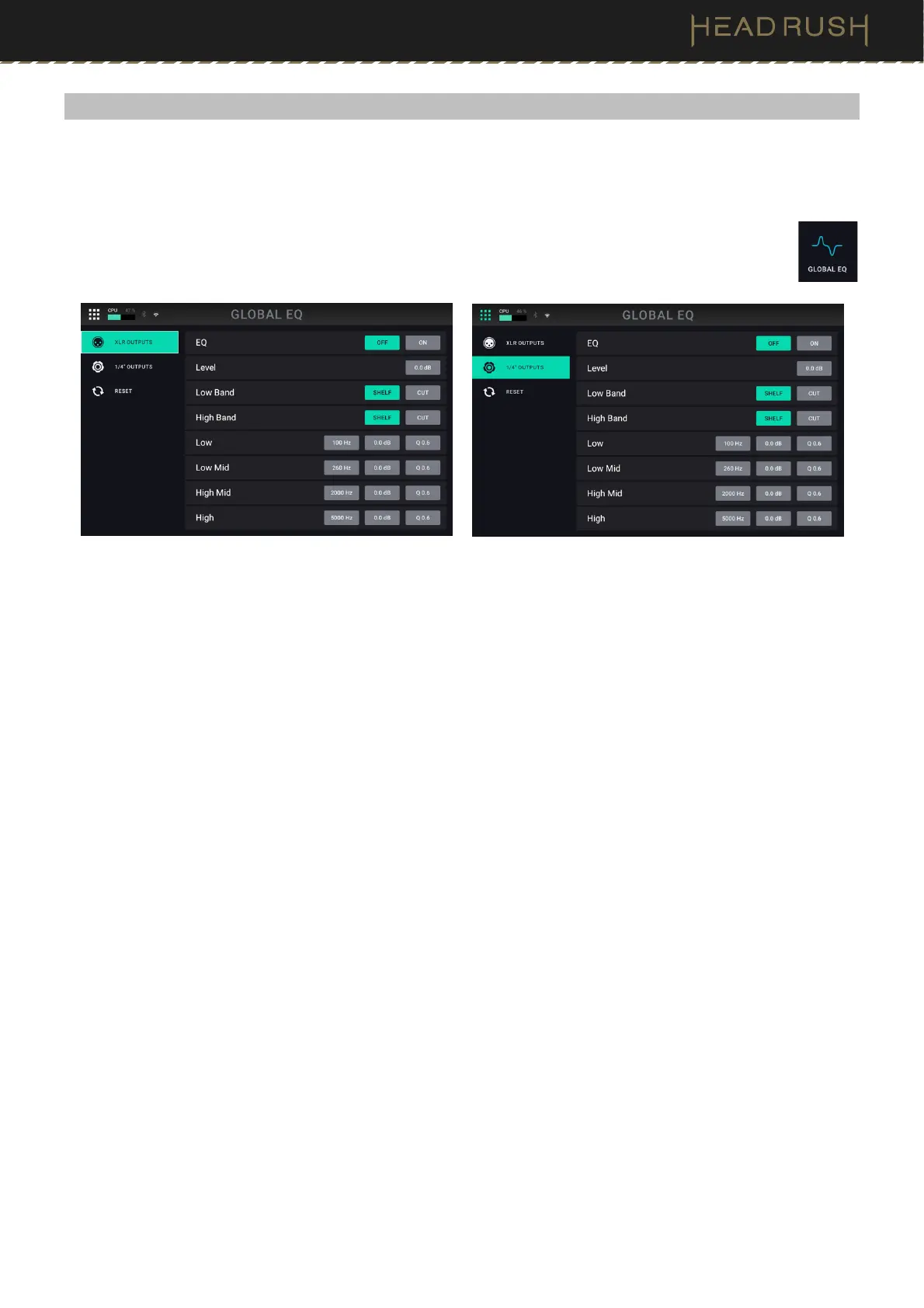
The Global EQ screen lets you quickly apply additional equalization to all your presets without permanently saving
them. These settings are especially useful when a venue, rehearsal space, or other environment has different acoustic
characteristics than the room where you originally created your presets (e.g., the venue may sound “boomier,” or a
rehearsal space with soundproofing may deaden some of the high end).
To access the Global EQ screen, tap the Menu icon in the top left of the Main screen, and then
tap the Global EQ icon.
These settings determine if/how equalization is applied the XLR outputs (the settings on the first tab in the left
column) and/or the 1/4” (6.35 mm) outputs (the settings on the second tab in the left column half of the screen).
Each equalizer is a four-band parametric equalizer.
The available settings for each set of outputs are as follows:
EQ On: This setting determines whether equalization is enabled (On) or disabled (Off) for the outputs.
Level: This setting determines if/how much the signal level from the outputs is boosted or cut. This value is
applied to the level set by the Main knob.
Low Band & High Band: These settings determine what type of equalization is applied to the lowest-frequency
band (Low Band) and to the highest-frequency band (High Band): Shelf or Cut.
Low, Low Mid, High & High Mid: The three settings for each of these four frequency bands determine the
shape of the equalization:
The first setting (Hz) determines the center frequency of the low-frequency band, low-mid-frequency
band, high-frequency band, or high-mid-frequency band.
The second setting (dB) determines how much the equalizer boosts or cuts the signal at the corresponding
frequency band.
The third setting (Q) determines the width of the frequency band. The higher the setting, the wider the
band will be around the center frequency (the first setting). This setting is applied whether Low Band or
High Band is set to Shelf or Cut.
You can reset the Global EQ feature back to the factor defaults by tapping the Reset icon at the bottom of the left
column on this screen.



 To Next Page