55
Vocal Out: This setting determines where the vocal path from a rig’s output signal is sent to. Choose XLR to
send the signal to HeadRush Prime’s XLR outputs, 1/4” to send the signal to the 1/4” outputs, and Phones
to send the signal to the 1/8” headphones output.
Vocal Dry Out: This setting determines where the dry vocal out from a rig’s output signal is sent to. Choose
XLR to send the signal to HeadRush Prime’s XLR outputs, 1/4” to send the signal to the 1/4” outputs, and
Phones to send the signal to the 1/8” headphones output.
Practice Tool Out: This setting determines where the Practice Tool’s output signal is sent to. Choose XLR to
send the signal to HeadRush Prime’s XLR outputs, 1/4” to send the signal to the 1/4” outputs, and Phones
to send the signal to the 1/8” headphones output.
FX-Loop Stereo: These settings determine whether the incoming and outgoing signal in the effects loop is
stereo or mono. Tap Send to enable or disable the stereo signal for the send outputs. Tap Return to enable
or disable the stereo signal for the return inputs.
FX Loop Level: This setting determines the signal level received by the FX Return Input (1/4”/6.35 mm, TRS).
When set to Rack, the output level will be line level, +18 dBu. Use this setting if you are connecting a rack
effects processor in HeadRush Prime's FX-Loop. When set to Stomp, the output level will be +6 dBu. Use
this setting if you are connecting a traditional guitar pedal (“stompbox”) in the FX-Loop.
1/4” Level: This setting determines the signal level sent to the main Outputs (1/4”/6.35 mm, TRS). When set to
Line, the output level will be +18 dBu. Use this setting if you are connecting HeadRush Prime to a full-range,
flat-response amplifier, PA speaker, mixer, or audio interface. When set to Amp, the output level will be +6
dBu. Use this setting if you are connecting HeadRush Prime to a traditional guitar amplifier.
XLR Ground Lift: This setting determines whether the XLR ground lift feature is enabled (On) or disabled (Off).
Use this feature to reduce hum or noise in the signal from the XLR Outputs.
Bluetooth
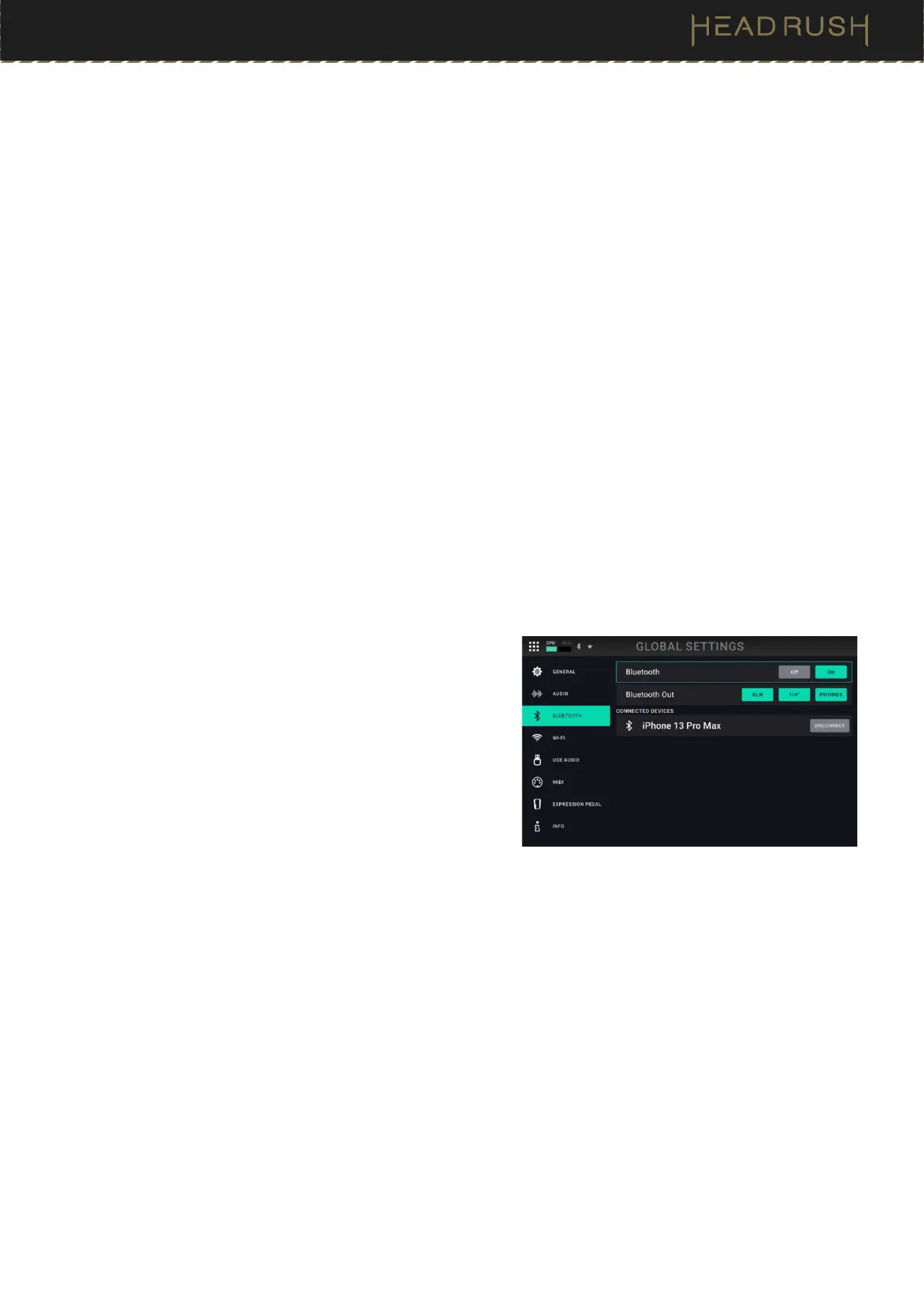
HeadRush Prime features an integrated Bluetooth audio
receiver, enabling you to connect a mobile device and play
along with songs, lesson apps, etc. The settings for this feature
are located on this tab.
To enable the Bluetooth audio receiver for pairing to your
mobile device, tap the ON button at the top of the screen.
Then, search for “HeadRush Prime” in the Bluetooth
Settings menu on your device and connect to it.
To configure which outputs the Bluetooth audio is sent
to, use the Bluetooth Out parameter and choose
XLR to
send the signal to HeadRush Prime’s XLR outputs, 1/4”
to send the signal to the 1/4” outputs, and Phones to
send the signal to the 1/8” headphones output.
To disconnect a paired Bluetooth Audio device, tap the disconnect button next to the name of the device
under the list of connected devices.
To disable the Bluetooth audio receiver, tap the OFF button.
To have HeadRush Prime forget a previously connected device, tap the device’s name, and then tap Forget
Device.



 To Next Page