7
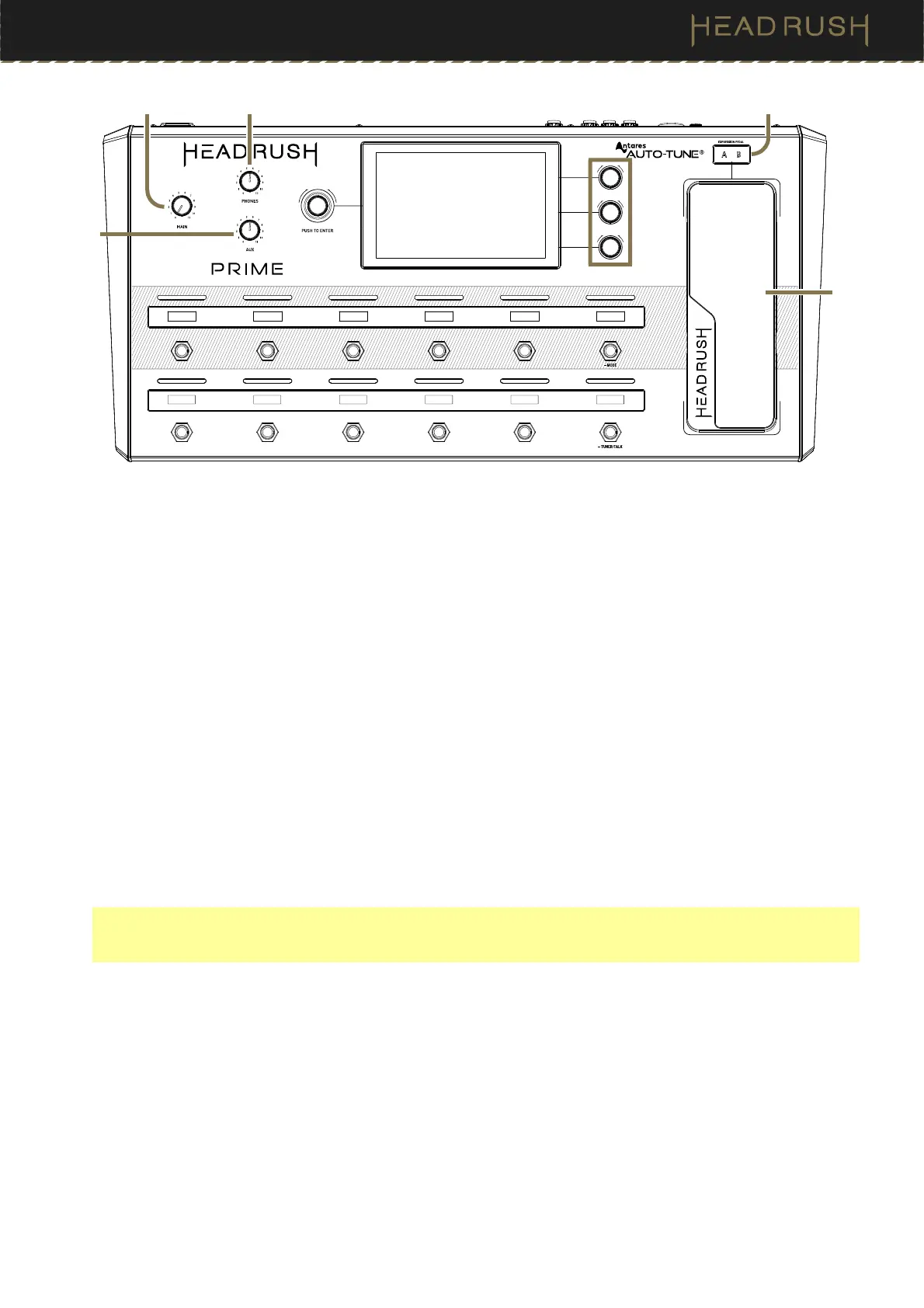
7. Expression Pedal
Use this pedal to adjust the assigned parameter/parameters. See the (4.6.4) Hardware Assign > Expression
Pedal for more information.
8. Expression Pedal Status
These small LEDs indicate the current status of the expression pedal.
9. Main Volume
Turn this knob to adjust the volume level of the Outputs.
10. Phones Volume
Turn this knob to adjust the volume level of the Phones Output.
11. Aux Volume
Turn this knob to adjust the volume level of the Aux Input.
Important: The audio signal from the aux input is routed directly to the outputs of HeadRush Prime without any
modeling or effects applied and cannot be used by the looper. It is also unaffected by the main volume or
phones volume knobs.
9 8
7
10
11



 To Next Page