129HeartWare™ HVAD™ System Alarms and Emergencies
10
9
8
7
6
5
4
3
2
1
Appendix
Reference
Guides
Alarms and
Emergencies
Patient
Management
Surgical
Implant and
Explant
Monitor
Peripherals
and
Accessories
HVAD
®
PumpOverviewIntroduction
8.0 HeartWare
™
HVAD
™
System Alarms and
Emergencies
8.1 Alarm Overview .......129
8.2 High Priority Alarms .130
8.3 Medium Priority
Alarms ......................132
8.4 Low Priority Alarms ...134
8.5 Multiple Alarms .........135
8.6 How to Silence (Mute)
Alarms
......................136
8.7 How To Change the
Controller
.................. 137
8.1 Alarm Overview
Visual and auditory alarms tell clinicians and patients
about the pump, controller, connections, and power
supplies (batteries, AC adapter, DC adapter). A quick
reference guide for alarms is located in Section 9.0.
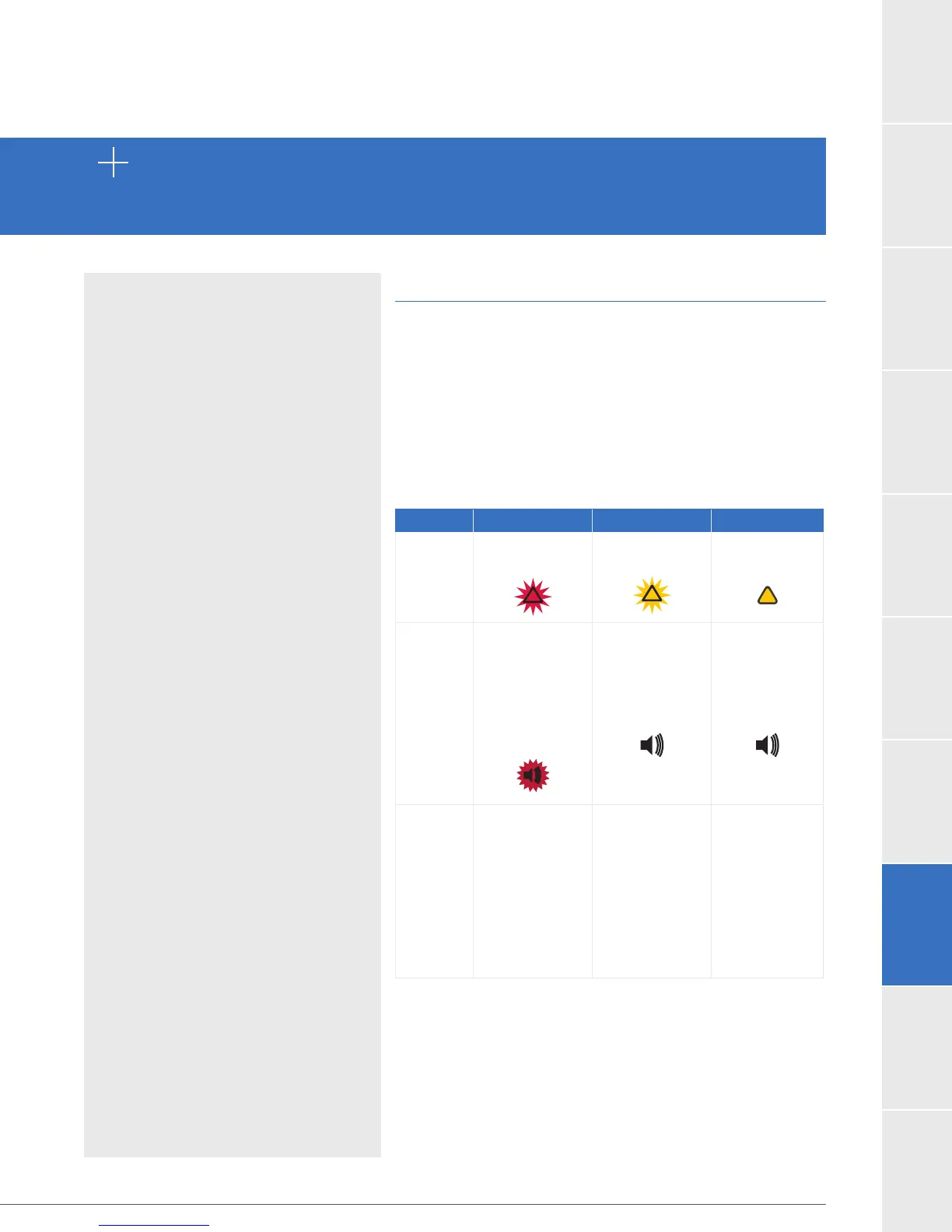
Each of these alarms has a 1) unique sound, 2) visual
display and 3) message. See table below.
Table 28: Alarm Conditions: High, Medium, Low
High Medium Low
Controller
Display
Flashing Red
Triangle
Flashing Yellow
Triangle
Solid Yellow
Triangle
Controller
Audio
Loudest
intermittent
beep
Cannot be
silenced by
the “Mute”
button
Intermittent
beep that
becomes
louder in 1
and 5 min
Intermittent
beep that
becomes
louder in 5
and 10 min
Controller
Silencing
Cannot be
silenced by
the “Mute”
button
The alarm will
clear once
the problem
is resolved
May be
silenced for 5
min or 1 hour
Controller
and Electrical
Faults
may be
permanently
silenced
May be
silenced for
5 min



 To Next Page